
TL;DR

Get home appliances delivered free — and shop member deals
- Fast, free delivery on millions of items
- Access to Prime Big Deal Days deals on October 6–7
- Prime Video, Amazon Music and more included
Smart home security cameras boost home safety through live monitoring, AI alerts, and smart integrations. They vary in quality, storage, and privacy features, so choose wisely based on your needs and risks.
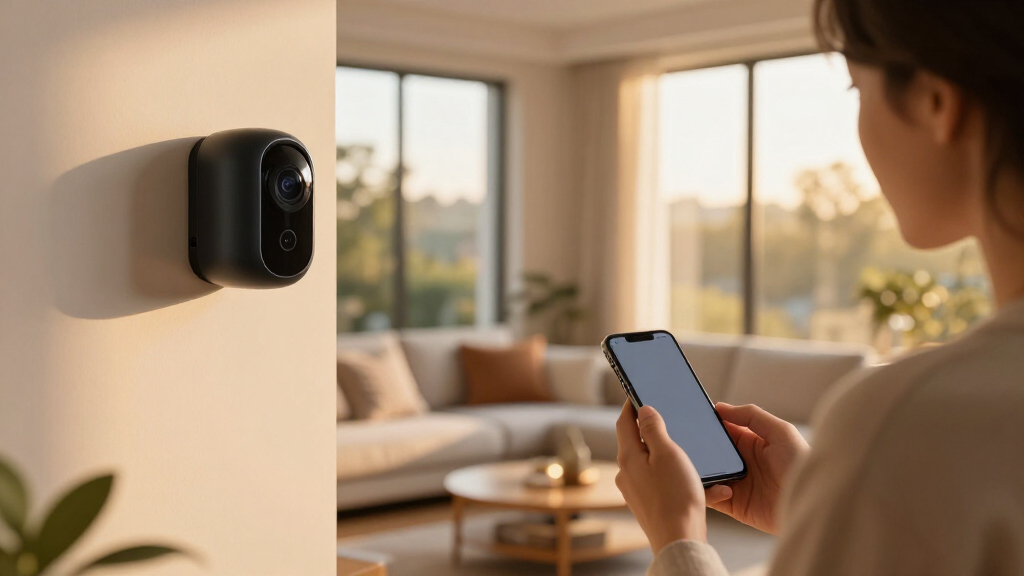
Imagine leaving your house for a quick grocery run and knowing—without a doubt—that your home is under watch. That’s the promise of smart home security cameras. They’re no longer just “video recorders.” They’ve evolved into connected guardians with live feeds, AI detection, and automation that make home security smarter and more adaptable.
But with great power comes great responsibility. Picking the right camera isn’t just about resolution or price. It’s about understanding what features matter, how to protect your privacy, and how these devices fit into your overall security plan. Today, you’ll learn exactly how to navigate this landscape, so your home stays safe—without sacrificing your privacy or sanity.
High-resolution cameras with good placement make the biggest difference in identifying faces and details.
AI detection reduces false alarms but isn’t infallible—use it as a helpful tool, not a sole proof.
Secure your cameras with strong passwords, regular updates, and separate Wi-Fi networks to prevent hacking.
Balance cloud and local storage based on your privacy needs and budget—hybrid systems offer the best of both worlds.
Proper camera placement and testing at different times of day are essential for effective surveillance.
Choose the Right Camera Type for Your Home’s Needs
Not all cameras are created equal. Your first step is picking the type that fits your space and goals. For example, indoor cameras excel at monitoring kids or pets, while outdoor cameras need weatherproofing and night vision to shield your home all day and night. Doorbell cameras blend video with your front door, catching package thieves and visitors alike.
Consider wireless cameras if you want quick setup—these are battery-powered, easy to move, but require occasional charging. Wired cameras offer more reliability and continuous power, perfect for fixed, high-traffic spots.
For broad coverage, look for pan-tilt-zoom cameras. They rotate, tilt, and zoom to keep watch over large areas, reducing blind spots.
Here’s a quick rundown of common types:
| Type | Best For | Key Feature |
|---|---|---|
| Indoor | Living rooms, nurseries | Compact, easy to install |
| Outdoor | Driveways, front yards | Weather-resistant, night vision |
| Doorbell | Front entrances | Video + two-way audio |
| Wireless | Easy setup, flexible placement | Battery-powered |
| Floodlight | Driveways, garages | Illumination + video |
| Pan-tilt-zoom | Large areas, yards | Rotation, zooming |
Choosing the right type impacts your security effectiveness. For example, indoor cameras are great for monitoring activity inside your home but won’t deter external threats. Outdoor cameras provide a first line of defense but need weatherproofing and strategic placement to avoid blind spots or false alerts caused by environmental factors. Doorbell cameras combine convenience and deterrence at your entry point but often have limited field of view. Understanding these differences helps you balance coverage, reliability, and privacy, ensuring your security system aligns with your actual risks and needs.
high resolution outdoor security camera
As an affiliate, we earn on qualifying purchases.
As an affiliate, we earn on qualifying purchases.
Why Video Quality Matters More Than You Think
When choosing a security camera, resolution isn’t just about sharp images; it directly affects your ability to identify threats and respond effectively. For instance, a 1080p camera might produce decent footage, but in a real intrusion, it could be too blurry to distinguish faces or license plates. Upgrading to 4K or higher means you can zoom into footage without losing detail, which is crucial for law enforcement or insurance claims.
However, higher resolution also means larger files, which require more storage and bandwidth. This can slow down your network or increase costs if you rely on cloud storage. The tradeoff is between clarity and practicality. For example, a 2K outdoor camera with powerful night vision can help you identify a trespasser in low light, but if your internet bandwidth is limited, streaming and storing this footage might strain your system. Balancing resolution with your network capacity and storage options is key to maintaining a reliable, effective security system.
Frame rate, the number of images captured per second, also influences how natural motion appears. Higher frame rates reduce motion blur, making fast movements like running or vehicle passing clearer. But high frame rates increase data load, impacting bandwidth and storage. Optimal settings depend on your environment and needs. For example, monitoring a driveway for cars might require higher frame rates, while a backyard camera aimed at a static area can use lower frame rates to conserve resources. Ultimately, understanding these tradeoffs helps you prioritize what matters most—whether detail, speed, or efficiency—and design a system that’s both effective and sustainable.
wireless home security camera system
As an affiliate, we earn on qualifying purchases.
As an affiliate, we earn on qualifying purchases.
How AI and Motion Detection Cut Down False Alarms
Modern security cameras leverage AI to analyze footage in real-time, dramatically improving the accuracy of alerts. Instead of triggering on every movement, AI helps distinguish between a person, a car, or a falling leaf. This means you get fewer false alarms—saving you from unnecessary stress and alert fatigue. For example, AI can notify you only if a person approaches your front door, ignoring passing cars or animals in the yard.
But AI isn’t infallible. Its effectiveness depends on how well it’s configured and trained. Poorly set detection zones might miss genuine threats or generate false positives, especially in complex environments with variable lighting or weather conditions. For instance, a false alarm caused by a shadow or a moving tree can desensitize you to real threats if you’re not careful. Fine-tuning detection zones, setting appropriate activity zones, and regularly updating the system’s software are critical steps to ensure AI remains a helpful tool rather than a source of frustration. These adjustments help your system adapt to changing conditions, maintaining a balance between sensitivity and specificity, which is vital for reliable security monitoring.
Understanding these tradeoffs allows you to leverage AI effectively—using it as an intelligent filter that reduces noise while still catching real threats. Proper calibration can mean the difference between peace of mind and constant false alarms, so investing time in setup and ongoing management pays off in a more dependable security system.
doorbell camera with two-way audio
As an affiliate, we earn on qualifying purchases.
As an affiliate, we earn on qualifying purchases.
Frequently Asked Questions
Are smart security cameras worth it?
They can provide peace of mind by monitoring entrances, alerting you to activity, and recording incidents. Their usefulness depends on placement, reliability, privacy preferences, and total ongoing costs.Do security cameras work without Wi-Fi?
Some cameras record locally without Wi-Fi, but many smart features require an internet connection for remote access and alerts. Cellular or wired systems can serve as alternatives if Wi-Fi is unreliable.Do smart cameras require a subscription?
Not always. Basic live viewing and local storage often come without fees, but advanced AI detection, longer cloud storage, and professional monitoring usually involve subscription plans.How much internet data do security cameras use?
Data usage depends on resolution, frame rate, and recording mode. Higher resolution and continuous recording consume more data, so plan your bandwidth accordingly—especially if you have a capped data plan.Where should cameras be placed for maximum effectiveness?
Focus on entrances, driveways, and vulnerable access points. Mount cameras high enough to prevent tampering and avoid direct glare. Test views at different times to ensure clarity and coverage.As an affiliate, we earn on qualifying purchases.
Conclusion
A security camera is only as good as its placement and your security practices. Invest time in choosing the right type, securing your system, and understanding its limits. A well-placed, protected camera can be a silent guardian—watching, alerting, and deterring threats, all while respecting your privacy.
Think of it like a vigilant eye that never sleeps, but one you control and secure. Keep your system updated, and don’t forget: the best security combines smart tech with good habits. Are you ready to make your home smarter and safer?
Fall yard work Picks
leaf blowers
As an affiliate, we earn on qualifying purchases.