
TL;DR

Get home appliances delivered free with Prime
- Fast, free delivery on millions of items
- Prime Video, Amazon Music and more included
- Member-only deals all year
Smart home security cameras combine video, connectivity, and AI to monitor your property remotely. Choosing the right type, placement, and features makes all the difference—plus, privacy and costs matter more than ever.
Imagine this: you’re away at work, and a stranger approaches your front door. Your smart camera buzzes, alerts you instantly, and shows a clear, sharp image of a person in the dark. That’s the power of modern smart home security cameras. But behind the sleek hides layers of choices—wiring, resolution, privacy, and integration—that can make or break your home’s safety.
Whether you’re replacing an old system or starting fresh, understanding what features matter most helps you avoid costly mistakes. This guide reveals everything you need to know—how to select the right camera, where to place it, and how to make it work for you, not against your privacy or budget.
Prioritize placement: position cameras at eye level near entry points for best facial clarity.
Balance resolution with bandwidth and storage needs—1080p often suffices, but 4K offers detail if needed.
Use a mix of local and cloud storage for maximum security and resilience.
Secure your cameras with strong passwords, encryption, and privacy zones to prevent hacking.
Match your smart-home ecosystem support with your automation goals for seamless integration.
What Kind of Camera Fits Your Home Best?
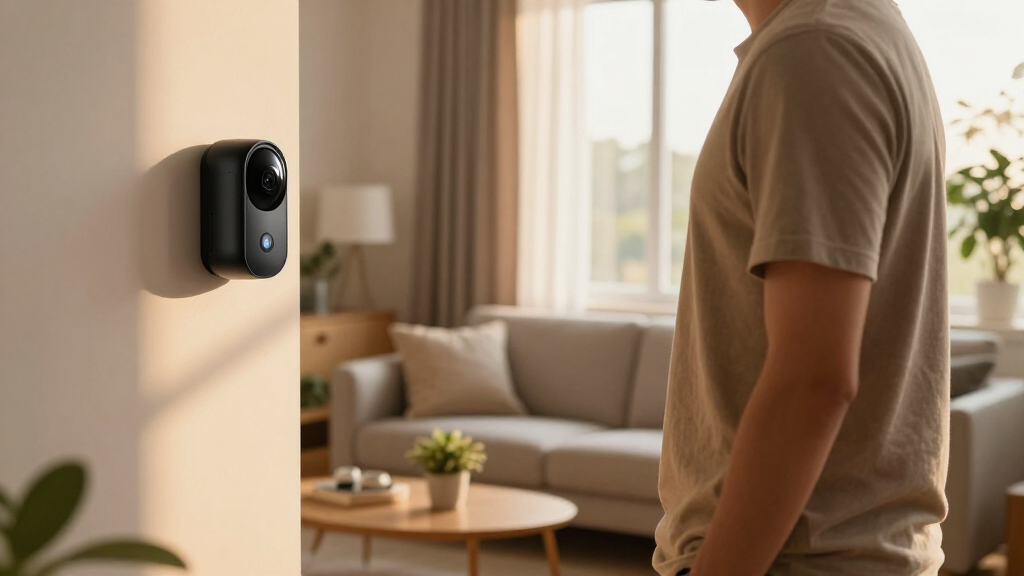
The first step: decide indoors, outdoors, or just your front door. Each has unique needs. Outdoor cameras need weatherproofing, night vision, and secure mounting. Indoor cameras benefit from privacy shutters and local processing. Video doorbells focus on close-range visitor monitoring but don’t cover large areas like driveways.
For example, a homeowner who installed a weather-resistant camera on the porch discovered intruders before they reached the door, thanks to a camera with IR night vision and motion alerts. Meanwhile, indoor cameras placed near common areas helped families keep an eye on pets or kids when they’re not home.
As an affiliate, we earn on qualifying purchases.
Wired or Battery? Which Power Option Works for You?
Wired cameras, especially Power-over-Ethernet (PoE), provide continuous power and often more reliable recordings. They’re perfect for fixed outdoor spots where running cables isn’t an issue. Battery-powered cameras, on the other hand, offer flexible placement—no wires needed. But they usually record only when motion is detected, and cold weather can drain batteries faster.
Take the case of a homeowner who installed a solar-powered camera that’s been running for over a year without recharging—provided it’s in a sunny spot. But in a shaded backyard, batteries still need regular attention. The choice depends on your setup and willingness to maintain.
wireless indoor security camera with privacy shutter
As an affiliate, we earn on qualifying purchases.
As an affiliate, we earn on qualifying purchases.
Local vs Cloud Storage — Which Protects Your Footage Better?
Cloud storage lets you access footage from anywhere, often with subscription plans. Local storage—via microSD cards, network-attached storage (NAS), or dedicated recorders—keeps data on your premises. Local systems can cut costs and reduce data exposure, but if someone steals your camera, footage might be lost.
Imagine a scenario where a thief snatches a camera with local storage; the footage disappears. Conversely, cloud backups keep your footage safe, even if the camera is taken. The best choice? A hybrid approach that stores critical clips locally and backs them up securely online.
As an affiliate, we earn on qualifying purchases.
Why Resolution Matters — Is 1080p Enough or Is 4K Worth It?
1080p delivers clear images for most monitoring needs. But if you need to identify faces or license plates from a distance, 2K or 4K cameras shine. However, higher resolution means more bandwidth, storage, and power. A 4K camera might fill a 64GB microSD card in a few days if recording continuously.
Consider a real example: a homeowner with a 4K camera caught a license plate at night, but the footage required significant bandwidth during playback. Meanwhile, a 1080p camera captured a person’s face clearly in daylight. Matching resolution to your needs saves money and hassle.
It’s important to understand that higher resolution isn’t always better if your internet connection or storage capacity can’t handle it. Choosing the right resolution involves balancing the need for detail with practical limitations, which can otherwise lead to increased costs and frustration.
battery-powered security camera with solar panel
As an affiliate, we earn on qualifying purchases.
As an affiliate, we earn on qualifying purchases.
Night Vision: Color or Infrared — Which Works Better?
Infrared night vision creates sharp black-and-white images in darkness, perfect for most security needs. Color night vision, which uses ambient light or spotlights, offers more detail, like clothing color or car make. But it’s less effective in total darkness without extra lighting. So, check real nighttime samples before buying.
For instance, a homeowner found that infrared footage was enough to identify a trespasser at night. But for identifying a parked vehicle’s color, a camera with color night vision and a spotlight was invaluable.
Choosing between these depends on your specific security priorities. Infrared is more reliable in complete darkness, but color night vision provides richer detail when ambient or supplemental light is available. Understanding these trade-offs helps you select the right technology based on your environment and security needs.
Detection and Alerts — How Smart Are These Cameras?
Modern cameras don’t just record—they analyze. Many distinguish between people, vehicles, and animals. Some even recognize familiar faces or detect packages. Features like activity zones and object filtering help reduce false alarms, like trees swaying or passing cars triggering alerts.
An example: a camera with AI detection only alerted residents to human movement, ignoring passing squirrels. Fine-tuning alert sensitivity and zones prevented constant false alarms, keeping notifications meaningful and timely.
Understanding the depth of these detection capabilities is crucial because false alarms can lead to alert fatigue, causing you to ignore real threats. Smart detection algorithms can significantly enhance your system’s effectiveness, but they require proper setup and calibration to balance sensitivity with accuracy, which can be a tradeoff between convenience and reliability.
Placement Tips — Maximize Coverage and Clarity
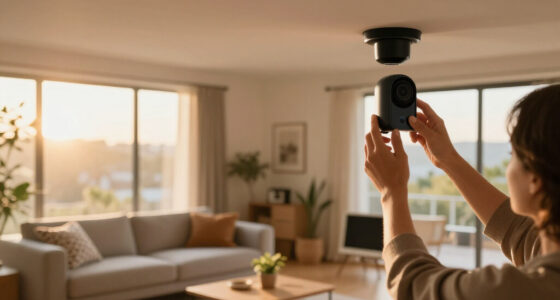
Position cameras near key entry points—front door, garage, backyard gates. Mount them at eye level for facial recognition, and avoid direct sunlight or bright lights that cause glare. Overlapping coverage ensures no blind spots. For example, placing a camera at the driveway corner and another at the front porch covers all angles, leaving intruders little room to hide.
Remember, a camera pointed into a bright streetlight will wash out details. Adjust angles and use privacy masks if needed to protect neighbors’ privacy while securing your property.
Proper placement isn’t just about coverage; it’s about strategic positioning to ensure clarity and effectiveness. Misplaced cameras can produce blurry images, miss critical details, or become easy targets for tampering. Investing time in optimal positioning maximizes your security investment and reduces false alarms or missed detections.
Connectivity and Power — Keep Your Cameras Reliable
Wi-Fi is common, but signal strength is key. Poor Wi-Fi causes lag, missed recordings, or disconnects. Ethernet or Power-over-Ethernet (PoE) offers stable, continuous recordings—ideal for critical areas. Battery and solar cameras are more flexible but depend on weather and activity levels. A homeowner with a backup UPS kept their Wi-Fi and cameras running during a power outage, avoiding blind spots.
Check if your camera reconnects automatically after a dropout, and consider backup power for essential devices. Using a mesh Wi-Fi system can improve coverage in larger homes.
Reliable connectivity and power are foundational for effective security. Weak signals or power interruptions can create vulnerabilities, so investing in robust network infrastructure and backup solutions is essential. This reduces the risk of blind spots due to technical failures and ensures continuous surveillance, which is vital for effective security management.
Privacy and Cybersecurity — Protect Your Footage and Data
Security cameras are data-collection devices. Use strong, unique passwords, enable two-factor authentication, and keep firmware updated. Encrypt data both during transmission and storage. Physical privacy shutters and masks help block neighbors or street views.
For example, a homeowner enabled end-to-end encryption and set privacy zones to exclude their neighbor’s yard, respecting privacy while monitoring their own property. Avoid placing cameras inside private spaces unless necessary, and understand who has access to footage in your provider’s system.
Deep understanding of cybersecurity is critical because cameras are frequent targets for hacking. Weak passwords, outdated firmware, or unsecured networks can expose your footage or even allow malicious control of your devices. Implementing layered security measures minimizes these risks, but it requires awareness and ongoing management—tradeoffs that can be overlooked by casual users, leaving vulnerabilities.
Smart Home Compatibility — Make Your Cameras Play Nice
Check if your cameras support Apple HomeKit, Google Home, Alexa, or Zigbee. Compatibility can be hit-or-miss—some cameras stream live but don’t support recording or detection in your chosen platform. Open standards like RTSP and ONVIF offer greater flexibility, especially if you want to integrate with third-party recorders or automation systems.
For example, a user connected their camera to a smart hub to trigger outdoor lights when motion was detected—adding an extra layer of security and automation.
Ensuring compatibility isn’t just about convenience; it’s about creating a seamless, integrated security ecosystem. Without proper integration, your security system may become fragmented, reducing overall effectiveness. Compatibility considerations often involve balancing features, costs, and future expandability, which are crucial for a cohesive smart home security strategy.
Budgeting for Costs — Know What You’re Signing Up For
Many cameras work without a subscription—local storage, basic live view, and notifications. But advanced features like AI alerts, longer clip storage, or video history often require monthly fees. Calculate multi-year costs, especially if you plan multiple cameras. Some providers charge per camera, others cover your entire household.
A real example: a family with four cameras paid $120/year for cloud storage, but upgrading to AI detection added another $10/month. Weigh the benefits against ongoing expenses.
Understanding the full scope of costs upfront—including equipment, subscription fees, and potential upgrades—helps you avoid surprises and makes sure your investment aligns with your security priorities. The tradeoff often involves balancing initial affordability with long-term value, as some features may be worth the ongoing expense for enhanced security and peace of mind.
Legal and Ethical Do’s and Don’ts
Always consider privacy laws. Avoid recording areas where people expect privacy, like neighbors’ yards or inside homes. Recording audio may require consent, depending on your jurisdiction. Be transparent—posting signs or notices helps. Capture only what’s necessary to protect your property.
For example, a homeowner aimed cameras only at their driveway and front porch, avoiding windows into neighbors’ yards. This balanced approach respects privacy and stays within legal bounds.
Understanding the legal landscape is essential because privacy laws vary widely by location and can carry hefty penalties for violations. Ethical considerations also include respecting neighbors’ privacy and avoiding intrusive surveillance. Being informed and compliant not only keeps you legally protected but also fosters good community relations, which are vital for sustainable security practices.
Latest Developments to Watch in 2024
Expect smarter, more autonomous cameras. On-device AI is reducing cloud reliance, speeding up alerts. Low-light imaging gets better with larger sensors and HDR. Some models now combine radar with cameras to improve detection accuracy and reduce false alerts. Privacy features—like physical shutters, local storage, and encryption—are becoming standard.
Additionally, solar-powered cameras are more efficient, and deeper automation can trigger routines based on detected events. The evolving landscape means more choice, but also more complexity—so stay informed.
These advancements will significantly influence the future of home security, making systems more intelligent, responsive, and privacy-conscious. However, they also introduce new considerations around costs, data management, and user training. Staying updated on these trends ensures you leverage the latest technology effectively for your security needs.
Frequently Asked Questions
Should I buy wired, plug-in, or battery-powered cameras?
Wired or PoE cameras provide continuous, reliable recording and are best for critical outdoor areas. Battery-powered cameras offer flexible placement but usually record only on motion. Choose based on your setup and maintenance willingness.
Is 1080p enough, or do I need 4K cameras?
1080p is sufficient for most monitoring—clear enough to identify faces and details. 4K offers sharper images for distant or fine details but consumes more storage and bandwidth. Match resolution to your security needs and network capacity.
Can I use my existing smart home system with these cameras?
Many cameras support popular platforms like Alexa, Google, or Apple HomeKit. Check compatibility first. Open standards like RTSP and ONVIF also help if you want to integrate with third-party recorders or automation hubs.
What happens during an internet outage?
It depends on your setup. Wired and local-storage cameras often keep recording locally, but cloud-dependent systems may lose access or recording capability. Consider backup power and local storage options to stay protected during outages.
How do I protect my camera footage from hackers?
Use strong, unique passwords, enable two-factor authentication, keep firmware updated, and place cameras on a separate network if possible. Physical privacy shutters and encryption also add layers of security against unauthorized access.
Conclusion
Your home’s security is only as good as the cameras you choose and how you set them up. Think about placement, power, privacy, and costs—not just fancy features. When done right, your smart camera system becomes a silent, vigilant guardian that respects your privacy and keeps your property safe.
Remember, a smart security setup isn’t just about technology—it’s about peace of mind. So, pick wisely, install thoughtfully, and stay aware of the evolving landscape of home security.
Fall Picks
fall essentials
As an affiliate, we earn on qualifying purchases.