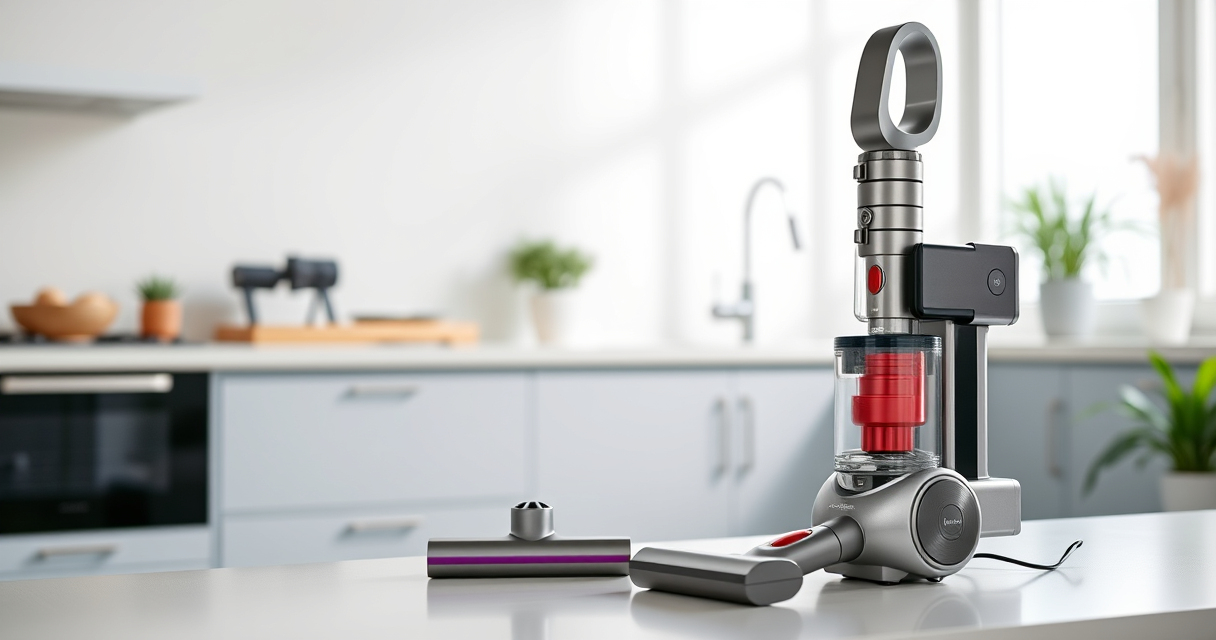
If your Dyson V15 Detect™ Origin Cordless Vacuum is pulsing on and off repeatedly, it can be frustrating and impact your cleaning routine. This issue often indicates a problem with the filter, battery, or debris blockage. Fortunately, many common causes can be fixed with simple troubleshooting steps, helping your vacuum work efficiently again.

Get home appliances delivered free with Prime
- Fast, free delivery on millions of items
- Prime Video, Amazon Music and more included
- Member-only deals all year
In this guide, we’ll walk you through safe, practical steps to identify and resolve the pulsing problem, ensuring your Dyson maintains optimal performance for thorough home cleaning.
Key Takeaways
| Filter Blockage | Clogged filters can cause overheating and pulsing; cleaning or replacing them may fix the issue. |
| Battery or Power Issues | Battery connections or power settings might be causing inconsistent operation; check and reset if needed. |
| Obstructions and Debris | Blockages in the wand or cleaner head can trigger pulsing; clear all obstructions thoroughly. |
| Overheating Protection | Dyson vacuums have thermal cut-off features; allow the machine to cool if it overheats before resuming use. |
Step 1: Power Off and Unplug
- Ensure the vacuum is turned off by releasing the power trigger.
- Disconnect the vacuum from its charging dock or power source.
Step 2: Check and Clean the Filter
Remove the pre-filter from the vacuum (usually located at the cyclone or dust canister). Rinse it under cold water, ensuring no soap or debris remains. Allow it to dry completely before reinserting. A clogged filter can cause overheating and pulsing issues.
Step 3: Inspect for Blockages
- Examine the wand, cleaner head, and crevice tool for debris or obstructions.
- Remove any debris carefully to restore airflow.
Step 4: Reset the Battery Connection
If your model allows, check the battery connection for secure contact. If accessible, disconnect and reconnect the battery to ensure proper contact. Sometimes, a loose connection can cause power fluctuations.
Step 5: Allow the Vacuum to Cool
If your Dyson has recently overheated, turn it off and let it cool for at least 30 minutes. Overheating triggers thermal protection, causing pulsing behavior.
Additional Tips and Warnings
- Always unplug the vacuum before performing maintenance.
- Use only Dyson-approved filters and parts to avoid damage.
- Do not attempt to repair internal electronics yourself; contact Dyson support if issues persist.
The Products in This Guide

Dyson V15 Detect™ Origin Cordless Vacuum
- ✔ Weight: 6.8 lbs
- ✔ Runtime: Up to 60 minutes
- ✔ Filter Type: Pre-filter and post-filter

LANMU Crevice Tool Vacuum Attachments Compatible
- ✔ Length: 15 inches
- ✔ Material: Plastic
- ✔ Compatibility: Multiple Dyson models
Dyson V15 Detect™ Origin Cordless Vacuum
The Dyson V15 Detect™ Origin offers powerful, intelligent cleaning with features like laser dust detection and adaptive power. Proper maintenance ensures it keeps pulsing issues at bay, maintaining peak performance.
Pros:
- Powerful suction with 100% more power
- Intelligent debris detection
- Long 60-minute runtime
- Multiple cleaning heads for versatility
Cons:
- Filter cleaning is essential for optimal operation
- Overheating can cause temporary pulsing
- Requires regular filter replacements
Best for: Whole-home deep cleaning and pet owners
Not ideal for: Users who neglect regular filter and maintenance routines
Bottom line: Regular maintenance and cleaning resolve most pulsing issues with the Dyson V15 Detect™ Origin.
LANMU Crevice Tool Vacuum Attachments Compatible
The LANMU Crevice Tool Vacuum Attachments are compatible with Dyson V15 and other models, making it easy to clear debris from tight spots that might contribute to pulsing if blocked.
Pros:
- Narrow nozzle for tight spaces
- Flexible, slim design
- Easy to attach and use
- Effective for car, corners, and baseboards
Cons:
- Only compatible with certain Dyson models
- Requires careful handling to avoid damage
- Limited for large debris
Best for: Cleaning corners, edges, and tight spaces
Not ideal for: For large debris or broad surfaces
Bottom line: This crevice tool enhances your Dyson’s reach and helps prevent blockages that cause pulsing.
Frequently Asked Questions
Why does my Dyson pulsing on and off?
It often indicates a blockage, overheating, or filter issue. Cleaning filters, checking for obstructions, and allowing the vacuum to cool can resolve the problem.
How often should I clean or replace the filters?
Filters should be cleaned every 1-3 months and replaced as recommended, typically every 6-12 months, depending on usage.
Can I fix the pulsing issue myself?
Yes, many issues like filter clogging or blockages can be fixed with simple cleaning and inspection. For electrical or internal problems, contact Dyson support.
What if cleaning doesn’t fix the pulsing?
If cleaning and resetting do not resolve the problem, consider professional repair or contacting Dyson customer service for assistance.
Keep Your Dyson Running Smoothly
Regular maintenance, including cleaning filters and checking for obstructions, is key to preventing pulsing issues. If problems persist after troubleshooting, professional support can help restore your vacuum’s performance. Proper care ensures your Dyson V15 Detect™ Origin continues to deliver powerful, efficient cleaning for years to come.
Affiliate disclosure: As an Amazon Associate we earn from qualifying purchases. Prices and availability are accurate as of the time of publishing.
Cold & flu season Picks
humidifiers
As an affiliate, we earn on qualifying purchases.