TL;DR

Get home appliances delivered free with Prime
- Fast, free delivery on millions of items
- Prime Video, Amazon Music and more included
- Member-only deals all year
Smart home security systems combine sensors, cameras, and smart locks into one connected setup. Recent advances include AI-driven alerts and seamless integration, making them more reliable and user-friendly than ever. Proper setup, security, and privacy awareness are key to getting the most out of them.
Imagine your home protected by a network of smart eyes and ears—cameras that recognize faces, sensors that detect movement, locks you control from anywhere. Smart home security systems aren’t just about alarms anymore; they’re about peace of mind delivered through cutting-edge tech. But with so many options, how do you pick a system that’s reliable, secure, and truly effective?
In this article, you’ll learn what makes up a smart security setup, the latest trends that boost their power, and practical tips to make your home safer. Whether you’re a tech enthusiast or just want a simple upgrade, understanding these systems helps you make smarter choices.
Prioritize security features like encryption and multi-factor authentication to protect your data.
Choose devices compatible with your existing smart home ecosystem for seamless control.
AI-driven cameras can distinguish familiar faces from strangers, reducing false alarms.
Wireless, battery-powered sensors make DIY setup quick and flexible.
Regular firmware updates and strong passwords are key to defending against hacking.
What Components Make a Smart Home Security System Work?
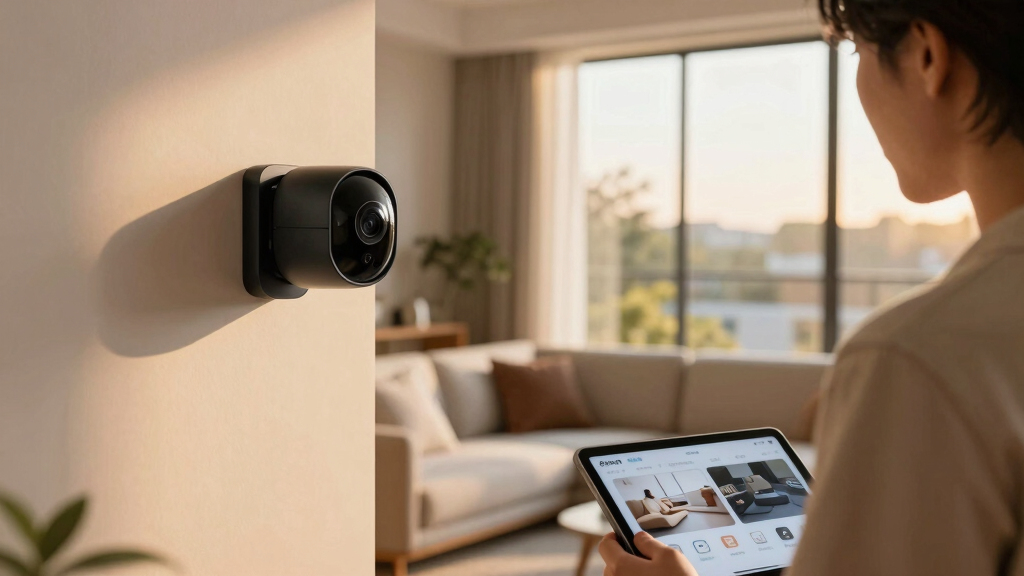
Think of a smart security system as a digital fortress built from key pieces. Sensors like motion detectors and door/window sensors are the first line—detecting movement or breaches. Cameras capture live video, with doorbell cams showing you who’s at your door, even when you’re miles away. Alarms blare loudly to scare off intruders or alert neighbors.
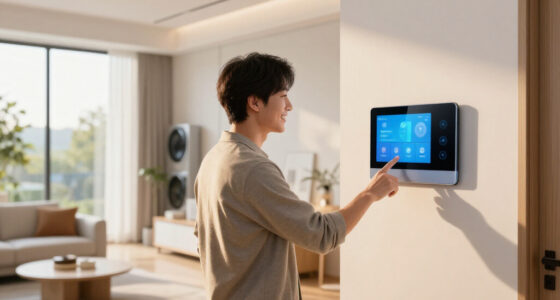
Smart locks add convenience—allowing you to lock or unlock doors remotely, or via fingerprint or code. Control hubs or apps tie everything together, giving you an at-your-fingertips command center. Imagine a system where your doorbell camera detects someone, alerts your phone, and you unlock the door with a tap—without leaving your sofa.
These components matter because each plays a critical role in creating a layered security approach. Sensors provide early detection, cameras offer visual verification, and locks prevent unauthorized access. The integration of these devices allows for real-time response, reducing the window of opportunity for intruders and enhancing your peace of mind. The tradeoff, however, is that more components can mean increased complexity and potential points of failure, so a balanced, well-integrated system is essential.
smart home security system with AI
As an affiliate, we earn on qualifying purchases.
As an affiliate, we earn on qualifying purchases.
How Connectivity and Ecosystem Compatibility Boost Your Security
Smart security systems rely on connectivity—Wi-Fi, Zigbee, Z-Wave, or Bluetooth—to link devices smoothly. Compatibility with voice assistants like Alexa, Google Assistant, or Siri makes control effortless. Imagine telling your smart speaker, “Arm the security system,” and it responds instantly.
But beyond simple control, ecosystem compatibility enables automation and scene setting—allowing devices to communicate and act in concert. For instance, a compatible system might turn on exterior lights, lock doors, and activate cameras when you disarm the system, creating a comprehensive security routine. This integration reduces manual effort and helps ensure all parts of your home are synchronized for maximum safety.
The tradeoff is that incompatible devices can create silos, leading to fragmented control and potential security gaps. Choosing a system that supports your existing devices or hubs ensures seamless operation and future scalability. Compatibility also means that updates and new features can be integrated more easily, prolonging the lifespan and relevance of your investment.
wireless security cameras with facial recognition
As an affiliate, we earn on qualifying purchases.
As an affiliate, we earn on qualifying purchases.
Latest Tech Trends Making Your Home Safer in 2024
AI and machine learning are transforming security. Cameras now recognize faces—your dog, your kids, or strangers—reducing false alarms. This technology allows systems to differentiate between normal activity and potential threats, enabling smarter alerts that save you time and reduce unnecessary notifications. For example, a camera that alerts you only when a stranger lingers on your porch helps you respond more effectively and avoids alarm fatigue.
Video analytics with smart search capabilities have advanced significantly—cloud storage combined with AI makes reviewing footage more efficient. You can search for specific events, like “delivery,” or identify unusual activity without manually sifting through hours of footage. This not only saves time but also improves your ability to respond quickly to incidents.
Wireless, battery-powered sensors are a major innovation. They are easier to install and maintain, requiring no wiring and often lasting up to a year on a single charge. This flexibility allows you to cover hard-to-reach areas and easily reposition sensors as needed. Cybersecurity measures like multi-factor authentication, end-to-end encryption, and regular firmware updates are now standard, providing stronger defenses against hacking attempts. These tech trends collectively elevate the reliability, ease of use, and security of smart home systems, making them more accessible and trustworthy than ever before.
As an affiliate, we earn on qualifying purchases.
What You Need to Know Before Buying a Smart Security System
Choosing the right system depends on your needs and your home’s layout. A big house with multiple entry points needs a different setup than a small apartment. Think about whether you want professional monitoring or DIY control.
Price varies: simple kits start around $100, but comprehensive, professionally monitored systems can cost $30-$50/month for ongoing service. Reading reviews helps—look for brands that prioritize security and privacy.
Remember, privacy isn’t optional. Choose systems with strong encryption, data protection policies, and options to disable recording or sharing footage if desired.
Installation can be straightforward—wireless kits are perfect for DIY—yet some setups benefit from expert help, especially when integrating with existing smart home devices.
Beyond the initial cost, consider ongoing expenses like subscription fees for cloud storage or professional monitoring. Also, evaluate the ecosystem compatibility to ensure your devices work together seamlessly, preventing frustration and security gaps.
As an affiliate, we earn on qualifying purchases.
The Real Risks: Are Smart Systems Safe from Hackers?
Smart home security systems can be targets for hackers, but most reputable brands implement strong encryption, multi-layer authentication, and regular firmware updates. These measures act as barriers, but vulnerabilities still exist if users neglect basic security practices. For instance, weak passwords or outdated firmware can be exploited, leading to unauthorized access and potential control over your system.
Enabling multi-factor authentication adds an extra layer of security, making it significantly harder for cybercriminals to breach your system. Regularly changing default passwords and keeping firmware updated patch known vulnerabilities, reducing the risk of hacking. Cybersecurity experts emphasize that a well-secured system, combined with a strong home Wi-Fi network, greatly diminishes the likelihood of intrusion. Think of your security system as a high-tech safe—locks are essential, but the security of the key (your passwords and network) is equally critical. Staying informed about security best practices and reviewing device settings periodically helps maintain a robust defense against online threats.
DIY or Professional? Which Security System Fits You Best?
DIY systems are a hit for their affordability and ease—wireless, quick to install, and manageable via smartphone apps. Think of setting up a smart camera or door lock in 30 minutes, no tools needed. They offer flexibility and control, making them ideal for renters or those comfortable with technology. However, DIY systems might lack advanced features or professional response capabilities, which could be a concern for larger or more complex homes.
Professional systems often come with scheduled installation, ongoing monitoring, and faster emergency response. They’re suited for homeowners who prefer a hands-off approach or have larger properties with multiple entry points. The tradeoff is cost—professional systems typically involve higher initial investment and monthly fees—but they provide peace of mind through expert oversight and rapid response during emergencies.
Ultimately, your choice depends on your comfort level with technology, budget, and how much you value immediate, professional response. Hybrid solutions—DIY systems integrated with optional professional monitoring—are increasingly popular, offering a balanced approach that leverages the strengths of both options.
How to Pick the Best Smart Home Security System for Your Home
- Assess your home’s size and security needs. Do you need cameras, sensors, or locks? Make a list.
- Decide if you want DIY installation or professional help. Consider your tech skills.
- Set a budget—starting kits can be as low as $100, but ongoing costs matter too.
- Check compatibility with your existing smart devices and voice assistants.
- Read reviews and compare features—look for encryption, ease of use, and customer support.
- Choose a system with good privacy policies—your footage should stay yours.
- Plan installation and test all components. Practice arm/disarm routines until smooth.
For example, you might pick a Z-Wave compatible system if you already use a smart hub, adding door sensors and cameras for comprehensive coverage.
Additionally, consider future scalability—will the system allow you to add more devices later? Think about the ecosystem’s openness and whether it supports updates and new device integration, ensuring your investment remains relevant as your needs evolve.
Frequently Asked Questions
Are smart home security systems safe from hackers?
Most reputable systems use encryption, multi-factor authentication, and regular updates to guard against hacking. However, user practices like strong passwords and firmware updates are essential for optimal security.
Can I install a smart security system myself?
Yes, many systems are designed for DIY installation, especially wireless models. Just follow the manufacturer’s instructions, and you can have your system up and running in less than an hour.
What’s the difference between DIY and professionally monitored systems?
DIY setups are managed by you—receiving app alerts and controlling devices. Professionally monitored systems include a service that responds to alarms, contacting authorities if needed, offering an extra layer of security.
How much do smart home security systems cost?
Entry-level kits start around $100-$300, perfect for small homes or apartments. Professional monitoring services add about $30-$50 per month, providing 24/7 response coverage.
Are smart security cameras recording audio and video?
Many do, but privacy laws vary. Always check device settings and privacy policies. You can usually disable audio recording or restrict access to footage to protect your privacy.
Conclusion
Your home’s safety shouldn’t rely solely on luck. Smart home security systems, when chosen wisely, become your digital guardians—detecting, alerting, and even deterring threats before they escalate. Remember, security is an ongoing process, not a one-time setup.
Picture your home as a fortress, with technology working silently behind the scenes—ready to alert you at the first sign of trouble. Stay informed, keep your system updated, and tailor it to your needs. That’s the real power of smart security in 2024.
Halloween Picks
halloween
As an affiliate, we earn on qualifying purchases.