To effectively declutter your digital space, start by sorting your files, photos, and emails into organized folders and deleting duplicates or outdated items. Use cloud storage and management tools to keep everything accessible and well-structured. Regularly review and clean your digital environment to prevent buildup and improve device performance. Maintaining consistent habits will save you time and reduce stress, and if you explore further, you’ll discover more tips to keep your digital life tidy.
Key Takeaways
- Regularly review and delete duplicate, outdated, or unnecessary files and emails to reduce clutter.
- Organize files and photos into clearly labeled folders by project, date, or category for easy retrieval.
- Use cloud storage to free device space and access files across multiple devices seamlessly.
- Implement file naming conventions and tagging to improve searchability and organization.
- Schedule consistent digital decluttering sessions to maintain a tidy and efficient digital environment.

Have you ever felt overwhelmed by the endless digital clutter accumulating on your devices? It’s a common frustration in today’s tech-driven world. Files, photos, and emails pile up faster than you can keep track of them, making it difficult to find what you need when you need it. The good news is, you can regain control by adopting effective digital decluttering habits. One of the most efficient ways to manage your files is to implement cloud storage strategies. Instead of letting everything sit on your device, you can store documents and media in the cloud, freeing up space and providing easier access across multiple devices. Cloud storage services like Google Drive, Dropbox, or OneDrive allow you to organize your files into folders, which can be sorted by project, date, or priority. This structured approach minimizes chaos and helps you locate files quickly, saving you time and frustration.
Simplify your digital life with cloud storage: organize, access, and declutter effortlessly across devices.
Alongside cloud storage strategies, digital organization tools can notably streamline your decluttering process. These tools include file management apps, tagging systems, and automated cleanup utilities. For example, apps like File Explorer on Windows or Finder on Mac offer built-in features to sort files by date, size, or type, making it easier to identify redundant or outdated items. Tagging systems enable you to categorize files with keywords, so you can retrieve related documents with a quick search. Automated cleanup tools can scan your devices for duplicate files, large attachments, or unused downloads, helping you eliminate unnecessary clutter with minimal effort. Using these digital organization tools consistently transforms a chaotic digital environment into a well-structured workspace.
To start decluttering, dedicate a specific time to review your files. Begin by sorting through your downloads, documents, and media folders. Delete duplicates and files you no longer use or need. Move important files to cloud storage, ensuring they’re organized into clearly labeled folders. Be diligent about naming files descriptively so you can find them later without guesswork. For emails, unsubscribe from newsletters you no longer read and delete old messages cluttering your inbox. Use filters and folders to automatically organize incoming mail into categories, which keeps your inbox tidy. Setting up a regular schedule — whether weekly or monthly — to review and tidy your digital files prevents clutter from building up again. Incorporating file backup routines ensures your important data remains safe as you declutter.
Finally, remember that decluttering isn’t a one-and-done task. It’s an ongoing habit that, when combined with smart cloud storage strategies and digital organization tools, makes managing your digital life more manageable and less stressful. Staying disciplined about your digital organization pays off by freeing up space, improving productivity, and making your devices run more smoothly. With a little effort upfront, you’ll find it easier to stay on top of your digital environment, allowing you to focus on what truly matters without the distraction of clutter.
blink basic plan with monthly auto-renewal
Blink Subscription
As an affiliate, we earn on qualifying purchases.
As an affiliate, we earn on qualifying purchases.
Frequently Asked Questions
How Often Should I Declutter My Digital Files?
You should declutter your digital files regularly, ideally every few months, to stay organized. During this process, use file naming conventions to keep things clear and consistent. Also, review your folder hierarchy tips to make certain your files are logically grouped and easy to find. Regular decluttering prevents clutter from piling up, making it quicker to locate important files and maintain a tidy digital space.
What Tools Can Help Automate Digital Decluttering?
You can use file management tools like Hazel or Duplicate Cleaner to automate your digital decluttering, helping you sort and delete unnecessary files effortlessly. For emails, email filtering software like SaneBox or Gmail filters can automatically prioritize, archive, or delete messages, keeping your inbox tidy. These tools save you time and reduce clutter, making it easier to stay organized and focused on what matters most.
How Do I Backup Files Before Deleting?
To back up files before deleting, start by using a cloud backup service like Google Drive or Dropbox, ensuring your files are stored safely online. Enable file versioning if available, so you can recover previous versions if needed. Transfer important files to an external hard drive or USB drive for extra security. Confirm your backups are complete and accessible before you proceed with deleting any files, avoiding data loss.
How to Organize Files for Easy Access Later?
Imagine your files are stars in a galaxy, each shining brightly in its place. To organize for easy access, establish a clear folder hierarchy that groups related items together. Use a tagging system to add descriptive keywords, making searching effortless. Regularly update and clean your system, ensuring files are stored logically. This approach keeps your digital universe orderly, so you find what you need swiftly and effortlessly.
What Are Common Digital Decluttering Mistakes to Avoid?
You should avoid cluttering your cloud storage with random files and inconsistent file naming. Don’t forget to regularly delete duplicates or outdated items, which can slow you down. Also, steer clear of saving everything in one folder; instead, organize files into clear categories. By maintaining a consistent naming system, you’ll find what you need faster and keep your digital space tidy and efficient.
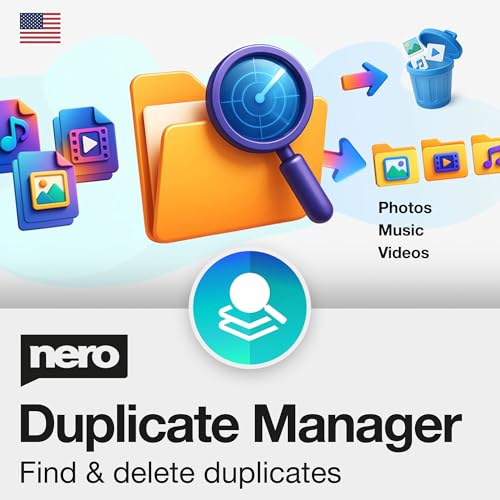
Nero Duplicate Manager | Detect & Remove Duplicate Photos, Videos & Music Files | Organize Your Media Library | Supports HEIC/HEIF, RAW, JPG, PNG | Lifetime License | 1 PC | Windows 11 / 10 / 8 / 7
✔️ Find Duplicate Photos, Videos, and Music: Detects exact and similar duplicate photos, videos, and music files across…
As an affiliate, we earn on qualifying purchases.
As an affiliate, we earn on qualifying purchases.
Conclusion
Just like Marie Kondo sparks joy by tidying physical spaces, decluttering your digital world clears your mind and boosts productivity. Think of your files, photos, and emails as treasures waiting to be organized—once you sort through them, you’ll find clarity and peace, much like a well-ordered library or a serene garden. Embrace this digital cleanse; it’s a modern act of self-care that transforms chaos into calm. Your digital kingdom awaits its renaissance.

Sooez Accordion File Organizer, 13 Pockets Expanding File Folder, Portable Monthly Paper Bill Tax Receipt Organizer, Letter A4 Size Document Holder with Blank Labels, Black
All-In-One Monthly Organizer: Keep all your important documents in one place with Sooez Accordion File Organizer. 13 pockets…
As an affiliate, we earn on qualifying purchases.
As an affiliate, we earn on qualifying purchases.

Amazon eGift Card – Amazon Logo | Valentine's Day – (Digital Delivery)
Amazon.com Gift Cards never expire and carry no fees.
As an affiliate, we earn on qualifying purchases.
As an affiliate, we earn on qualifying purchases.