
If your Dyson V15 Detect™ Origin Cordless Vacuum is losing suction, it can be frustrating. This guide provides clear, practical steps to diagnose and fix common issues, ensuring your vacuum performs like new.
From checking filters and debris blockage to replacing worn parts, you’ll learn how to safely restore your vacuum’s suction power and keep it running efficiently.
Key Takeaways
| Check for blockages | Ensure no debris is blocking the wand, hose, or cleaner heads. |
| Clean or replace filters | Dirty filters reduce suction—regular cleaning or replacement is key. |
| Inspect the brush bar | A tangled or jammed brush bar can impede airflow. |
| Examine the cyclone and bin | Clogged cyclone or full bin can cause loss of suction. |
| Verify the battery and power settings | Ensure the battery is charged and power mode is appropriate. |

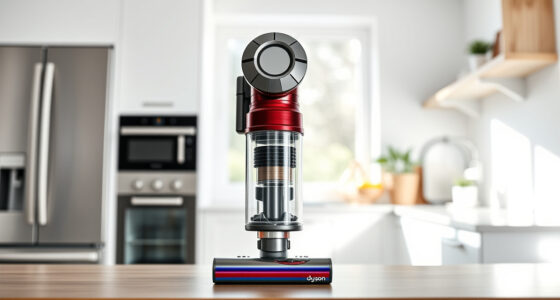
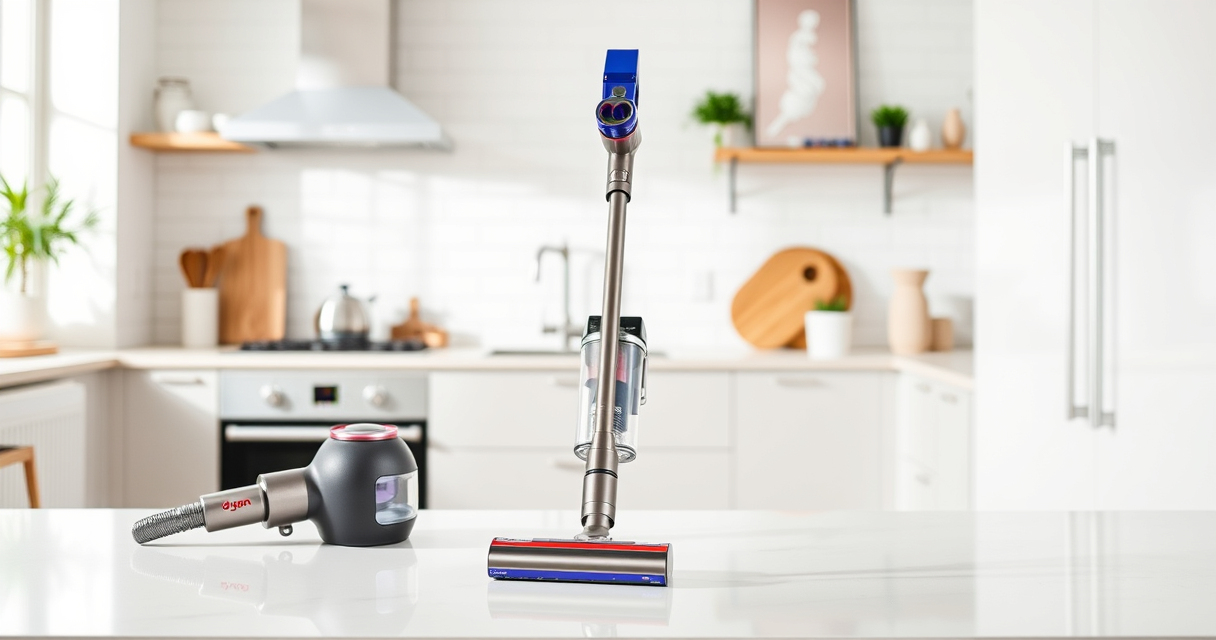
Dyson V15 Detect™ Origin Cordless Vacuum
Powerful and intelligent for whole-home deep cleaning. Reveals invisible dust.
As an affiliate, we earn on qualifying purchases.
Step 1: Turn off and Unplug the Vacuum
Before beginning any troubleshooting, turn off your Dyson and unplug it from the charger. Remove the battery if possible, to avoid accidental activation during maintenance.

LANMU Crevice Tool Vacuum Attachments Compatible with Dyson V15 V12 V11 V10 V9 V8 V7 Gen5 Outsize Vacuum Cleaner, Narrow Nozzel Replacement Parts for Hard-to-Reach Space
Wide Compatibility: This crevice tool attachment is compatible with V15 V12 V11 V10 V9 V8 V7 Gen5 G5...
As an affiliate, we earn on qualifying purchases.
Step 2: Check and Clear Blockages
- Detach the wand and cleaner head, inspecting each for debris or obstructions.
- Remove the bin and cyclone assembly, checking for blockages in the cyclone and air pathways.
- Clear any debris using a soft brush or cloth. Ensure the ports and openings are free of dust and dirt.
Step 3: Clean or Replace Filters
Remove the pre-filter and main filter as per the user manual. Rinse the filters under cold water until clear, then let them air dry completely before reinstalling. For quick replacements, consider the 3Pack Pre Filters or V10 filters, which are easy to swap out.
Step 4: Check the Brush Bar and Attachments
Inspect the Digital Motorbar or Fluffy Optic cleaner head for hair or debris tangled around the brush. Remove any obstructions gently. Also, verify that the crevice tool and other attachments are clear and functioning properly.
Step 5: Test the Vacuum and Check Battery
Reassemble the vacuum, ensuring all parts are securely attached. Turn it on and observe if suction improves. Make sure the battery is fully charged and the power mode is set appropriately for your cleaning needs.
The Products in This Guide

Dyson V15 Detect™ Origin Cordless Vacuum
- ✔ Weight: 6.8 lbs
- ✔ Runtime: 60 mins
- ✔ Filter type: Pre-filter and main filter

LANMU Crevice Tool Vacuum Attachments Compatible
- ✔ Length: 12 inches
- ✔ Flexibility: High
- ✔ Compatibility: Wide range of Dyson models
Dyson V15 Detect™ Origin Cordless Vacuum
The Dyson V15 Detect™ Origin offers powerful, intelligent cleaning suitable for whole-home use. Its advanced features include revealing invisible dust and adapting power based on debris detection, making it a reliable choice for maintaining suction.
Pros:
- Powerful suction with 100% more power
- Intelligent debris detection
- Long 60-minute runtime
- Includes advanced cleaner heads
Cons:
- Higher price point
- Requires regular filter maintenance
- Battery replacement can be costly
Best for: Deep cleaning homes with pets and hard floors
Not ideal for: Light cleaning or small apartments with minimal debris
Bottom line: A powerful, intelligent vacuum ideal for deep cleaning and versatile use.
LANMU Crevice Tool Vacuum Attachments Compatible
The LANMU Crevice Tool Vacuum Attachments are compatible with Dyson models and help reach tight corners and small gaps. Ideal for detailed cleaning in cars, around baseboards, and furniture edges.
Pros:
- Narrow, flexible nozzle
- Easy to maneuver
- Compatible with many Dyson models
- Effective for small spaces
Cons:
- May require additional adapters
- Not compatible with V6 or canister models
Best for: Cleaning tight corners, car interiors, and tricky spots
Not ideal for: Large surface cleaning
Bottom line: A versatile attachment to enhance your Dyson’s reach and precision.
Frequently Asked Questions
Why is my Dyson vacuum losing suction?
Common causes include clogged filters, blockages in the wand or cyclone, full dust bin, or tangled brush bars. Regular maintenance can prevent these issues.
How often should I replace or clean the filters?
Filters should be rinsed every 1-3 months and replaced every 6-12 months depending on usage. The 3Pack Pre Filters or V10 filters are convenient replacements.
Can I fix my vacuum myself?
Yes, many issues like blockages, filter cleaning, and brush cleaning are straightforward to fix. For more complex problems, consult your user manual or contact Dyson support.
What should I do if my vacuum still has no suction after troubleshooting?
If basic steps don’t restore suction, consider checking the cyclone assembly, replacing filters, or contacting professional repair services for further diagnosis.
Keep Your Dyson V15 Performing at Its Best
Regular maintenance and timely troubleshooting can keep your Dyson cordless vacuum operating at peak performance. Simple steps like cleaning filters, clearing blockages, and inspecting the brush bar ensure sustained suction power and effective cleaning. With proper care, your Dyson will continue to deliver powerful, intelligent cleaning for years to come.
Affiliate disclosure: As an Amazon Associate we earn from qualifying purchases. Prices and availability are accurate as of the time of publishing.