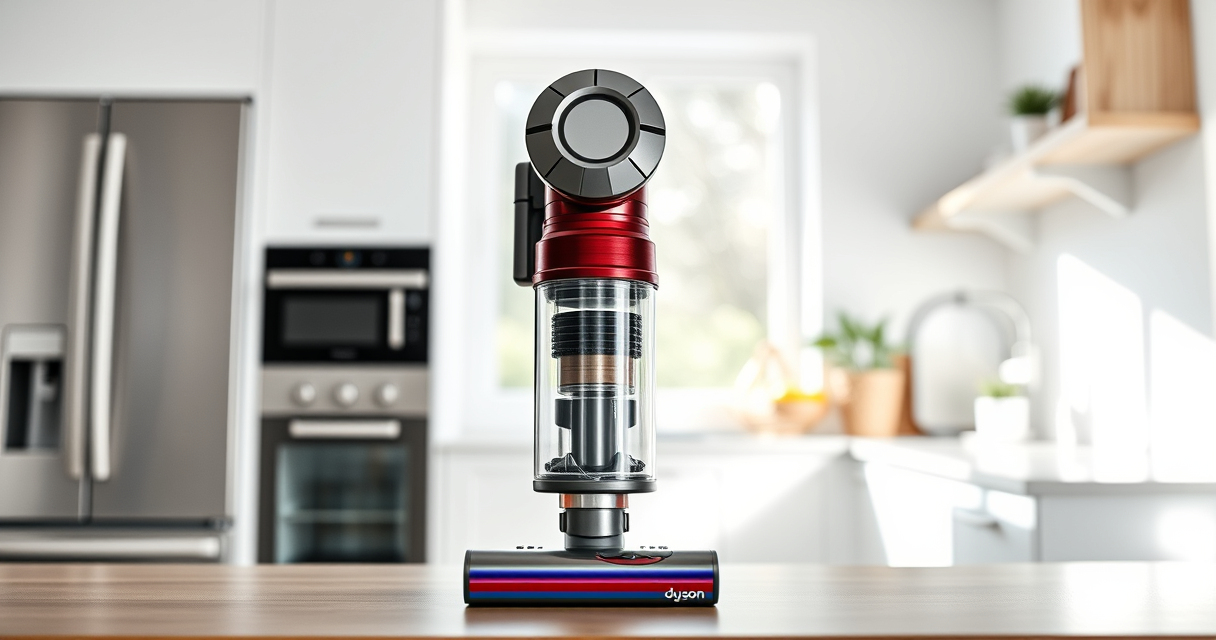
If your Dyson cordless vacuum isn’t providing the suction power you expect, it can be frustrating and hinder your cleaning. This guide helps you identify the causes behind no suction and offers safe, effective fixes to get your vacuum back in top shape.

Get home appliances delivered free with Prime
- Fast, free delivery on millions of items
- Prime Video, Amazon Music and more included
- Member-only deals all year
Whether it’s a clogged filter, blocked nozzle, or battery issues, we’ll walk you through each step clearly and practically. Always follow safety tips and warnings for best results.
Key Takeaways
| Clogged filters reduce suction | Filters need regular cleaning or replacement. |
| Blocked airflow paths | Check for obstructions in the wand and cleaner head. |
| Battery or motor issues | Battery health impacts suction; motor may need service. |
| Proper maintenance extends vacuum life | Regular filter replacement and inspection are essential. |
Step 1: Turn Off and Unplug Your Dyson
- Ensure the vacuum is turned off and unplugged from any charging source.
- Remove the wand and cleaner head for easier access.
Step 2: Check for Blockages
- Inspect the wand, hose, and cleaner head for debris or obstructions.
- Remove any visible blockages carefully to avoid damaging components.
Step 3: Clean or Replace Filters
- Remove the pre-filter (if applicable) and wash it with water. Let it air dry completely before reinstalling.
- If using a V15 or V10 model, replace filters with new ones if they are heavily soiled or damaged, referencing the appropriate replacement filters.
Step 4: Check the Battery and Power
- Ensure the battery is properly charged. Re-charge if necessary.
- If the vacuum still lacks suction, consider if the battery needs replacement or if the motor is functioning correctly.
Step 5: Test and Confirm
- Reassemble your vacuum and turn it on.
- Check if the suction has returned. Test on a small area to verify performance.
The Products in This Guide

Dyson V15 Detect™ Origin Cordless Vacuum
- ✔ Run Time: 60 minutes
- ✔ Power Modes: Auto, Max, Eco
- ✔ Filtration: HEPA and pre-filter

LANMU Crevice Tool Vacuum Attachments Compatible
- ✔ Compatibility: Multiple Dyson models
- ✔ Material: Plastic
- ✔ Design: Narrow nozzle
Dyson V15 Detect™ Origin Cordless Vacuum
The Dyson V15 Detect™ Origin offers powerful, intelligent cleaning with features like revealing invisible dust and adapting power based on debris. Its LCD screen provides real-time feedback on particles picked up and maintenance alerts, making it a top choice for thorough home cleaning.
Pros:
- Powerful suction with 100% more power
- Intelligent debris detection
- Long battery life of 60 minutes
- Two advanced cleaner heads for versatile cleaning
Cons:
- Higher price point
- Heavier than basic models
- Requires regular filter maintenance
Best for: Whole-home deep cleaning, pet hair, and hard-to-reach spots
Not ideal for: Light, quick cleanups or very small spaces
Bottom line: A top-tier cordless vacuum suitable for comprehensive home cleaning needs.
LANMU Crevice Tool Vacuum Attachments Compatible
The LANMU Crevice Tool Vacuum Attachments are compatible with Dyson V15 and other models, providing a slender, flexible nozzle to reach into tight corners, furniture crevices, and car interiors. It enhances cleaning precision without hassle.
Pros:
- Narrow, flexible design
- Easy to attach and use
- Suitable for various surfaces
- Helps reach tight spots
Cons:
- May require extra storage space
- Limited to crevice cleaning
- Not compatible with V6 or canister models
Best for: Cleaning corners, edges, and small gaps
Not ideal for: Large debris removal or broad surface cleaning
Bottom line: A versatile tool to enhance your Dyson’s cleaning reach.
Frequently Asked Questions
Why does my Dyson vacuum suddenly lose suction?
Common causes include clogged filters, blockages in the wand or cleaner head, or a full dustbin. Regular maintenance helps prevent this.
How often should I replace or clean filters?
Filters should be washed and dried thoroughly every 1-3 months, depending on usage. Replace filters as recommended—typically every 6-12 months.
Can I use any filters with my Dyson?
Always use filters compatible with your specific Dyson model, such as the 3Pack Pre Filters or V10 filters recommended for your V15 or V10 models.
What safety precautions should I take when cleaning or fixing my Dyson?
Ensure the vacuum is turned off and unplugged. Avoid forcing parts or using harsh chemicals. If unsure, contact professional service for motor or battery issues.
Getting Your Dyson Vacuum Back to Peak Performance
By following these step-by-step troubleshooting tips, you can often solve issues causing loss of suction on your Dyson cordless vacuum. Regular maintenance, such as cleaning filters and checking for blockages, is essential for optimal performance. If problems persist, consider professional repair or replacing worn parts to keep your cleaning routine smooth and effective.
Affiliate disclosure: As an Amazon Associate we earn from qualifying purchases. Prices and availability are accurate as of the time of publishing.
Cold & flu season Picks
humidifiers
As an affiliate, we earn on qualifying purchases.