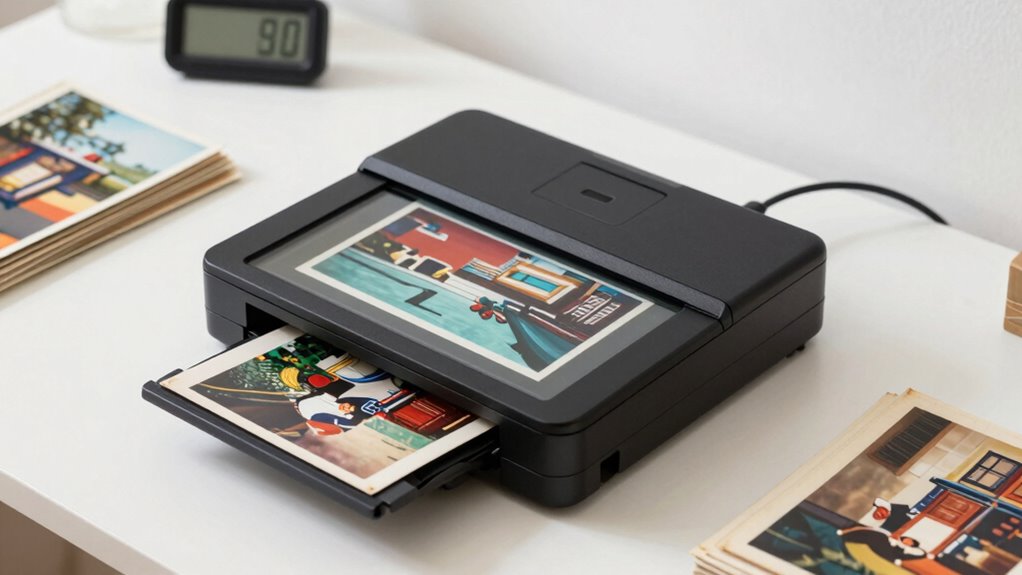

If you’re looking to organize your prints in 2026, I recommend checking out the top photo scanners like the Canon RS40, Epson Perfection V39 II, and the ScanSnap iX2500 for fast, high-quality results. For vintage photos or artwork, flatbeds with stitching features are great, while portable handheld scanners suit on-the-go needs. To learn more about the best options and features that suit your collection, keep exploring—you’ll find the perfect fit for your digitization goals.
Key Takeaways
- Prioritize scanners with high optical resolution (4800 dpi or higher) for detailed, crisp digitization of printed photos and artwork.
- Choose models with fast, automated batch scanning features to efficiently organize large print collections.
- Opt for portable or handheld scanners for quick, on-the-go digitization of prints and memorabilia.
- Select flatbed scanners with stitching capabilities for large or oversized images requiring high-resolution archiving.
- Consider user-friendly interfaces and adjustable settings to streamline organization and ensure high-quality digital copies.
| Canon RS40 Photo & Document Scanner with Auto Feeder |  | Best Overall | Connectivity: Windows, Mac, TWAIN driver included | Supported Formats: JPG, TIF, BMP, PNG, PDF, PPTX | Speed/Throughput: Up to 40 ppm (dual-sided) | VIEW LATEST PRICE | See Our Full Breakdown |
| Plustek ePhoto Z300 Photo Scanner (4×6 in Fast) |  | Fastest Scanner | Connectivity: Mac and PC support, software available online | Supported Formats: JPEG, TIFF, PDF, JPEG (for photos) | Speed/Throughput: Approximately 2 seconds per 4×6 photo | VIEW LATEST PRICE | See Our Full Breakdown |
| ScanSnap iX2500 Wireless Document & Photo Scanner |  | Best for Large Batches | Connectivity: Wi-Fi 6, USB-C, PC and Mac compatible | Supported Formats: PDF, JPEG, PNG, searchable PDFs | Speed/Throughput: 45 pages per minute, 100-sheet feeder | VIEW LATEST PRICE | See Our Full Breakdown |
| Epson Perfection V39 II Flatbed Scanner |  | Best High-Resolution | Connectivity: USB-powered, no network connectivity | Supported Formats: PDF, JPEG, TIFF | Speed/Throughput: Approx. 10 sec for high-res scan | VIEW LATEST PRICE | See Our Full Breakdown |
| Portable Handheld Scanner for Documents & Photos |  | Most Portable | Connectivity: USB connection, portable use | Supported Formats: JPEG, PDF | Speed/Throughput: Instant scan, 2-3 sec per photo | VIEW LATEST PRICE | See Our Full Breakdown |
| Epson FastFoto FF-680W Wireless Scanner |  | Best for Old Photos | Connectivity: USB, wireless via app, compatible with multiple OS | Supported Formats: JPEG, PDF, TIFF | Speed/Throughput: 1 photo/sec, batch up to 36 photos | VIEW LATEST PRICE | See Our Full Breakdown |
| Epson Perfection V19 II Flatbed Scanner with USB |  | Best Compact Design | Connectivity: USB-powered, compact, portable | Supported Formats: JPEG, PDF | Speed/Throughput: Approx. 10 sec per photo | VIEW LATEST PRICE | See Our Full Breakdown |
| ScanSnap iX2500 Photo Scanner with Touchscreen |  | Best for Family Use | Connectivity: Wi-Fi 6, USB-C, Mac and PC support | Supported Formats: JPEG, PDF, searchable PDFs | Speed/Throughput: Up to 100 photos/min | VIEW LATEST PRICE | See Our Full Breakdown |
| ClearClick QuickConvert 2.0 Photo & Film Scanner |  | Best for Negatives & Slides | Connectivity: SD card, no computer needed, portable | Supported Formats: JPEG images | Speed/Throughput: 2-3 seconds per scan | VIEW LATEST PRICE | See Our Full Breakdown |
| ClearClick InstaScan Photo Scanner with USB-C |  | Quick & Easy | Connectivity: USB-C, USB-A adapter, Windows and Mac | Supported Formats: JPEG, PDF | Speed/Throughput: Instant, no specific ppm | VIEW LATEST PRICE | See Our Full Breakdown |
| Scanner Bin – The Clever Document Scanning Solution |  | Best for Accessibility | Connectivity: Smartphone app, no external connection needed | Supported Formats: JPEG, PDF | Speed/Throughput: Rapid, 1-2 seconds per photo | VIEW LATEST PRICE | See Our Full Breakdown |
More Details on Our Top Picks
-
Plustek Photo Scanner ePhoto Z300, Scans 4x6 inch Photos in 2 Seconds, Auto crop and deskew with CCD Sensor, Supports Mac and PC
- Supports Multiple Photo Sizes: Supports 3x5 to 8x10 inches
- High Optical Resolution: Up to 600 dpi
- Fast Scanning Speed: 2 seconds for 4x6 photos
As an affiliate, we earn on qualifying purchases.
Canon RS40 Photo & Document Scanner with Auto Feeder
If you’re looking to efficiently digitize a large collection of photos and documents, the Canon RS40 Photo & Document Scanner with Auto Feeder is an excellent choice. It allows me to create digital montages, scrapbooks, and easily share memories with friends and family. I appreciate that it supports scanning old and new photos, including Polaroids, of various sizes. The automatic document feeder scans both sides at up to 40 items per minute, making the process fast and effortless. With versatile file handling and formats like JPG, PDF, and PNG, I can use my scans for multiple needs. Plus, the bundled software helps enhance images and guarantees seamless compatibility with Windows and Mac.
- Connectivity:Windows, Mac, TWAIN driver included
- Supported Formats:JPG, TIF, BMP, PNG, PDF, PPTX
- Speed/Throughput:Up to 40 ppm (dual-sided)
- Image Resolution:Not specified, supports various sizes
- Portability:Desktop, moderate size
- Special Features:Auto feeder, photo editing software
- Additional Feature:Supports Polaroid scans
- Additional Feature:Bundled photo editing software
- Additional Feature:Compatible with TWAIN driver
-
ScanSnap iX2500 Wireless or USB High-Speed Document Scanner, Black
- Touchscreen Display: Large 5-inch touchscreen for easy control
- High-Speed Scanning: 45 pages per minute double-sided scanning
- Large Document Capacity: 100-page automatic document feeder
As an affiliate, we earn on qualifying purchases.
Plustek ePhoto Z300 Photo Scanner (4×6 in Fast)
The Plustek ePhoto Z300 stands out as an excellent choice for anyone seeking fast, high-quality photo digitization, especially for those with large collections of 4×6 prints. It supports both Mac and PC, making it versatile for different setups. The scanner can digitize a 4×6 photo in just two seconds, and an 8×10 in around five seconds, boosting efficiency. With adjustable resolution up to 600 dpi and features like auto-crop and deskew, it guarantees sharp, accurate images. Its user-friendly design and powerful image enhancement make restoring old or faded photos quick and easy, ideal for personal archiving or family albums.
- Connectivity:Mac and PC support, software available online
- Supported Formats:JPEG, TIFF, PDF, JPEG (for photos)
- Speed/Throughput:Approximately 2 seconds per 4×6 photo
- Image Resolution:Up to 600 dpi
- Portability:Compact, handheld
- Special Features:Auto-crop, deskew, restore old photos
- Additional Feature:Auto-crop and deskew
- Additional Feature:High optical resolution
- Additional Feature:Restores faded photos
-
Epson Perfection V39 II Flatbed Photo Scanner 4800 dpi Optical Resolution
- High-Resolution Scanning: 4800 dpi optical resolution for detailed images
- Versatile Document and Photo Scanner: Scan photos, artwork, documents, and more
- Enhanced Scanning Features: Stitch oversized images and send to cloud
As an affiliate, we earn on qualifying purchases.
ScanSnap iX2500 Wireless Document & Photo Scanner
The ScanSnap iX2500 stands out as the perfect choice for busy professionals and small offices seeking high-speed, efficient scanning capabilities. Its large 5-inch touchscreen makes navigation simple, while the fast double-sided scanning at 45 pages per minute boosts productivity. With a 100-sheet automatic document feeder and automatic optimizations, it handles high volumes effortlessly. Built-in Wi-Fi 6 guarantees quick, secure wireless connections, and the USB-C port offers reliable wired options. It easily manages documents, photos, and business cards, automatically organizing and naming files. Designed for seamless integration with PC, Mac, and mobile devices, it’s a versatile, reliable tool for digital organization.
- Connectivity:Wi-Fi 6, USB-C, PC and Mac compatible
- Supported Formats:PDF, JPEG, PNG, searchable PDFs
- Speed/Throughput:45 pages per minute, 100-sheet feeder
- Image Resolution:Up to 600 dpi selectable
- Portability:Desktop, semi-portable
- Special Features:Auto optimization, cloud support
- Additional Feature:Large 5″ touchscreen
- Additional Feature:Customizable scanning profiles
- Additional Feature:Multi-feed detection system
Epson Perfection V39 II Flatbed Scanner
For anyone seeking a reliable, easy-to-use scanner that delivers professional-quality results, the Epson Perfection V39 II is an excellent choice. It offers a sharp 4800 dpi optical resolution, perfect for enlarging photos or preserving fine details. This flatbed scanner handles photos, artwork, books, and documents with ease, and its stitching feature lets you scan oversized images seamlessly. The user-friendly one-touch buttons simplify the process, while Easy Photo Fix technology quickly restores faded colors to bring memories back to life. Compact and lightweight, it connects via USB, making it ideal for home use or small offices needing efficient, high-quality scanning.
- Connectivity:USB-powered, no network connectivity
- Supported Formats:PDF, JPEG, TIFF
- Speed/Throughput:Approx. 10 sec for high-res scan
- Image Resolution:4800 dpi
- Portability:Flatbed, lightweight
- Special Features:Photo restoration, stitching
- Additional Feature:Cloud storage integration
- Additional Feature:One-touch quick scanning
- Additional Feature:Restores photo color
Portable Handheld Scanner for Documents & Photos
If you need a scanner that’s easy to carry and quick to operate, a portable handheld model is an excellent choice, especially for busy professionals or travelers who frequently digitize documents and photos on the go. This compact device requires no software installation; just insert two AA batteries and a 16GB SD card, then press Scan to start. It offers adjustable resolutions up to 900dpi for clear images, with files stored directly on the micro SD card. Lightweight and USB-compatible, it’s perfect for capturing legal, insurance, or personal documents anywhere, making it a versatile tool for quick, high-quality digitization on the move.
- Connectivity:USB connection, portable use
- Supported Formats:JPEG, PDF
- Speed/Throughput:Instant scan, 2-3 sec per photo
- Image Resolution:Up to 900 dpi
- Portability:Handheld, battery-powered
- Special Features:No software, quick operation
- Additional Feature:Uses 2 AA batteries
- Additional Feature:Supports up to 900dpi
- Additional Feature:Includes 16GB SD card
Epson FastFoto FF-680W Wireless Scanner
When it comes to efficiently digitizing large collections of photos and documents, the Epson FastFoto FF-680W Wireless Scanner stands out as the top choice. It’s the world’s fastest personal photo scanner, capturing a photo per second at 300 dpi, with batch scanning for up to 36 images at once. It also handles documents up to 240 pages at speeds of 45 pages per minute. The scanner offers advanced features like auto enhancement, color restoration, red-eye reduction, and can scan both the front and back of photos in a single pass. Its wireless setup, along with handy sharing tools via the Epson app, makes organizing and preserving memories effortless.
- Connectivity:USB, wireless via app, compatible with multiple OS
- Supported Formats:JPEG, PDF, TIFF
- Speed/Throughput:1 photo/sec, batch up to 36 photos
- Image Resolution:Not specified, optimized for photos
- Portability:Desktop, portable
- Special Features:Batch scanning, auto-enhance
- Additional Feature:Voice and text annotations
- Additional Feature:Auto-upload to cloud
- Additional Feature:Captures back of photos
Epson Perfection V19 II Flatbed Scanner with USB
The Epson Perfection V19 II Flatbed Scanner with USB stands out for its impressive 4800 dpi optical resolution, delivering sharp, detailed scans that are perfect for organizing and enlarging cherished photos, artwork, and documents. Its easy-to-use Epson ScanSmart software simplifies creating searchable PDFs, converting files into editable Word, Excel, or PowerPoint documents with OCR, and restoring color to faded photos with a single click. The scanner features one-touch buttons for quick operation, scans a letter-sized page in about 10 seconds, and is lightweight at just 3.1 lbs. Its compact design, USB power, and built-in kickstand make it a versatile, space-saving choice for photo and document organization.
- Connectivity:USB-powered, compact, portable
- Supported Formats:JPEG, PDF
- Speed/Throughput:Approx. 10 sec per photo
- Image Resolution:4800 dpi
- Portability:Compact, desktop
- Special Features:OCR, photo correction
- Additional Feature:Supports OCR for documents
- Additional Feature:Vertical storage option
- Additional Feature:Compact and lightweight
ScanSnap iX2500 Photo Scanner with Touchscreen
The ScanSnap iX2500 Photo Scanner with Touchscreen stands out for its high-speed performance, making it ideal for those who want to quickly digitize large collections of prints and documents. It can scan up to 100 photos per minute and features an Automatic Document Feeder that holds 100 sheets or 36 photos for efficient batch processing. The large 5-inch touchscreen simplifies operation, profile management, and customization. With Wi-Fi 6 and USB-C connectivity, it easily connects to devices and cloud services. Designed to preserve delicate prints with photo carrier sheets, this scanner offers an organized, streamlined way to digitize and manage your memories effortlessly.
- Connectivity:Wi-Fi 6, USB-C, Mac and PC support
- Supported Formats:JPEG, PDF, searchable PDFs
- Speed/Throughput:Up to 100 photos/min
- Image Resolution:Not specified, high-speed
- Portability:Desktop with mobility options
- Special Features:Touchscreen, profile management
- Additional Feature:Includes 3 photo carrier sheets
- Additional Feature:Organizes and names files
- Additional Feature:Supports quick start profiles
ClearClick QuickConvert 2.0 Photo & Film Scanner
If you’re looking for a user-friendly scanner that streamlines digitizing old photos, slides, and negatives, the ClearClick QuickConvert 2.0 is an excellent choice. It quickly scans 4×6 photos, slides, and negatives at 14 MegaPixels, interpolated to 22 MegaPixels, with a resolution of about 3824 x 2512 pixels. You can scan 35mm, 110, and 126 film negatives and slides without removing them from albums or mounts. The device saves JPEG files directly to SD cards, features a 5-inch LCD for instant previews, and operates wirelessly with a rechargeable battery, making the process fast, simple, and portable.
- Connectivity:SD card, no computer needed, portable
- Supported Formats:JPEG images
- Speed/Throughput:2-3 seconds per scan
- Image Resolution:Approx. 3824 x 2512 pixels (~22 MP)
- Portability:Handheld, battery operated
- Special Features:LCD preview, no PC needed
- Additional Feature:Converts negatives/slides
- Additional Feature:No computer needed
- Additional Feature:Built-in rechargeable battery
ClearClick InstaScan Photo Scanner with USB-C
For those digitizing vintage photos or small memorabilia, the ClearClick InstaScan Photo Scanner with USB-C offers a quick and straightforward solution. It scans 4×6 and 5×7 photos instantly, thanks to its built-in 4K camera and optimized lighting, ensuring high-quality results. Setup is easy—no drivers needed—and it connects via USB-C with an included adapter. While it doesn’t support larger formats or documents, it’s perfect for small photos and memorabilia. The scanner comes with software for cropping and editing, backed by a 2-year warranty and USA-based support, making it a reliable option for quick digitization.
- Connectivity:USB-C, USB-A adapter, Windows and Mac
- Supported Formats:JPEG, PDF
- Speed/Throughput:Instant, no specific ppm
- Image Resolution:Not specified, optimized for small photos
- Portability:Portable, small size
- Special Features:Built-in camera, cropping
- Additional Feature:Designed for small photos
- Additional Feature:No autofeeder
- Additional Feature:Built-in internal lighting
Scanner Bin – The Clever Document Scanning Solution
Designed to simplify document and photo organization, the Scanner Bin stands out as an ideal choice for users seeking a versatile, affordable scanning solution. It offers enhanced resolution and color accuracy, comparable to 1200 DPI, with faster scans and lower costs than traditional flatbeds. Compatible with popular free apps like Adobe Scan and CamScanner, it provides consistent edge detection and auto-cropping. The device is easy to use and accessible for those with disabilities, functioning as both a scanner and a document organizer. When not in use, it can be flipped to serve as a desk-side bin, combining convenience with multifunctionality in one sleek design.
- Connectivity:Smartphone app, no external connection needed
- Supported Formats:JPEG, PDF
- Speed/Throughput:Rapid, 1-2 seconds per photo
- Image Resolution:Approx. 1200 DPI (equivalent)
- Portability:Compact, desktop or portable
- Special Features:Smartphone app, edge detection
- Additional Feature:Compatible with mobile apps
- Additional Feature:Acts as a desk organizer
- Additional Feature:Suitable for fragile documents
Factors to Consider When Choosing a Photo Scanner for Organizing Prints
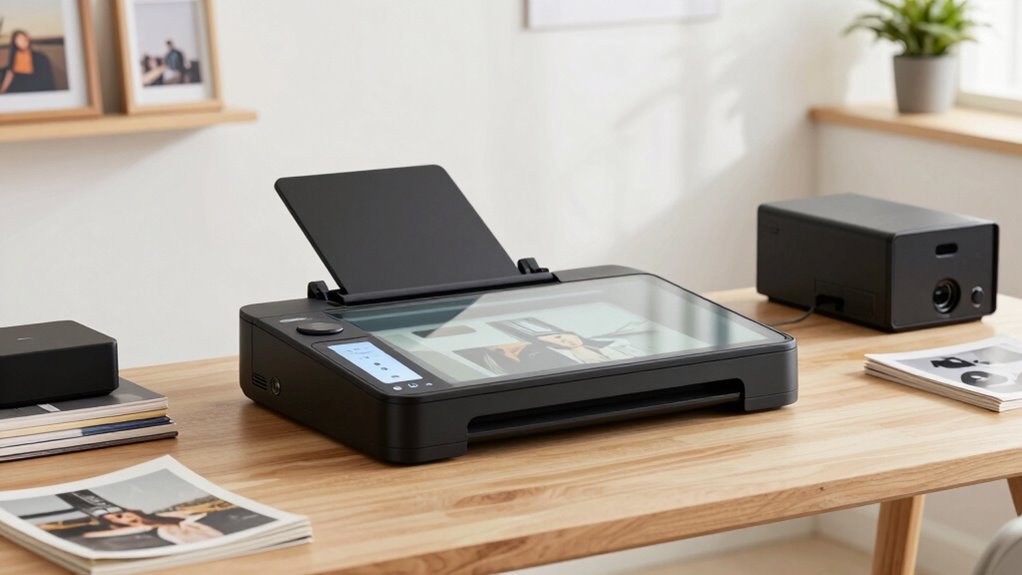
When choosing a photo scanner, I focus on factors like scan quality, speed, and how well it works with my existing software. I also consider how easy it is to use and whether it offers options for storing and sharing my images. These points help me find a scanner that fits my needs and makes organizing my prints straightforward.
Scan Quality and Resolution
Ever wonder how to guarantee your scanned photos retain their sharpness and detail? The key is choosing a scanner with a high optical resolution, ideally 600 dpi or above. Higher resolutions capture more detail, making enlarged prints crisp and clear. Optical resolution is essential for preserving true color and fine detail, while interpolation can artificially boost resolution but often reduces image quality. An adjustable DPI setting allows you to balance between scan quality and speed, depending on your needs. Keep in mind, higher resolution scans produce larger files, so consider your storage space. For restoring old or faded photos, a scanner with high optical resolution and color depth offers better detail preservation and more accurate restorations.
Speed and Efficiency
Speed and efficiency are crucial factors when choosing a photo scanner, especially if you’re dealing with a large collection. Faster models can process multiple photos at once, drastically reducing your scanning time. Many high-speed scanners capture a 4×6 inch photo in around 2 seconds, making bulk digitization more feasible. Automated features like auto-crop and deskew help streamline the process by minimizing manual adjustments, saving you time. High-capacity automatic document feeders enable batch scanning, allowing you to load dozens of prints at once. The overall speed of your scanner directly impacts how quickly you can digitize and organize your prints. Prioritizing speed and efficiency ensures you spend less time scanning and more time enjoying your organized digital library.
Compatibility and Software
Choosing a photo scanner that’s compatible with your computer’s operating system is essential to guarantee smooth operation and easy integration into your existing workflow. Make sure it supports Windows, Mac OS, or Linux, depending on what you use. Check if the scanner supports common file formats like JPG, PNG, or PDF, so your images can be easily stored, shared, and organized. Look for software that offers photo enhancement features such as red-eye correction or color restoration—these can save time and improve scan quality. Batch scanning capabilities or customizable profiles streamline your digitization process. Additionally, consider if the scanner can sync with cloud storage or photo management apps, making organization effortless. Compatibility and versatile software are key to a hassle-free scanning experience.
Ease of Use
When selecting a photo scanner, ease of use can make a big difference in how smoothly your digitization process runs. Look for models with intuitive controls and simple interfaces that reduce setup time. One-touch scanning buttons or touchscreens make the process quick and accessible for users of all skill levels. Automatic functions like auto-crop, deskew, and image enhancement help minimize manual adjustments, saving you time and effort. Compatibility with software that offers guided workflows and presets can further streamline operations, making scanning more efficient. If you’re frequently on the go, consider portable scanners with minimal setup, such as battery-powered models, which deliver quick, hassle-free digitization anywhere. Prioritizing ease of use ultimately makes organizing your prints less frustrating and more enjoyable.
Storage and Sharing Options
Selecting a photo scanner with robust storage and sharing options can greatly enhance your organization process. Look for scanners with built-in Wi-Fi or cloud connectivity, making it easy to store and share digital copies across devices. Support for multiple file formats like JPG, PDF, PNG, and TIFF ensures versatile sharing options, whether emailing or printing. Choose models with automatic file naming and organization features to streamline retrieval and reduce manual sorting. Software or app integration is also essential, especially if you want to upload directly to cloud services like Google Drive, Dropbox, or OneDrive. Finally, confirm the scanner can export in high-resolution formats to preserve image quality for printing or detailed viewing. These features make managing your digital photo library more efficient and accessible.
Frequently Asked Questions
Which Scanner Offers the Best Color Accuracy for Archival Purposes?
The Epson Perfection V850 Pro is my top pick for color accuracy in archival scanning. I’ve found it captures colors precisely, maintaining the integrity of original prints. Its high-end CCD sensors and advanced software make it ideal for preserving vintage photos or artwork. I recommend it to anyone serious about archival quality because it consistently delivers true-to-life colors, ensuring your digital copies remain faithful over time.
How Do Scanning Speeds Compare for High-Volume Photo Digitization?
Scanning speeds vary markedly among high-volume photo scanners. I’ve found that professional-grade models can scan dozens of photos per minute, with some reaching up to 60 or more. Consumer options tend to be slower, averaging around 10-20 images per minute. If you’re digitizing large collections, investing in a high-speed scanner makes a huge difference, saving you hours and ensuring your project stays on track.
Are There Specific Scanners Optimized for Fragile or Vintage Prints?
Think of fragile or vintage prints as delicate butterflies needing gentle handling. Yes, there are scanners designed specifically for this, featuring low UV exposure, gentle touchscreens, and adaptive resolution settings. I’ve found models with specialized glass beds and adjustable color correction work wonders. These tools help preserve the integrity of your precious prints while capturing every detail, ensuring they’re protected during digitization without risking damage.
What Software Features Enhance Organizing and Editing Scanned Photos?
I find that software features like automatic photo organization, facial recognition, and tagging really enhance how I organize and edit scanned photos. Advanced editing tools, including color correction and dust removal, help improve image quality. Batch processing saves time, and cloud integration guarantees my photos are backed up and accessible from anywhere. These features make managing my collection easier, more efficient, and allow me to preserve my cherished memories beautifully.
How Do Wireless Scanners Integrate With Cloud Storage Services?
Imagine scanning your photos and having them automatically saved somewhere safe—wireless scanners do just that by seamlessly integrating with cloud services like Google Drive or Dropbox. I love how I can start a scan and instantly access my images from any device. The setup is simple, and it saves me countless hours of manual uploads. Honestly, it’s a game changer for keeping my digital memories organized and accessible.
Conclusion
Did you know that over 30 billion photos are taken worldwide each year? With so many memories to preserve, choosing the right scanner is essential. Whether you need fast, high-quality scans or portability, there’s a perfect option for you. Investing in a good photo scanner not only keeps your prints organized but also protects your precious moments for generations. Take the time to find the right one—your future self will thank you!