
Searching for a high speed duplex document scanner in 2026? The Canon imageFORMULA R40II stands out as the overall best choice, thanks to its reliable performance and user-friendly features. The Epson Workforce ES-400 II is another top contender, offering fast scanning speeds and excellent duplex handling for small to medium workloads. Buyers often face tradeoffs between speed, compatibility, and portability, which can complicate the decision. Keep reading to see how these options compare and find the best fit for your scanning needs.

Get home appliances delivered free with Prime
- Fast, free delivery on millions of items
- Prime Video, Amazon Music and more included
- Member-only deals all year
Complete the kit


Key Takeaways
- The top performers balance high scanning speed with reliable duplex handling to minimize bottlenecks.
- Ease of use, such as one-touch operation and wireless connectivity, distinguishes the best models for everyday users.
- Build quality and durability vary, with premium models offering longer-term reliability even at a higher price point.
- Portability is a key factor for mobile or remote work, but often comes with a compromise on scan speed or features.
- Pricing ranges widely, so understanding your volume needs helps determine whether a budget or premium model makes sense.
| Canon imageFORMULA R40II Office Document Scanner |  | Best Overall for Office Efficiency | Scanning Speed: 45 pages per minute | Automatic Document Feeder: 60 sheets | Connectivity: USB-C | VIEW ON AMAZON | See Our Full Breakdown |
| Epson Workforce ES-400 II High-Speed Color Duplex Desktop Document Scanner |  | Best Value for Office and Heavy Use | Auto Document Feeder: 50 sheets | Duplex Scanning: Yes | Connectivity: TWAIN, cloud | VIEW ON AMAZON | See Our Full Breakdown |
| Epson RapidReceipt RR-620W Wireless & USB High-Speed Color Duplex Receipt & Document Scanner |  | Best for Receipts and Streamlined Data Capture | Scanning Speed: 45 ppm | Color Touchscreen: 4.3 inches | Auto Document Feeder: 100 pages | VIEW ON AMAZON | See Our Full Breakdown |
| ScanSnap iX2400 High-Speed One-Touch Button Color Document Scanner, Black |  | Best for Simplicity and Speed in Paper Management | Speed: 45 pages per minute | Feeder Capacity: 100 sheets | Connectivity: Wired USB | VIEW ON AMAZON | See Our Full Breakdown |
| Epson WorkForce ES-590W Wireless & USB Color Duplex Document Scanner |  | Best for Versatile Wireless Duplex Scanning | Scanning Speed: 45 ppm | Auto Document Feeder: 100 pages | Touchscreen: 4.3-inch color | VIEW ON AMAZON | See Our Full Breakdown |
| Epson DS-530X Color Duplex Desktop Document Scanner |  | Best Overall for High-Volume, Reliable Duplex Scanning | Scan Speed: 45 ppm | Auto Document Feeder Capacity: 100 pages | Maximum Document Length: 240 inches | VIEW ON AMAZON | See Our Full Breakdown |
| ScanSnap iX1300 Wireless or USB Double-Sided Color Document Scanner, Black |  | Best Compact Duplex Scanner with Wireless Flexibility | Color: Black | Connectivity: USB, Wi-Fi | Scanning Speed: 30 ppm duplex | VIEW ON AMAZON | See Our Full Breakdown |
| Brother DS-740D Duplex Compact Mobile Document Scanner |  | Best Mobile Duplex Scanner for On-the-Go Professionals | Scan Speed: 16 ppm | Connectivity: Micro USB 3.0 | Supported OS: Windows, Mac, Linux | VIEW ON AMAZON | See Our Full Breakdown |
| Canon imageFORMULA R10 Portable Document Scanner | 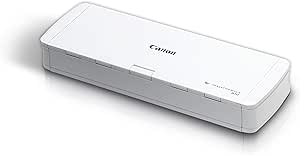 | Best Lightweight Portable Duplex Scanner for Casual Use | Power Consumption: 2.5W or less | Suggested Daily Volume: 500 scans | Scan Speed: 12 ppm | VIEW ON AMAZON | See Our Full Breakdown |
| ScanSnap iX2500 Wireless and USB High-Speed Document Scanner |  | Best High-Speed Duplex Scanner with Advanced Features | Connectivity: Wi-Fi 6, USB-C | Scanning Speed: 45 ppm | Document Feeder Capacity: 100 sheets | VIEW ON AMAZON | See Our Full Breakdown |
| high speed document scanner duplex | Connectivity | Scanning Speed |
|---|---|---|
| Canon imageFORMULA R40II Offic | USB-C | 45 pages per minute |
| Epson Workforce ES-400 II High | TWAIN, cloud | — |
| Epson RapidReceipt RR-620W Wir | Wi-Fi, USB | 45 ppm |
| ScanSnap iX2400 High-Speed One | Wired USB | — |
| Epson WorkForce ES-590W Wirele | Wi-Fi, USB | 45 ppm |
| Epson DS-530X Color Duplex Des | USB | — |
| ScanSnap iX1300 Wireless or US | USB, Wi-Fi | 30 ppm duplex |
| Brother DS-740D Duplex Compact | Micro USB 3.0 | — |
| Canon imageFORMULA R10 Portabl | — | — |
| ScanSnap iX2500 Wireless and U | Wi-Fi 6, USB-C | 45 ppm |
More Details on Our Top Picks
Canon imageFORMULA R40II Office Document Scanner
The Canon imageFORMULA R40II stands out for its impressive duplex scanning speed of 45 pages per minute, making it ideal for busy office environments. Compared to the Epson WorkForce ES-590W, it offers similar speed but is more straightforward with its USB-C connection, which simplifies setup. However, it’s limited to Canon’s CaptureOnTouch software, which may restrict integration options for some users. Its ability to handle a variety of document types with ease makes it a flexible, reliable choice for high-volume scanning. The lack of support for TWAIN or ISIS drivers might be a drawback for those needing advanced control or integration with third-party applications.
Pros:- High-speed duplex scanning at 45 pages per minute
- Handles a wide variety of documents including receipts and long reports
- Easy USB-C connection and straightforward setup
- Includes user-friendly scanning software
Cons:- Does not support TWAIN or ISIS drivers, limiting integration options
- Limited to Canon CaptureOnTouch software, which may restrict customization
Best for: Office professionals who need fast, reliable duplex scanning with simple setup and wide document compatibility
Not ideal for: Casual users or those needing wireless connectivity, as it relies solely on USB-C and proprietary software
- Scanning Speed:45 pages per minute
- Automatic Document Feeder:60 sheets
- Connectivity:USB-C
- Display:Monochrome LCD
- Supported Drivers:Canon CaptureOnTouch only
Our verdict“This scanner is best suited for office users prioritizing speed and simplicity over advanced driver support.”
Epson Workforce ES-400 II High-Speed Color Duplex Desktop Document Scanner
The Epson Workforce ES-400 II delivers a robust 50-sheet auto document feeder and high-speed duplex scanning at 50 pages per minute, making it a strong contender for demanding office workflows. Unlike the Epson RapidReceipt RR-620W, which offers wireless features and AI tech, this model emphasizes direct integration with existing office software via TWAIN drivers and cloud services. Its OCR capabilities streamline document management, but it may be overkill for casual or home users who don’t require such extensive features. The lack of wireless connectivity could be a downside for those seeking portability or flexible setup options.
Pros:- Fast high-volume duplex scanning at 50 pages per minute
- Automatic file naming and OCR capabilities for easy management
- Strong integration with cloud and software solutions
- Reliable for continuous office use
Cons:- No wireless connectivity, limiting portability
- May be more features than needed for casual or low-volume use
Best for: Small to medium-sized offices that need fast, high-volume duplex scanning with integrated OCR and cloud support
Not ideal for: Casual users or home offices seeking wireless or portable solutions, as it is primarily designed for desktop use with wired connectivity
- Auto Document Feeder:50 sheets
- Duplex Scanning:Yes
- Connectivity:TWAIN, cloud
- OCR:Yes
- Compatibility:Home and office
Our verdict“This scanner excels for office environments requiring high-speed, high-capacity duplex scanning with advanced document management features.”
Epson RapidReceipt RR-620W Wireless & USB High-Speed Color Duplex Receipt & Document Scanner
The Epson RapidReceipt RR-620W offers a unique combination of high-speed duplex scanning at 45 ppm and AI-ready features, making it ideal for financial and receipt management tasks. Its large 100-page auto document feeder and 4.3-inch color touchscreen facilitate efficient batch processing and easy operation. Compared with the Epson WorkForce ES-590W, it emphasizes AI technology for smarter data extraction, though this can add complexity for first-time users. Wireless connectivity enhances versatility, but reliance on compatible software for AI features means it might be less straightforward for casual users or those unfamiliar with advanced scanning tech.
Pros:- High-speed duplex scanning at 45 ppm
- AI-ready technology for smart data extraction
- Large 100-page auto document feeder
- Bright, easy-to-use 4.3-inch color touchscreen
Cons:- Complex setup for first-time users
- Requires compatible software for AI features, potentially increasing cost
Best for: Financial professionals and small business owners managing large volumes of receipts and documents with smart data needs
Not ideal for: Users seeking simple, wireless, or portable scanners without AI features, as it leans toward advanced data processing
- Scanning Speed:45 ppm
- Color Touchscreen:4.3 inches
- Auto Document Feeder:100 pages
- Connectivity:Wi-Fi, USB
- AI Technology:AI-ready, AI PRO
- Compatibility:Mac & PC
Our verdict“This scanner suits professionals needing fast, AI-enabled batch processing of receipts and documents with flexible connectivity options.”
ScanSnap iX2400 High-Speed One-Touch Button Color Document Scanner, Black
The ScanSnap iX2400 offers a straightforward, high-speed scanning experience with a focus on ease of use. Its 45 pages per minute speed, combined with automatic document detection and clean image processing, makes it ideal for users who want quick results without fuss. Compared with the Epson RapidReceipt RR-620W, it lacks wireless connectivity but compensates with a simple wired USB setup and a dedicated one-touch button. Its software, ScanSnap Home, simplifies organization, but heavier or bulky documents might challenge its paper handling capacity, and the wired connection limits mobility.
Pros:- Fast scanning at 45 pages per minute
- Automatic detection and image correction
- Simplified organization with ScanSnap Home software
- Easy to operate with one-touch button
Cons:- Requires wired USB connection, limiting portability
- Less suitable for large or thick documents due to paper handling capacity
Best for: Busy professionals seeking fast, reliable, and easy paper scanning with minimal setup
Not ideal for: Users who need wireless features or plan to scan very large or bulky documents regularly
- Speed:45 pages per minute
- Feeder Capacity:100 sheets
- Connectivity:Wired USB
- Color:Black
Our verdict“This scanner is ideal for professionals needing quick, simple, and reliable duplex scanning with minimal fuss and wired setup.”
Epson WorkForce ES-590W Wireless & USB Color Duplex Document Scanner
The Epson WorkForce ES-590W combines high-speed duplex scanning at 45 ppm with a large 4.3-inch color touchscreen, offering a versatile solution for busy workspaces. Its wireless connectivity makes it highly adaptable for different setups, contrasting with the wired-only options like the ScanSnap iX2400. The inclusion of AI-ready features and a 100-page auto document feeder increases its appeal for users who prioritize smart data capture and large batch processing. However, the added features come with a higher price and some complexity, which might be less appealing for beginners or users with basic needs.
Pros:- Fast duplex scanning at 45 ppm
- Wireless connectivity for flexible setup
- Large 100-page auto document feeder
- Intuitive 4.3-inch color touchscreen
Cons:- Higher price point due to advanced features
- Potential complexity for first-time users
Best for: Tech-savvy professionals and small teams requiring fast, wireless, AI-enabled duplex scanning with easy operation
Not ideal for: Casual users or those seeking budget-friendly, simple scanners without wireless or AI features
- Scanning Speed:45 ppm
- Auto Document Feeder:100 pages
- Touchscreen:4.3-inch color
- Connectivity:Wi-Fi, USB
- AI Technology:AI-ready
- Compatibility:Mac & PC
Our verdict“This scanner is well-suited for users who need fast, wireless, and smart document processing with a user-friendly interface.”
Epson DS-530X Color Duplex Desktop Document Scanner
The Epson DS-530X stands out for its impressive speed of 45 pages per minute, making it ideal for busy offices with high document throughput. Its large 100-page auto document feeder and versatile media support, including long pages and ID cards, surpass many competitors like the ScanSnap iX2500, which, while fast, lacks the same capacity and media flexibility. The DS-530X excels in reliability and integration, but it falls short without wireless connectivity, potentially limiting flexibility for mobile setups. Its high duty cycle ensures it can handle heavy workloads, though this comes with a higher price point for advanced features. Tradeoffs include being tethered via USB and a premium cost for its robust build.
Pros:- Fast scanning speeds of up to 45 ppm
- High-capacity 100-page auto document feeder
- Supports long documents and ID cards
- Reliable with ultrasonic double-feed detection
Cons:- No wireless connectivity option
- Higher cost compared to simpler models
- Bulkier size may require dedicated space
Best for: Large organizations or scanning services requiring fast, continuous duplex scans with high media versatility.
Not ideal for: Small offices or remote users needing wireless connectivity or a more budget-friendly option.
- Scan Speed:45 ppm
- Auto Document Feeder Capacity:100 pages
- Maximum Document Length:240 inches
- Supported Paper Sizes:up to 11″ x 17″
- Connectivity:USB
- Duty Cycle:7,000 sheets per day
Our verdict“This scanner is best suited for high-volume environments that prioritize speed and media handling over wireless features.”
ScanSnap iX1300 Wireless or USB Double-Sided Color Document Scanner, Black
The ScanSnap iX1300 offers a compact design that saves space without sacrificing duplex scanning speed, reaching up to 30 pages per minute. Compared to the Brother DS-740D, which is more portable but slower at 16 ppm, the iX1300 balances speed and size effectively. Its wireless connectivity and user-friendly software make it a strong choice for small offices or remote work, but setup can be somewhat involved, and it’s limited to specific document sizes and types. The automatic image optimization enhances workflow efficiency, though it may require initial configuration. This pick makes the most sense for users who need a space-saving, wireless-ready scanner for moderate volumes.
Pros:- Compact and space-saving design
- Duplex scanning at up to 30 ppm
- Wireless and USB connectivity
- Automatic image optimization
Cons:- Setup of software and connectivity can be time-consuming
- Limited to certain document sizes and types
- No high-capacity feeder for large jobs
Best for: Small business owners or remote workers needing a reliable, space-efficient duplex scanner with wireless options.
Not ideal for: High-volume offices or users needing to scan very large or thick documents frequently.
- Color:Black
- Connectivity:USB, Wi-Fi
- Scanning Speed:30 ppm duplex
- Document Types:Photos, cards, thick items
- Software:ScanSnap Home
Our verdict“This scanner is ideal for small offices or individuals seeking a portable, wireless duplex device for moderate document flow.”
Brother DS-740D Duplex Compact Mobile Document Scanner
The Brother DS-740D is designed for mobile professionals needing a lightweight, portable duplex scanner. While its speed of 16 ppm is lower than desktop models like the Epson DS-530X, its compact size under a foot makes it perfect for travel or fieldwork. It supports multiple OS and includes OCR and image enhancement software, adding value for those who need flexible, on-the-move scanning. However, its limited speed and paper size support—primarily letter—may hinder high-volume or large-format needs. The reliance on internet for software updates can also be a drawback for remote users with limited connectivity. This device is best for mobile use rather than high-volume office environments.
Pros:- Ultra-compact, lightweight design
- Supports multiple OS and cloud destinations
- Includes OCR and image enhancement software
- Supports color scanning
Cons:- Limited scanning speed of 16 ppm
- Restricted to letter size paper at 300dpi
- Requires internet connection for software updates
Best for: Freelancers, field agents, or small teams needing portable duplex scanning with basic feature set.
Not ideal for: High-volume or desktop-focused users who require faster throughput and larger media capacity.
- Scan Speed:16 ppm
- Connectivity:Micro USB 3.0
- Supported OS:Windows, Mac, Linux
- Color Scanning:Yes
- Software:OCR, image enhancement
Our verdict“This scanner excels for mobile users who prioritize portability over high-speed throughput.”
Canon imageFORMULA R10 Portable Document Scanner
The Canon imageFORMULA R10 is a lightweight, portable scanner designed for occasional use, offering duplex scanning at 12 pages per minute. Its portability and built-in software make it suitable for home offices or infrequent scanning tasks, especially for those who prioritize mobility. Compared with the ScanSnap iX1300, it is less fast but lighter and more energy-efficient, making it ideal for minimal daily volume. Its capacity for handling various media types, including receipts and business cards, broadens its utility, but it’s not suited for high-volume or photo-heavy scanning due to its limited speed and capacity. This device works best for light, casual scanning needs on the go.
Pros:- Ultra-lightweight and portable
- Fast duplex scanning with 20-sheet automatic feeder
- Handles various media types including receipts
- Energy-efficient with ENERGY STAR certification
Cons:- Limited to 12 ppm speed, slower than desktop models
- Not suitable for very high daily volume
- Limited to 500 scans per day recommended
Best for: Freelancers or remote workers who need a portable, easy-to-use duplex scanner for light daily tasks.
Not ideal for: Offices with heavy document flow or users needing large capacity and faster throughput.
- Power Consumption:2.5W or less
- Suggested Daily Volume:500 scans
- Scan Speed:12 ppm
- Automatic Document Feeder:20 sheets
- Compatibility:Windows and Mac
Our verdict“This scanner is best suited for infrequent, light-duty mobile scanning tasks rather than high-volume needs.”
ScanSnap iX2500 Wireless and USB High-Speed Document Scanner
The ScanSnap iX2500 provides impressive duplex scanning at 45 pages per minute, matching the Epson DS-530X in speed but with added user convenience through a large touchscreen and customizable profiles. Its Wi-Fi 6 support and cloud integration make it suitable for high-demand environments that value smart management and connectivity. While it offers automatic document optimization similar to the ScanSnap iX1300, its larger size and higher price may be a concern for smaller setups. The complex interface might be daunting for first-time users, but experienced users will appreciate its automation capabilities. This pick is best for professionals who need fast, connected, and customizable document workflows.
Pros:- Fast duplex scanning at 45 ppm
- Large touchscreen with customizable profiles
- Secure Wi-Fi 6 and cloud support
- Automatic image enhancement
Cons:- Relatively complex setup for new users
- Higher price point compared to basic models
- Bulkier and heavier than portable options
Best for: High-volume offices or busy professionals seeking a feature-rich, fast duplex scanner with cloud support.
Not ideal for: Small offices or casual users who prefer simple, budget-friendly devices without touchscreen features.
- Connectivity:Wi-Fi 6, USB-C
- Scanning Speed:45 ppm
- Document Feeder Capacity:100 sheets
- Features:Touchscreen, auto-optimization, skew detection
- Security:Wi-Fi 6, cloud support
Our verdict“This scanner is best suited for demanding office environments that require speed, advanced management, and connectivity features.”

How We Picked
The products in this roundup were selected based on their scanning speed, duplex performance, build quality, usability features, and overall value. We prioritized models that can handle high-volume workflows without sacrificing reliability, ensuring they are suitable for small offices or busy environments. Additional factors included connectivity options like wireless or USB, ease of setup, and maintenance requirements. The ranking reflects a combination of raw performance and user-centric features, making sure each pick serves a distinct user need or budget range.Factors to Consider When Choosing High Speed Document Scanner Duplex
Choosing the right high speed duplex scanner involves evaluating several crucial factors. Speed is obviously important, but other considerations such as connectivity, ease of use, and durability can significantly impact your long-term satisfaction. Understanding these factors helps prevent common mistakes, like overpaying for features you won’t need or buying a model that isn’t compatible with your existing setup. Here are the key points to consider before making your decision.Scanning Speed and Throughput
While high speed is a primary goal, it’s essential to match the scanner’s capabilities with your actual workload. Some models boast impressive ppm (pages per minute) rates but may slow down with complex double-sided pages or thicker documents. Assess your daily volume and choose a model with a consistent throughput that won’t bottleneck your workflow. Keep in mind that maximum speed often comes with a higher price tag, so balance your needs accordingly.Duplex Handling and Accuracy
Effective duplex scanning is critical for efficiency, especially when processing large batches of double-sided documents. Look for models with reliable duplex algorithms that minimize misfeeds or double feeds. Also, check document size and weight compatibility, as some scanners struggle with heavier or irregularly shaped papers. High duplex accuracy saves time and reduces post-scan cleanup, making it a key factor for frequent use.Connectivity and Compatibility
Wireless connectivity offers flexibility, especially in shared office environments or remote setups, but may introduce slight delays or stability issues. USB connections tend to be more reliable but limit mobility. Verify compatibility with your operating system and document management software, as some models integrate seamlessly, while others require additional drivers or apps. Consider your existing workflow when prioritizing connectivity options.Ease of Use and Maintenance
A straightforward interface, such as one-touch scanning or touchscreen controls, can significantly reduce setup time and user errors. Automated features like auto-feeding, batch sorting, and clean sensors extend the life of the device and improve reliability. Also, factor in maintenance needs, such as availability of replacement parts and ease of clearing paper jams. A model that strikes a balance between ease of use and durability will serve you better over time.Price and Total Cost of Ownership
While budget models may seem appealing, they often compromise speed, duplex accuracy, or durability. Conversely, premium models come with higher upfront costs but tend to last longer and require less maintenance, offering better value over time. Consider your expected volume and whether additional features like wireless or advanced OCR justify the higher price. The goal is to find a model that provides the best return on your investment based on your specific scanning needs.Frequently Asked Questions
How do I know if a scanner can handle my daily volume?
To determine if a high speed duplex scanner suits your daily workload, review its recommended daily duty cycle, which indicates the maximum number of pages it can process reliably each day. Matching this figure to your expected volume ensures the scanner won’t wear out prematurely or slow down during heavy use. For high-volume environments, opting for models with higher duty cycles and robust build quality is wise, even if they cost more initially.
Can I use a duplex scanner for scanning thick or mixed media documents?
Many duplex scanners are optimized for standard paper weights and sizes. If you frequently scan thicker or mixed media documents, look for models with adjustable paper guides, a sturdy feed mechanism, and specifications that support heavier paper weights. Failing to do so can lead to misfeeds, jams, or damage over time. Reading the product’s maximum paper weight and testing with your typical documents helps prevent these issues.
Is wireless connectivity reliable enough for daily scanning tasks?
Wireless connectivity offers convenience but can sometimes introduce stability issues, especially in busy network environments. For critical, high-volume workflows, a wired USB connection generally provides more consistent performance. If you prefer wireless, ensure the scanner supports the latest Wi-Fi standards and has robust security features. Testing or reading user reviews about wireless stability can also help gauge real-world reliability before making a purchase.
What features should I prioritize if I am a beginner?
If you’re new to document scanning, look for models with simple one-touch operation, automatic document feeders, and clear user interfaces. Wireless connectivity can add flexibility, but ease of setup and minimal maintenance are more important for beginners. Choosing a model with good customer support and straightforward software integration helps reduce frustration and speeds up the learning curve.
Are higher-priced models worth the investment for small offices?
Higher-priced models typically offer faster speeds, better duplex accuracy, and longer durability, which can be beneficial for small offices with frequent scanning needs. Investing in a premium scanner can reduce downtime and maintenance costs over time, providing better overall value. However, if your volume is low or sporadic, a more budget-friendly model with sufficient speed and reliability may meet your needs without excess expenditure.
Conclusion
For most users, the Canon imageFORMULA R40II offers a balanced combination of speed, reliability, and ease of use, making it the best overall choice. Small offices or those with moderate volumes may find the Epson Workforce ES-400 II to be the best value, providing high performance at a competitive price. For those seeking a premium experience with advanced features and durability, investing in higher-end models like the Epson ES-590W pays off. Beginners or infrequent users should consider more straightforward, portable options like the Canon R10, while mobile professionals might prefer the compact Brother DS-740D. Tailor your choice to your workflow volume, workspace, and budget for the best results.