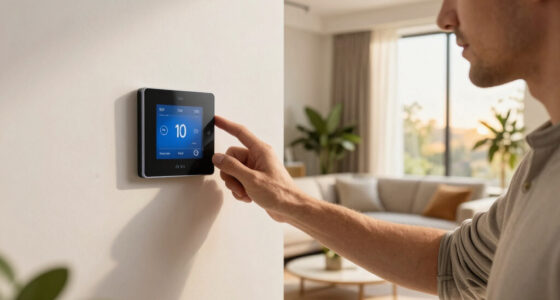
Smart plugs with energy monitoring let you see exactly how much power your appliances actually consume, and the differences between models come down to measurement accuracy, app quality, and smart home compatibility. The TP-Link Tapo P110M stands out as the best overall pick for its Matter support, compact housing, and reliable energy tracking without a hub. For buyers who want to monitor multiple appliances on a budget, the Emporia Energy Monitoring Smart Plug 4-Pack offers solid value, while the Kasa KP125M is the strongest choice if you’re already committed to an Apple HomeKit or Google Home setup. The main tradeoff in this category is between ecosystem lock-in and flexibility — Matter-certified plugs cost a bit more but work everywhere, while cheaper plugs often tie you to a single app. Reading on will show you which plug matches your appliances, your platform, and your willingness to dig into energy data.

Get home appliances delivered free — and shop member deals
- Fast, free delivery on millions of items
- Access to Prime Big Deal Days deals on October 6–7
- Prime Video, Amazon Music and more included
Complete the kit
![[Genuine] Waterdrop PF-01A Water Filter Replacement for W...](https://m.media-amazon.com/images/I/41+5tl9EiKL._SX342_SY445_QL70_FMwebp_.jpg)


Key Takeaways
- TP-Link‘s Kasa and Tapo plugs dominated the top of this comparison because their apps present historical energy data in a way that’s actually usable for tracking costs, not just raw wattage snapshots.
- Matter compatibility — found on the Tapo P110M, P125M, Kasa KP125M, and Linkind — is the single biggest differentiator for future-proofing, but it adds cost over standard Wi-Fi plugs like the KP115 or P115.
- The Emporia and generic 4-pack options cost less per outlet but their monitoring apps tend to be clunkier, making them better for set-and-forget users than data-driven tinkerers.
- Not every product in this roundup actually fits its marketing: the Tapo P125M and Kasa EP10P4 appear in energy-monitoring searches but are basic smart plugs, so check the model number before buying.
- Outdoor-rated and heavy-load use cases are poorly served by this category — nearly every plug here caps at 15A, which rules out high-draw appliances like space heaters on high settings.
| Tapo P110M Matter-Compatible Smart Plug with Energy Monitoring, 4-Pack, 15A |  | Best Overall | Model: P110M | Pack size: 4 plugs | Maximum current: 15A | VIEW LATEST PRICE | See Our Full Breakdown |
| Emporia Energy Monitoring Smart Plug, 4-Pack |  | Best for Energy Data Nerds | Pack size: 4 plugs | Maximum peak load: 15A for up to 1 hour per day | Maximum continuous load: 10A / 1200W | VIEW LATEST PRICE | See Our Full Breakdown |
| Kasa Matter Smart Plug with Energy Monitoring, KP125M, 15A/1800W |  | Best for Reliability | Model: KP125MP4 | Maximum load: 15A / 1800W | Connectivity: Matter over Wi-Fi | VIEW LATEST PRICE | See Our Full Breakdown |
| Kasa Smart Wi-Fi Plug Mini, 15A, EP10P4, 4-Pack | 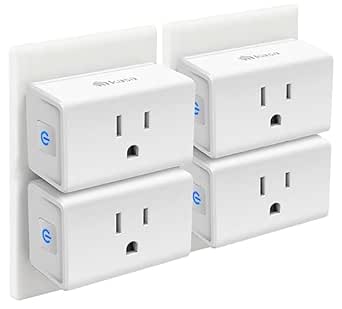 | Best Budget Starter Set | Model: EP10P4 | Quantity: 4 plugs | Maximum load: 15A | VIEW LATEST PRICE | See Our Full Breakdown |
| TP-Link Tapo P125M Matter Smart Plug Mini, 3-Pack |  | Best Compact Multi-Platform Pick | Model: Tapo P125M | Pack size: 3 plugs | Maximum load: 15A / 1800W | VIEW LATEST PRICE | See Our Full Breakdown |
| Kasa Smart Plug Mini EP25P4 with Apple HomeKit and Energy Monitoring |  | Best for Apple Home Users | Model: EP25P4 | Connectivity: Wi-Fi | Smart home compatibility: Apple HomeKit, Amazon Alexa, Google Assistant, Samsung SmartThings | VIEW LATEST PRICE | See Our Full Breakdown |
| TP-Link Tapo P115 Smart Wi-Fi Plug with Energy Monitoring, 4-Pack, 15A | 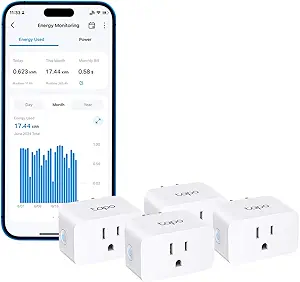 | Best for Safety Automation | Model: P115 | Pack size: 4 plugs | Connectivity: Wi-Fi | VIEW LATEST PRICE | See Our Full Breakdown |
| Linkind Matter Smart Plug |  | Best Outage Resilience | Compatibility: Apple Home, Alexa, Google Home, SmartThings, AiDot | Connectivity: Matter; 2.4 GHz Wi-Fi; IPv6 | Power capacity: 1800W, 15A | VIEW LATEST PRICE | See Our Full Breakdown |
| Kasa Matter Smart Plug with Energy Monitoring, KP125MP2, 15A/1800W |  | Best Ecosystem Flexibility | Model: KP125MP2 | Maximum current: 15A | Maximum power: 1800W | VIEW LATEST PRICE | See Our Full Breakdown |
| Kasa Smart Plug Mini with Energy Monitoring (KP115) |  | Best Plug-and-Play Simplicity | Model: KP115 | Connectivity: 2.4 GHz Wi-Fi | Voice assistants: Amazon Alexa, Google Assistant | VIEW LATEST PRICE | See Our Full Breakdown |
| Govee Smart Plug with Energy Monitoring, Wi-Fi and Bluetooth, 4-Pack |  | Best for Long-Term Data History | Pack size: 4 plugs | Connectivity: Wi-Fi and Bluetooth | Wi-Fi compatibility: 2.4 GHz only (no 5 GHz) | VIEW LATEST PRICE | See Our Full Breakdown |
| THIRDREALITY Smart Plug Gen3, 4-Pack, with Power Monitoring |  | Best for Zigbee Smart Homes | Pack size: 4 plugs | Connectivity: Zigbee 3.0 | Hub required: Yes | VIEW LATEST PRICE | See Our Full Breakdown |
| TP-Link Tapo P115 Smart Plug with Energy Monitoring, 15A, 2-Pack |  | Best App Experience | Model: P115 | Quantity: 2 plugs | Maximum current: 15A | VIEW LATEST PRICE | See Our Full Breakdown |
| Smart Plug with Energy Monitoring, 15A, 2.4 GHz Wi-Fi, 4-Pack |  | Best Budget Starter Set | Pack size: 4 plugs | Maximum current: 15A | Power capacity: 1800W | VIEW LATEST PRICE | See Our Full Breakdown |
| smart plugs with energy monitoring | Connectivity | Model | Energy monitoring | Pack size |
|---|---|---|---|---|
| Tapo P110M Matter-Compatible S | — | P110M | Yes | 4 plugs |
| Emporia Energy Monitoring Smar | 2.4 GHz Wi-Fi | — | — | 4 plugs |
| Kasa Matter Smart Plug with En | Matter over Wi-Fi | KP125MP4 | Yes | — |
| Kasa Smart Wi-Fi Plug Mini | — | EP10P4 | — | — |
| TP-Link Tapo P125M Matter Smar | 2.4 GHz Wi-Fi with Bluetooth onboarding | Tapo P125M | — | 3 plugs |
| Kasa Smart Plug Mini EP25P4 wi | Wi-Fi | EP25P4 | Real-time and historical usage | — |
| TP-Link Tapo P115 Smart Wi-Fi | Wi-Fi | P115 | Yes, with statistics and charts | 4 plugs |
| Linkind Matter Smart Plug | Matter; 2.4 GHz Wi-Fi; IPv6 | — | — | — |
| Kasa Matter Smart Plug with En | Matter, Wi-Fi | KP125MP2 | Yes | — |
| Kasa Smart Plug Mini with Ener | 2.4 GHz Wi-Fi | KP115 | Yes | — |
| Govee Smart Plug with Energy M | Wi-Fi and Bluetooth | — | Power, current, and voltage; 1-year data history | 4 plugs |
| THIRDREALITY Smart Plug Gen3 | Zigbee 3.0 | — | — | 4 plugs |
| TP-Link Tapo P115 Smart Plug w | — | P115 | Yes, with statistics and charts | — |
| Smart Plug with Energy Monitor | 2.4 GHz Wi-Fi | — | — | 4 plugs |
More Details on Our Top Picks
Tapo P110M Matter-Compatible Smart Plug with Energy Monitoring, 4-Pack, 15A
Energy monitoring is the whole point of this roundup, and the Tapo P110M delivers it without asking you to sacrifice platform flexibility. Matter certification means it works natively with Apple Home, Alexa, Google Home, and SmartThings — a wider net than the Emporia plug, which stops at Alexa and Google. Beyond simple usage tracking, the configurable automatic shutoff turns raw data into action: if a space heater or pump starts drawing too much power, the plug can cut it off on its own. Compared with the Kasa KP125M, this four-pack offers the same monitoring with more plugs in the box and deeper automation hooks. The tradeoff is software polish rather than hardware — dollar-based cost tracking requires tying into billing systems, so you’ll be reading kilowatt-hours, not projected monthly costs, unless you do extra setup.
Pros:- Native Matter support across all four major platforms including Apple Home
- Real-time and historical energy tracking per plug
- Automatic shutoff thresholds act on abnormal power draw
- Four monitored plugs in a single purchase
Cons:- Energy cost in dollars requires integration with billing systems rather than appearing automatically
- Matter setup still demands a compatible hub or border router for full multi-platform use
Best for: Multi-platform smart home owners who want true per-device energy data across Apple, Alexa, Google, and SmartThings
Not ideal for: Buyers who want plug-and-play cost projections in dollars — the billing visualization needs manual integration work
- Model:P110M
- Pack size:4 plugs
- Maximum current:15A
- Connectivity standard:Matter over Wi-Fi
- Energy monitoring:Yes
- Compatible platforms:Alexa, Apple HomeKit, Google Home, SmartThings
- Scheduling:Programmable with automatic shutoff thresholds
- App:Tapo
Our verdict“The most complete package here for buyers who refuse to choose between platform freedom and genuine energy insight.”
Emporia Energy Monitoring Smart Plug, 4-Pack
Where the Emporia 4-pack earns its spot is monitoring-first design. Emporia built its reputation on whole-home energy analysis, and these plugs slot into that ecosystem as individual data points — ideal if you eventually want a circuit-level picture of your home’s consumption. Unlike the Tapo P110M, which spans four smart home platforms, Emporia keeps things simpler with Alexa and Google only, but the app leans harder into usage breakdowns and standby-power hunting. The honest catch is the power rating fine print: 1200 W continuous, with 15 A peaks only allowed for an hour per day. That rules out anything with a sustained heavy draw, like a large air conditioner or a heater running all afternoon. Touch, button, app, and voice control options give it flexible day-to-day operation that some rivals lack.
Pros:- Monitoring-focused app with granular usage data
- Integrates with Emporia’s broader energy ecosystem
- Multiple control methods including touch and physical button
- Wide operating temperature range from 14°F to 140°F
Cons:- Continuous load capped at roughly 1200 W; 15 A is peak-only for one hour daily
- No Apple Home or SmartThings support — Alexa and Google Assistant only
Best for: Data-driven homeowners who want detailed consumption tracking and plan to expand into Emporia’s whole-home energy ecosystem
Not ideal for: Anyone powering high-wattage appliances continuously — the 1200 W sustained limit is a real ceiling
- Pack size:4 plugs
- Maximum peak load:15A for up to 1 hour per day
- Maximum continuous load:10A / 1200W
- Operating voltage:120V
- Connectivity:2.4 GHz Wi-Fi
- Compatible assistants:Amazon Alexa, Google Assistant
- Control methods:App, remote, touch, voice, push button
- Operating temperature:14°F to 140°F
Our verdict“The pick for buyers who care more about the numbers than the smart home branding around them, provided their appliances stay under 1200 W.”
Kasa Matter Smart Plug with Energy Monitoring, KP125M, 15A/1800W
The Kasa KP125M makes the list for one standout reason: local control when your internet goes down. Because Matter allows compatible devices on the same network to talk directly, schedules and voice commands keep working offline — something cloud-dependent plugs like the Emporia can’t match. Energy tracking is present and thorough, covering usage over time in the Kasa app, though it lacks the Tapo P110M’s automatic shutoff thresholds for abnormal draw. Build quality is another differentiator: the UL-certified flame-retardant housing and full 15A/1800W rating mean it can safely handle loads the Emporia has to refuse. Kasa’s app maturity also shows — years of refinement make grouping, scheduling, and grouping routines more reliable than newer entrants like THIRDREALITY. It ships as a single plug rather than a pack, so multi-room coverage means buying multiples.
Pros:- Local Matter control continues working during internet outages
- Full 15A/1800W rating with UL-certified flame-retardant housing
- Long-term energy usage tracking in a polished, mature app
- Compact body avoids blocking the second outlet
Cons:- Sold individually rather than in multi-packs at this listing
- Local control only functions with compatible Matter devices on the same network
Best for: Buyers who prioritize uptime and safety — local control, full 1800W capacity, and a mature app
Not ideal for: Households outfitting several rooms at once — a single plug per purchase adds up compared with four-packs
- Model:KP125MP4
- Maximum load:15A / 1800W
- Connectivity:Matter over Wi-Fi
- Compatible platforms:Apple Home, Amazon Alexa, Google Home, Samsung SmartThings
- Energy monitoring:Yes
- Safety:UL-certified flame-retardant design
- Warranty:2-year limited
Our verdict“The safest, most dependable single plug in this lineup for a high-wattage appliance you want monitored without cloud dependency.”
Kasa Smart Wi-Fi Plug Mini, 15A, EP10P4, 4-Pack
Full transparency: the Kasa EP10P4 does not track energy use, which is why it sits near the bottom of a monitoring-focused roundup. It earns a slot anyway as the cheapest way to build smart control into a whole room — four UL-certified plugs with schedules, timers, and Away Mode, backed by Kasa’s dependable app. If your real goal is remote on/off control and you’d treat monitoring data as a novelty, this is the honest value play. Compared with the Kasa KP125M, you give up both energy tracking and Matter’s local control, but you get four plugs for the price of roughly one monitoring model. Compared with the Tapo P125M, it’s a wash on features — both are bare-bones Wi-Fi plugs — though the four-pack quantity here tilts the value math for whole-home starter projects.
Pros:- Four plugs in one box at an accessible price
- UL-certified with a full 15A rating
- Works with Alexa, Google Assistant, and SmartThings
- Compact housing keeps the second outlet usable
Cons:- No energy monitoring — the core feature of this roundup
- 2.4 GHz Wi-Fi only, with no Matter or Apple Home support
Best for: First-time smart home buyers who want simple scheduling and voice control across multiple rooms on a tight budget
Not ideal for: Anyone specifically hunting vampire-power culprits or appliance energy costs — there’s no monitoring at all
- Model:EP10P4
- Quantity:4 plugs
- Maximum load:15A
- Wi-Fi:2.4 GHz
- Hub required:No
- Voice assistants:Alexa, Google Assistant, SmartThings
- Safety certification:UL
- Warranty:2 years
Our verdict“A solid control-only starter set, but skip it if the energy data that defines this category matters to you.”
TP-Link Tapo P125M Matter Smart Plug Mini, 3-Pack
The Tapo P125M is the option for buyers whose priority is platform-proofing rather than power data. Its Matter support covers Apple Home, Alexa, Google, and SmartThings, and Bluetooth onboarding makes first-time setup noticeably smoother than Wi-Fi-only plugs like the Kasa EP10P4, which can be stubborn during network pairing. Local network control is another practical benefit — scenes keep running even without internet. The obvious gap, in a monitoring roundup, is that there’s no energy tracking whatsoever. If you want the same compact body with monitoring added, the Tapo P110M from earlier in this list is the direct upgrade path. The three-pack sizing also splits the difference awkwardly: more than a starter pair, less than full-room coverage from the four-packs. For tight spaces and stacked outlets, though, the slim profile is genuinely useful.
Pros:- Matter support across Apple Home, Alexa, Google Home, and SmartThings
- Bluetooth onboarding simplifies first-time setup
- Local control keeps scenes working offline
- Slim mini design fits crowded outlets and power strips
Cons:- No energy monitoring feature at all
- Only three plugs per pack — awkward fit between two- and four-pack alternatives
Best for: Apple Home users and platform-hopping households who want future-proof Matter control in tight outlet spaces
Not ideal for: Energy-conscious buyers — this model omits monitoring entirely, despite the roundup’s focus
- Model:Tapo P125M
- Pack size:3 plugs
- Maximum load:15A / 1800W
- Connectivity:2.4 GHz Wi-Fi with Bluetooth onboarding
- Smart home compatibility:Matter, Apple Home, Alexa, Google Home, SmartThings
- Safety certification:UL certified
- Warranty:2-year limited
Our verdict“A clean, compact Matter workhorse for control-focused buyers — just don’t expect any insight into what your devices are consuming.”
Kasa Smart Plug Mini EP25P4 with Apple HomeKit and Energy Monitoring
Apple HomeKit support is what separates the Kasa EP25P4 from most energy-monitoring plugs in this lineup, including the Tapo P115, which is limited to Alexa and Google Assistant. For iPhone households that want Siri control and Apple Home automation, this plug makes the most sense — the
Real-time and historical energy tracking is presented cleanly in the app, and the compact body preserves the second outlet in a standard duplex. The tradeoff: HomeKit remote access requires a networked Apple device at home (like a HomePod or Apple TV), so iPad-less households relying purely on Siri will hit a wall. Pros:- Native Apple HomeKit support plus Alexa, Google Assistant, and SmartThings
- Tracks real-time and historical energy usage in the Kasa app
- Compact design keeps adjacent outlets accessible
- Two-year limited warranty backs the hardware
Cons:- HomeKit remote control requires an additional networked Apple device at home
- No Matter support, so platform flexibility is narrower than newer plugs like the KP125MP2
Best for: Apple-centric households that want Siri and HomeKit automation alongside solid energy tracking without a hub
Not ideal for: Buyers without an always-home Apple device (HomePod, Apple TV, iPad), since HomeKit remote control won’t work for them
- Model:EP25P4
- Connectivity:Wi-Fi
- Smart home compatibility:Apple HomeKit, Amazon Alexa, Google Assistant, Samsung SmartThings
- Maximum load:15A, 1800W
- Energy monitoring:Real-time and historical usage
- Operating humidity:5%–90% RH, non-condensing
- System requirements:Android 5.0+; iOS 10+
- Warranty:2-year limited warranty
Our verdict“If your smart home runs on Apple Home and you want dependable energy monitoring without hub complexity, this is the plug to buy.”
TP-Link Tapo P115 Smart Wi-Fi Plug with Energy Monitoring, 4-Pack, 15A
The Tapo P115 stands out for features most plugs here don’t offer: configurable charging limits and automatic overload shutoff. That makes it a stronger fit than the Kasa KP115 for high-draw appliances like space heaters or older chargers, because it can cut power before a circuit is stressed rather than just reporting usage after the fact. Its statistics and charts approach energy data more visually than Kasa’s equivalent app, which helps buyers who actually want to spot trends — a fridge cycling inefficiently, a dehumidifier running long. Compared with the Tapo P110M, this model skips Matter but keeps the same practical safety toolset in a four-pack. The main limitation is the lack of Apple Home support, and cost visualization requires linking billing data rather than working out of the box.
Pros:- Automatic shutoff on overload adds genuine protection beyond monitoring
- Configurable charging limits help manage battery devices
- Energy statistics displayed as charts for easy trend-spotting
- Four-pack value for outfitting multiple rooms
Cons:- Energy cost visualization requires integration with billing systems
- No Apple Home or Matter support, unlike the KP125MP2
Best for: Safety-conscious owners of high-wattage appliances who want automatic overload protection, not just usage reports
Not ideal for: Apple Home users or anyone wanting automatic energy cost estimates without third-party billing integration
- Model:P115
- Pack size:4 plugs
- Connectivity:Wi-Fi
- Energy monitoring:Yes, with statistics and charts
- Voice assistant compatibility:Amazon Alexa, Google Assistant
- Scheduling:Yes
- Overload protection:Automatic shutoff with configurable charging limits
- Remote control:Tapo app
Our verdict“This pick makes the most sense for buyers who want a plug that actively prevents overloads rather than simply measuring them.”
Linkind Matter Smart Plug
Most smart plugs in this roundup become dumb switches the moment your internet drops — the Linkind Matter plug doesn’t. Because Matter devices can communicate over your local network during an internet outage, schedules and local control keep working when the cloud is unreachable, something the Wi-Fi-only Kasa KP115 can’t claim. It also covers more platforms than nearly anything else here: Apple Home, Alexa, Google Home, SmartThings, and AiDot, all without favoring one ecosystem the way the EP25P4 leans toward Apple. But there’s a catch that matters more than it sounds: most platforms require a Matter-certified hub or controller, and the plug insists on 2.4 GHz Wi-Fi with IPv6, so older routers may need settings tweaks before it pairs at all. Note also that energy data here plays second fiddle — safety protection is listed, but it’s not the plug’s headline strength.
Pros:- Local network control continues during internet outages
- Works across Apple Home, Alexa, Google Home, SmartThings, and AiDot
- Can be used hub-free through the AiDot app
- Compact build with short-circuit and overload protection
Cons:- Requires 2.4 GHz Wi-Fi and IPv6, which older networks may not support
- A Matter-certified hub or controller is needed for most major platforms
Best for: Tech-comfortable buyers with a Matter hub who prioritize local control and multi-platform flexibility over energy analytics
Not ideal for: Buyers with older routers lacking IPv6, or anyone wanting deep energy reporting — this plug is more about resilience than analytics
- Compatibility:Apple Home, Alexa, Google Home, SmartThings, AiDot
- Connectivity:Matter; 2.4 GHz Wi-Fi; IPv6
- Power capacity:1800W, 15A
- Control features:Voice control, remote control, scheduling, timer
- Safety:FCC certified; fire-resistant materials; short-circuit and overload protection
- Hub requirement:Matter hub or controller for most platforms; AiDot app works without one
Our verdict“This model is better suited to hub-equipped smart home enthusiasts who value offline reliability than to casual buyers chasing energy data.”
Kasa Matter Smart Plug with Energy Monitoring, KP125MP2, 15A/1800W
The Kasa KP125MP2 hits a sweet spot the others circle around: Matter support across Apple Home, Alexa, Google Home, and SmartThings, combined with energy tracking over time — a pairing the Linkind Matter plug only half-delivers. Compared with the Kasa KP125M single-pack, this two-pack offers per-outlet monitoring at a friendlier per-plug cost for buyers outfitting a couple of appliances. Its UL-certified flame-retardant housing and local Matter control put it on equal footing with the EP25P4 for safety and offline resilience, while adding cross-platform reach the EP25P4 lacks. The tradeoffs are modest but real: it still needs Wi-Fi for app control, voice commands depend entirely on having a compatible assistant, and — like all Matter plugs here — you’ll want a hub or controller for the smoothest platform integration.
Pros:- Matter support across Apple Home, Alexa, Google Home, and SmartThings
- Energy usage tracking over time for spotting consumption trends
- Local network control keeps things working during outages
- UL-certified flame-retardant design with a two-year warranty
Cons:- Voice control depends on a supported smart assistant being set up
- Requires Wi-Fi connectivity for app-based control
Best for: Multi-platform households that refuse to commit to one ecosystem and still want long-run energy data
Not ideal for: Buyers without any smart assistant or hub, since voice control and Matter integration both depend on existing ecosystem hardware
- Model:KP125MP2
- Maximum current:15A
- Maximum power:1800W
- Connectivity:Matter, Wi-Fi
- Energy monitoring:Yes
- Compatible platforms:Apple Home, Amazon Alexa, Google Home, Samsung SmartThings
- Safety certification:UL-certified flame-retardant design
- Warranty:2-year limited warranty
Our verdict“If you want one plug that plays nicely with every major platform while still logging energy use, this two-pack is the most balanced choice in the lineup.”
Kasa Smart Plug Mini with Energy Monitoring (KP115)
The Kasa KP115 is the easiest entry point in this roundup for buyers who just want a plug that works: download the Kasa app, connect to 2.4 GHz Wi-Fi, and you’re tracking energy within minutes. Where the Tapo P115 layers on overload shutoff and the KP125MP2 adds Matter, this model keeps things deliberately simple — which is exactly its appeal for a first smart plug on a fridge, washing machine, or garage freezer. Its safety story is stronger than its price tier suggests: overheating protection, a fire-resistant shell, a child-safety cover, and UL certification. The compromises are ecosystem-related rather than functional: no Apple Home, no Matter, and no offline local control, so it’s locked to Wi-Fi and the Alexa/Google duopoly. For monitoring one or two appliances without fuss, that’s a fair trade.
Pros:- Very simple setup through the mature Kasa app
- Overheating protection plus a fire-resistant shell and child-safety cover
- UL certified with a two-year warranty
- Reliable remote and voice control via Alexa and Google Assistant
Cons:- Requires a 2.4 GHz Wi-Fi connection, which can complicate dual-band routers
- Limited platform support — no Apple Home, SmartThings, or Matter
Best for: First-time smart plug buyers who want straightforward energy monitoring on a single appliance with minimal setup
Not ideal for: Buyers planning a multi-platform smart home, since there’s no Matter, HomeKit, or SmartThings support here
- Model:KP115
- Connectivity:2.4 GHz Wi-Fi
- Voice assistants:Amazon Alexa, Google Assistant
- Energy monitoring:Yes
- Safety features:Overheating protection, fire-resistant shell, child safety cover
- Certification:UL certified
- Warranty:2 years
Our verdict“This option stands out for newcomers who value simplicity and safety certifications over ecosystem flexibility.”
Govee Smart Plug with Energy Monitoring, Wi-Fi and Bluetooth, 4-Pack
Govee’s standout feature is data retention: the Govee Home app keeps a full year of power, current, and voltage history, which goes beyond the shorter reporting windows common in budget plugs like the generic SmartLife 4-pack. That depth makes this the pick for anyone tracking seasonal appliance costs — a space heater in winter or an AC unit in summer — rather than just glancing at today’s usage. Dual Wi-Fi and Bluetooth connectivity also makes initial pairing less finicky than Wi-Fi-only rivals, and the group control feature lets you coordinate multiple plugs as one unit. The tradeoff is 2.4 GHz-only Wi-Fi, so owners of mesh systems that split bands will need to check their router settings. Compared with the Tapo P115, the app experience is less polished, but the year-long history is hard to beat at this pack size.
Pros:- One year of energy data history for tracking long-term usage trends
- Monitors power, current, and voltage for fuller diagnostics
- Bluetooth pairing simplifies setup compared with Wi-Fi-only plugs
- FCC and ETL certified with fire-resistant construction
Cons:- No 5 GHz Wi-Fi support, which complicates setup on some mesh networks
- App interface is less refined than Tapo or Kasa alternatives
Best for: Homeowners tracking seasonal or year-over-year appliance energy costs who want detailed historical data
Not ideal for: Households running 5 GHz-only networks or those wanting Matter compatibility like the Tapo P110M offers
- Pack size:4 plugs
- Connectivity:Wi-Fi and Bluetooth
- Wi-Fi compatibility:2.4 GHz only (no 5 GHz)
- Energy monitoring:Power, current, and voltage; 1-year data history
- Voice assistants:Amazon Alexa, Google Assistant
- Max current:15A at 120V
- Certifications:FCC, ETL
Our verdict“This pack makes the most sense for buyers who want to analyze energy trends over months, not just check today’s numbers.”
THIRDREALITY Smart Plug Gen3, 4-Pack, with Power Monitoring
Most plugs in this roundup lean on Wi-Fi, but THIRDREALITY goes the Zigbee 3.0 route, and that changes the calculus entirely. Zigbee plugs don’t saturate your router with devices, respond faster on a healthy mesh, and — uniquely here — each plug doubles as a Zigbee repeater, strengthening coverage for sensors and other devices as you add them. The stated ±1% monitoring accuracy also beats the vague specs most Wi-Fi competitors offer. The catch is unavoidable: a compatible Zigbee hub is required, so this is not a plug-and-play option for someone starting from scratch. If you already run SmartThings, Hubitat, or an Echo with a built-in Zigbee radio, this is arguably a better system fit than the Govee or generic SmartLife packs. If you don’t, factor the hub cost in before choosing this over Wi-Fi alternatives.
Pros:- Stated ±1% power monitoring accuracy exceeds typical Wi-Fi plug specs
- Each plug acts as a Zigbee mesh repeater to extend network range
- Keeps Wi-Fi network uncongested by using Zigbee instead
- Space-saving design avoids blocking adjacent outlets
Cons:- Requires a compatible Zigbee hub, adding cost and setup complexity
- Power-on state restoration after outages works only on select platforms
Best for: Smart home enthusiasts with an existing Zigbee hub who want accurate monitoring and stronger mesh coverage
Not ideal for: Buyers without a Zigbee hub who want a hub-free, Wi-Fi-only setup out of the box
- Pack size:4 plugs
- Connectivity:Zigbee 3.0
- Hub required:Yes
- Operating voltage:110V
- Power monitoring accuracy:±1%
- Operation mode:On-Off
- Control methods:Remote, voice
- Mounting type:Plug-in
Our verdict“A natural fit for existing Zigbee households that value accuracy and mesh strength; everyone else should stick with Wi-Fi options like the Tapo P115.”
TP-Link Tapo P115 Smart Plug with Energy Monitoring, 15A, 2-Pack
TP-Link’s Tapo app is the most polished software experience in this batch, and that matters for energy monitoring, where you’ll be reading charts regularly. The P115 presents usage statistics cleanly, and two features stand out against the field: automatic overload shutoff, which protects devices the Govee and SmartLife plugs don’t guard as actively, and a charging limit setting for things like e-bikes or power tool batteries that shouldn’t overcharge. Compared with the THIRDREALITY Gen3, this needs no hub and links directly to Alexa and Google Assistant. The two-pack sizing is the main limitation — buyers outfitting a whole home get better per-plug value from the Govee or generic 4-packs. Also note the cost visualization feature requires billing integration, and the charging cutoff is triggered by a low-battery limit rather than a true full-charge detection.
Pros:- Tapo app offers clear usage statistics and charting
- Automatic overload shutoff adds a real safety layer most rivals lack
- Charging limit feature helps protect batteries on long charge cycles
- Direct Alexa and Google Assistant integration with no hub needed
Cons:- Two plugs per pack makes it pricier per outlet than 4-pack alternatives
- Smart charging cutoff relies on a low-battery threshold rather than true full-charge detection
Best for: Buyers who prioritize a refined app with safety features like overload shutoff and managed device charging
Not ideal for: Whole-home buyers on a budget who need four or more plugs — the 2-pack costs more per outlet
- Model:P115
- Quantity:2 plugs
- Maximum current:15A
- Energy monitoring:Yes, with statistics and charts
- Overload shutoff:Yes
- Scheduling:Yes, including charging limits
- Voice assistants:Amazon Alexa, Google Assistant
- Remote control:Tapo app
Our verdict“Choose this if you want the best daily software experience and safety automation over maximum plug count.”
Smart Plug with Energy Monitoring, 15A, 2.4 GHz Wi-Fi, 4-Pack
This unbranded 4-pack is the lowest-friction entry point into energy monitoring: no hub, compact housing, real-time power tracking, and schedules, timers, and group control through the widely supported SmartLife app. Compared with the Tapo P115, you trade app polish and overload shutoff for sheer quantity — four monitored outlets at a price where TP-Link gives you two. The 1800W / 15A rating covers typical heaters, humidifiers, and media setups, and short-circuit plus overload protection provides baseline safety. Two genuine annoyances temper the value: it’s 2.4 GHz only, and Alexa integration runs through SmartLife rather than natively, so voice commands occasionally lag or fail if the cloud link hiccups. For a first experiment in tracking household energy waste, though, it’s a low-risk way to find out which appliances actually deserve smarter plugs.
Pros:- Four monitored plugs make this the most affordable per-outlet option in the batch
- Hub-free setup on standard 2.4 GHz Wi-Fi
- Compact housing doesn’t block adjacent sockets
- FCC certified with short-circuit and overload protection
Cons:- Alexa and Google Assistant work only through a SmartLife account link, not natively
- 2.4 GHz-only connectivity can complicate setup on dual-band mesh routers
Best for: First-time buyers who want to experiment with energy monitoring across several outlets without a big spend
Not ideal for: Power users who want Matter support, native voice integration, or the reliability of name-brand apps like Tapo or Kasa
- Pack size:4 plugs
- Maximum current:15A
- Power capacity:1800W
- Connectivity:2.4 GHz Wi-Fi
- App:SmartLife
- Voice assistants:Alexa and Google Assistant (via SmartLife link)
- Hub required:No
- Safety features:FCC certified; fire-resistant materials; short-circuit and overload protection
Our verdict“A sensible, low-cost way to monitor four outlets at once — just accept the third-party app as the tradeoff.”
How We Picked
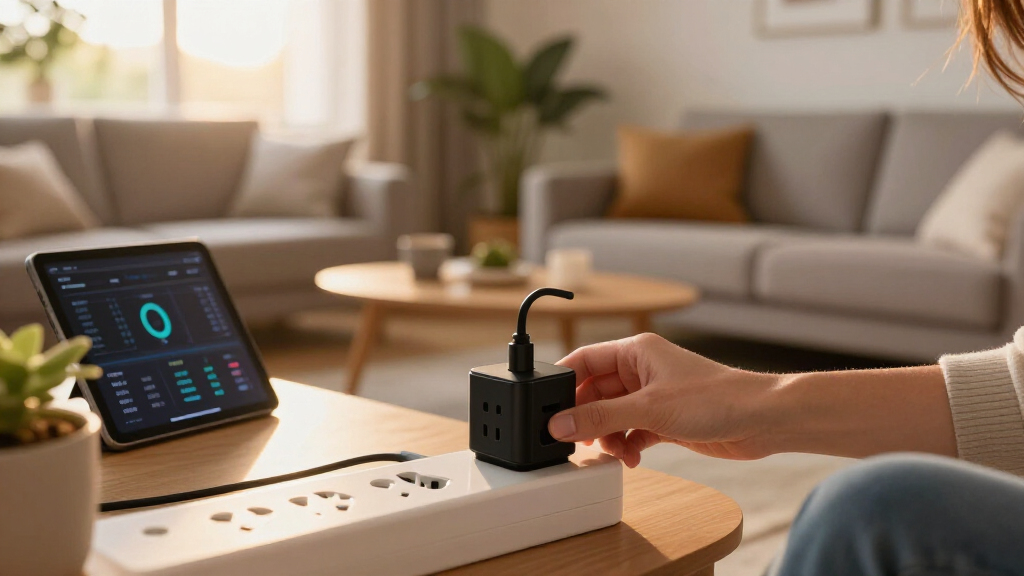
My ranking logic for this roundup centers on four buyer-relevant criteria. Energy data quality came first: a monitoring plug is only useful if it reports consumption clearly, tracks history over days and weeks, and lets you estimate actual electricity costs, not just current wattage. Platform compatibility came second — Matter support earns a premium because it frees you from a single vendor’s app, while HomeKit, Alexa, and Google Home support determine whether a plug fits an existing setup. Third, I weighed hardware design: plug size matters because a chunky housing blocks the second outlet in a wall plate, and a 15A rating determines what appliances are safe to connect. Finally, I considered value per outlet, since most of these products ship in multi-packs and the real question is cost-effectiveness when you’re instrumenting a whole kitchen or office.
The ordering reflects a simple philosophy: plugs that combine accurate monitoring, a polished app, and broad compatibility rank highest, while budget picks rank lower only where their software or measurement reporting falls short — not because the hardware is bad. Where two products are nearly identical, like the Kasa KP125M and KP125MP2, I treated pack size and availability as the deciding factors rather than inventing performance differences that don’t exist.
| smart plugs with energy monitoring | Energy monitoring |
|---|---|
| Tapo P110M Matter-Compatible S | Yes |
| Emporia Energy Monitoring Smar | — |
| Kasa Matter Smart Plug with En | Yes |
| Kasa Smart Wi-Fi Plug Mini | — |
| TP-Link Tapo P125M Matter Smar | — |
| Kasa Smart Plug Mini EP25P4 wi | Real-time and historical usage |
| TP-Link Tapo P115 Smart Wi-Fi | Yes, with statistics and charts |
| Linkind Matter Smart Plug | — |
| Kasa Matter Smart Plug with En | Yes |
| Kasa Smart Plug Mini with Ener | Yes |
| Govee Smart Plug with Energy M | Power, current, and voltage; 1-year data history |
| THIRDREALITY Smart Plug Gen3 | — |
| TP-Link Tapo P115 Smart Plug w | Yes, with statistics and charts |
| Smart Plug with Energy Monitor | — |
Factors to Consider When Choosing Smart Plugs With Energy Monitoring
Before picking a specific plug, it helps to understand what actually separates a useful energy-monitoring setup from a drawer full of gadgets you stop checking after a week. These are the factors that shaped my rankings and the ones most buyers get wrong.Real-Time Versus Historical Data
The biggest mistake buyers make is assuming all energy monitoring is the same. Some plugs only show current wattage, which tells you a device is on but nothing about its cost over a month. Better plugs, like the Tapo P110M and Kasa KP125M, log cumulative daily, weekly, and monthly consumption and can convert kilowatt-hours into dollars using your utility rate. This distinction matters because the whole point of monitoring is spotting trends — a fridge drawing more power over time, a phantom load draining money overnight, or an AC unit that’s suddenly inefficient. If you’re monitoring anything with a compressor, cycling appliance, or standby mode, historical data isn’t optional; it’s the feature. Ask yourself whether you’ll actually review charts weekly, because if not, a cheaper basic smart plug may serve you better.
Matter, HomeKit, Alexa, or Locked-In Wi-Fi
Compatibility determines how long your plugs stay useful. Matter-certified plugs work across Apple, Google, and Amazon ecosystems simultaneously and are the safest bet if you might switch platforms or add a smart speaker later. HomeKit-native plugs like the Kasa EP25P4 are the right call only for committed Apple households, since that support is the plug’s main premium feature. The risk with non-Matter plugs isn’t that they stop working — it’s that each brand drags in its own app, its own account, and its own firmware quirks. Once you have plugs from three different brands, checking energy data means hopping between three apps, and that’s when most people stop monitoring altogether. Consolidating on one ecosystem, even a proprietary one like Tapo, usually beats a mixed bag of bargains.
Why Measurement Accuracy Varies
Every plug in this roundup claims energy monitoring, but accuracy depends on how the device samples power. Plugs that report at fine intervals catch short cycling loads — the brief power spikes from compressors or motors — while cheaper plugs that poll less frequently can undercount a refrigerator’s true consumption by a meaningful margin. Also worth knowing: resistive loads like lamps and heaters are easy to measure accurately, while motors, TVs, and anything with a power supply are harder, and budget plugs sometimes misreport them. If your goal is casual curiosity, any certified plug is fine. If you’re making decisions — whether to replace an old freezer, or which device to put on a schedule — stick with plugs from established brands whose measurement methodology has been refined across product generations.
Physical Size, Load Limits, and Outlet Real Estate
A smart plug is only as good as its fit. Bulky housings block the adjacent outlet in a standard duplex wall plate, which is why mini designs like the Kasa EP10P4 and Tapo P125M rank highly for crowded spaces. Load capacity is the other hard limit: nearly everything here is rated 15A/1800W, which covers lamps, fans, TVs, computers, and small kitchen appliances, but you should never assume a plug handles a space heater on high, a hair dryer, or a power tool near their limits. Also check the plug orientation — a side-facing or thick-bodied plug may not fit behind furniture or in a power strip without covering neighboring sockets. For dense setups like home entertainment centers, buy one plug, test the fit, then commit to a multi-pack.
Multi-Pack Economics and the Per-Outlet Question
Energy monitoring delivers the most value when you can compare devices against each other, and that almost always means buying a multi-pack. The math works differently than with basic smart plugs: a monitoring plug costs more per unit, so a 4-pack is a real investment, and the cost per monitored outlet should be your comparison metric, not the sticker price of the pack. A common mistake is instrumenting everything at once — start with suspected energy hogs like old refrigerators, entertainment setups, and always-on electronics, learn what the data says, then expand. Some buyers also overestimate what they’ll save; monitoring identifies waste, but the savings come from acting on it with schedules, timers, or replacements. Buy one pack, form the habit, then decide if you need more.
Hub Requirements, Setup Friction, and 2.4 GHz Wi-Fi
Every plug in this roundup connects over Wi-Fi, and nearly all of them require a 2.4 GHz network — a detail that trips up owners of modern mesh routers that combine bands under one network name. If setup fails repeatedly, this is usually the cause, and it’s fixable in your router settings rather than being a defective plug. Hub-free designs are the norm here, which keeps things simple, but Matter plugs behave best when commissioned through your platform’s controller app rather than the manufacturer’s own. Setup friction also differs by brand: TP-Link’s Kasa and Tapo apps are known for fast onboarding, while lesser-known brands may require account creation on servers with less polish or longevity. If a plug’s app feels abandoned at setup time, that’s a preview of the whole ownership experience.
Frequently Asked Questions
How accurate are smart plugs with energy monitoring compared to my utility meter?
Quality plugs from established brands like TP-Link and Emporia are generally accurate within a few percent for steady loads, which is good enough to identify waste and compare appliances against each other. Accuracy degrades on devices with variable loads — refrigerators, computers, and anything with a motor — because short power spikes can be missed between sampling intervals. Your utility meter remains the source of truth for billing, so treat plug data as a diagnostic layer, not a replacement. If the total from all your plugs diverges wildly from your bill, that’s usually a sign you haven’t instrumented the biggest loads like HVAC, water heating, or the dryer, which connect at the panel rather than through outlets.
Do I need Matter compatibility, or is it a gimmick for energy-monitoring plugs?
Matter isn’t a gimmick, but it matters more for some buyers than others. Its real value is platform freedom: a Matter plug like the Tapo P110M or Kasa KP125M works with Apple, Google, and Amazon simultaneously, so you can switch smart speakers later without replacing your plugs. The catch is that Matter’s energy reporting support is still maturing, so you may get richer historical data in the manufacturer’s own app than through your platform of choice. If you own a single-brand setup and are happy with it, a cheaper non-Matter plug works just as well and costs less. Buy Matter for future-proofing, not for superior monitoring today.
Can I use these smart plugs with a space heater or other high-wattage appliance?
Technically, most plugs here are rated for 15A/1800W, which matches the typical maximum of a standard US outlet — but I’d caution against running space heaters at full power through any smart plug. Heaters draw sustained current at the top of the plug’s rating, which generates heat at the relay contacts over time and can shorten the plug’s life or, in worst cases, create a fire risk. Lamps, fans, TVs, chargers, and small kitchen appliances are all completely safe. If you want heater control, look for plugs explicitly built with heavier-duty relays, or use the smart plug to control a dedicated heavy-duty relay instead. When in doubt, check the appliance’s wattage label and stay comfortably under the plug’s rating.
Will these plugs still track energy if my Wi-Fi or internet goes down?
Most quality plugs continue measuring consumption internally even when offline, then sync the history to the app once connectivity returns — but this varies by brand, and some budget plugs lose data during outages. TP-Link’s Kasa and Tapo plugs handle offline logging well, which is one reason they rank highly in this roundup. The distinction matters because internet outages are common enough that gaps in your energy history become annoying fast. Local scheduling also matters here: plugs that store their schedules internally keep turning devices on and off during outages, while cloud-dependent plugs freeze until the connection returns. If reliability is a priority, favor brands with proven local control rather than whichever option is cheapest per outlet.
Is it worth paying more for a 4-pack of monitoring plugs, or should I mix in cheaper basic smart plugs?
A mixed approach is often the smartest strategy, and it’s how I’d build out a home. Put monitoring plugs on devices where the data changes your behavior: old refrigerators, entertainment centers, always-on electronics, and anything you suspect of phantom load. Use cheap basic smart plugs for devices where you only need scheduling — lamps, fans, holiday lights — because paying a premium for monitoring you’ll never read is wasted money. After a month or two, the monitored plugs will tell you which devices actually consume meaningful power, and you can redeploy accordingly. The one caveat is sticking to the same ecosystem across both types so you’re not juggling multiple apps.
Conclusion
After comparing all fourteen options, the right choice depends less on which plug is objectively best and more on how you plan to use the data. For most buyers, the TP-Link Tapo P110M 4-Pack is the best overall pick — it combines Matter compatibility, a compact body, and energy history in the polished Tapo app, making it the safest long-term investment. The Emporia 4-Pack earns the best value slot for anyone instrumenting several appliances without paying premium prices, though its app experience trails TP-Link’s. For Apple-centric households, the Kasa KP125M or EP25P4 are the standout picks thanks to proper HomeKit support alongside solid monitoring. Beginners who just want to dabble in energy tracking should start with a single Kasa KP115 or Tapo P115 2-Pack — inexpensive, straightforward, and enough to learn whether monitoring fits your habits before committing to a full multi-pack. And if your priority is scheduling over data, honestly reconsider whether you need monitoring at all: the basic Kasa and Tapo plugs in this list cost less and do the on/off job just as well. Whatever you choose, stick to one ecosystem across your plugs — a mixed bag of apps is the fastest way to stop checking your energy data altogether.
NFL season / tailgating Picks
team gear
As an affiliate, we earn on qualifying purchases.