
TL;DR

Get home appliances delivered free with Prime
- Fast, free delivery on millions of items
- Prime Video, Amazon Music and more included
- Member-only deals all year
Smart home security cameras capture video and can send motion alerts, but their usefulness depends on placement, power, Wi-Fi, storage, and privacy settings as much as resolution. Match an indoor or outdoor model to the location, check what works without a subscription, secure the account, and plan for outages and recurring costs before you buy.
A camera can show you the porch in crisp detail and still miss the moment you need if its battery is flat or the Wi-Fi drops. Smart home security cameras capture video and can send motion alerts to your phone, but each camera depends on a chain of practical choices: where you mount it, how it gets power, and where it saves footage.
This guide explains what they are, how storage and detection work, and what to check before you spend money. You’ll see why a bright, well-placed camera with reliable recording can be more useful than a higher-resolution model aimed at the wrong spot.
Use these key facts for comparing cameras: check the view, network, storage, privacy controls, compatibility, and full cost. That way, a smart home security setup can support your everyday routines without surprising fees or alerts every time a tree branch moves.
Choose an indoor or outdoor camera rated for the actual weather and temperature where you’ll mount it.
Test field of view and night performance at the real viewing distance; resolution alone can’t promise identifiable detail.
Compare cloud and local recording, subscription terms, battery demands, and the total yearly cost.
Tune motion zones and sensitivity against normal activity so alerts highlight useful events.
Use a unique password, two-factor authentication, updates, privacy controls, and careful placement.
What a Smart Camera Can Do at Your Door
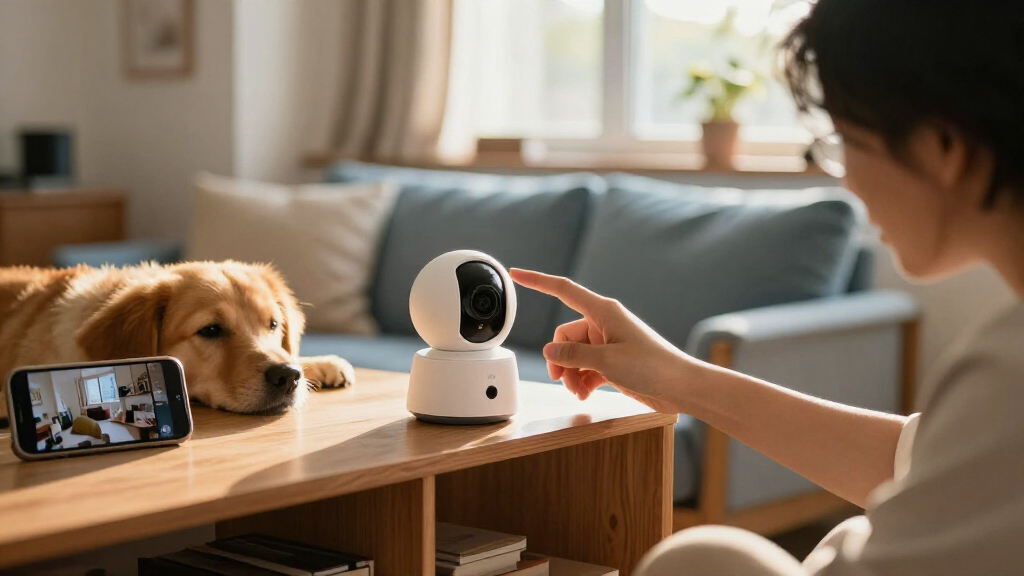
A smart home security camera captures video and connects to your home network so you can view footage or receive alerts on a phone or smart display. Depending on the model, it may also record audio, detect motion, provide night vision, or let you speak through a built-in speaker. Those features turn a lens into a small, connected lookout.
Most models use Wi-Fi; some systems connect over wired networks. A camera may run on a rechargeable battery, plug into an outlet, or use a permanent wired connection. Footage can go to cloud storage, a memory card, a network video recorder, or more than one place. A cloud clip is easy to check while away, while a local recording may remain available if your internet service fails.
Say a courier leaves a parcel on a rainy Tuesday. A motion alert can prompt you to open the live view, check whether the package is still there, and use two-way audio to ask a neighbor to bring it inside. The camera doesn’t take the parcel to safety; it gives you a timely view and a way to respond.
Some newer cameras use on-device processing to classify events, such as people, animals, vehicles, or packages, without sending every clip to the cloud. AI descriptions and search tools can make footage easier to scan, though accuracy, availability, and subscription requirements vary. A camera is one part of home security, alongside locks, lighting, and good routines.
Products Worth Considering

Roborock RockNeo Q110H Wire-Free Robot Lawn Mower

Bose Smart Soundbar 700 with Alexa, Black

Bose Lifestyle Ultra Wireless Home Speaker, White Smoke
As an affiliate, we earn on qualifying purchases.
Choose a Camera View That Shows Useful Detail
Choose a camera for the exact place and view you need: outdoor models must handle local weather, while indoor models suit protected rooms and are usually simpler to install. Image usefulness depends on placement, field of view, low-light performance, and distance as well as resolution. A high-resolution sensor can still produce a blurry face if a visitor stands far from the lens.
For a front door, try to capture the approach and the area where a delivery usually lands. A camera pointed straight at a bright window may turn a visitor into a dark silhouette. Mounting it too high can show the top of a person’s head instead of useful identifying detail. At night, test the view with the porch light on and off; the result can change dramatically.
Think of the camera’s field of view like a flashlight beam: a wide beam covers more ground, but objects can look smaller. A narrower view may show a doorway clearly while missing the gate beside it. Low-light performance, compression, and glare can all affect what you can actually make out.
Before choosing a spot, check the manufacturer’s weather rating and temperature range. An indoor camera placed under an eave is still an indoor camera if it isn’t rated for damp or freezing conditions. Aim toward your own entrance and property, and check local rules before recording audio or shared spaces. Cameras capture video that may include neighbors or passersby, so placement deserves care.
Compare Power, Wi-Fi, and Recording Before You Buy
Compare a camera’s power, connection, and recording options together, because a weakness in any one can interrupt the evidence you expect to have. Battery models are flexible to mount, but busy locations, cold weather, weak signal, and frequent recording can shorten time between charges. Wired cameras can run continuously, though their installation may be more involved.
Here is a common example: a battery camera above a busy driveway sends alerts for every passing car. The owner checks it often, and the battery drains faster than the package estimate suggested. Person or vehicle detection, adjustable sensitivity, and motion zones may cut that alert traffic, but features differ and advanced detection may sit behind a paid plan.
| Setup choice | What you gain | What to check |
|---|---|---|
| Battery power | Flexible placement without a nearby outlet | Charging schedule, temperature, and activity level |
| Wired power | Continuous power for a fixed camera | Safe installation and whether wiring needs a professional |
| Cloud storage | Remote access to saved clips | Subscription price, retention period, and upload needs |
| Local storage | Recording without a recurring cloud plan on some models | Card or recorder capacity and whether footage is backed up |
Wi-Fi quality matters as well. A camera at the far end of a garage may connect unreliably even when the living-room signal looks strong. Most connected features need internet; some devices can record locally without it, while remote viewing and cloud alerts generally cannot.
Estimate total costs across the year: the device, subscription, accessories, installation, replacement batteries, and storage equipment. Check the current plan terms and what works without a subscription. If you add several cameras, their streams and uploads can place noticeable demand on your internet connection.
Set Up Alerts That Help Instead of Distract
Useful camera alerts identify activity you care about and leave routine movement alone. Motion zones let you focus detection on a doorway or gate, while adjustable sensitivity can reduce alerts from swaying branches, headlights, and passing foot traffic. Person or package detection may help further, but its accuracy and access can depend on the device and subscription.
Set the view first, then tune alerts over a few ordinary days. Imagine a camera facing a front path where a tree branch crosses the frame. On day one, your phone buzzes every time the wind lifts the leaves. Narrowing the zone to the steps and lowering sensitivity may stop the repeated pings while keeping a person approaching the door in view.
A sensible setup process looks like this:
- Mount and test the view in daylight and after dark, checking for glare and blind spots.
- Set motion zones around the entrances or objects you want to monitor.
- Adjust detection and notification settings, then observe what triggers alerts over several days.
- Test a real event, such as walking to the door, to see how quickly the alert arrives and whether the saved clip shows enough.
AI-based descriptions and searches can help you find a moment in a long recording, but they do not guarantee a correct identification. A camera may confuse an animal, shadow, or moving vehicle with something else. Treat smart alerts as prompts to check, not as proof that a person, package, or event has been identified correctly.
Protect Your Privacy Without Losing Useful Coverage
Protect camera footage with a strong, unique account password, two-factor authentication, current software, and a secure home Wi-Fi network. These steps lower risk, but no internet-connected device is risk-free. Check who can access shared accounts and remove access when a household member no longer needs it.
Placement also affects privacy. Aim an outdoor camera at your own doorway rather than a neighbor’s windows or a shared space. Some cameras offer a physical privacy shutter, while others let you disable the microphone or create schedules that pause recording when you’re home. Test the setting you choose; an icon in an app is less reassuring than confirming the lens is covered or the microphone is off.
Audio may be governed by stricter rules than video, and local recording laws vary. If a camera sits in a shared area or captures conversations, check the rules where you live before recording. For an indoor camera in a living room, a scheduled off period or physical shutter can make the device easier to live with when guests visit.
Read the storage and privacy terms alongside the feature list. Ask whether clips are encrypted, how long they remain available, and whether detection or video history requires cloud processing. Privacy controls should fit your household: a camera that can’t be quickly silenced or covered may be a poor choice for a room where people expect privacy.
Plan for Outages and Check Compatibility First
A camera is dependable only when it has power, a working connection, and a recording path that still functions when something goes wrong. During a power outage, a battery camera may continue to run, but remote viewing can fail if the router loses power. Some models keep recording locally without internet; cloud alerts and remote access usually need a working connection.
Test a camera at the spot where you plan to use it, especially if that spot is behind a thick wall or at the edge of the yard. If the live view stutters in the garage, the saved clip and alert may also arrive late. A wired network, a better access point, or a different mounting location may improve reliability, depending on the home and system.
Check compatibility for the exact camera model and feature. A listing may say it works with a voice assistant or smart-home platform, yet only basic live viewing may be supported. Event history, automations, or two-way audio could behave differently. If you want a smart display to show the porch view, check that specific combination before buying.
During setup, test the things you’ll rely on: unplugging or losing network access, local recording, alert delivery, and account recovery. An alarm that sounds in the app but never reaches your phone while you’re away offers little comfort. Reliability comes from the whole setup, not just the camera’s advertised features.
Frequently Asked Questions
Do smart security cameras need Wi-Fi?
Most connected features need internet access for remote viewing and cloud alerts. Some models can record locally without internet, but check the exact camera’s behavior during an outage.
Can I record without paying for a subscription?
Sometimes. Look for local storage and confirm which features remain available without a plan, including saved clips, live viewing, and person detection.
How long does a battery camera last between charges?
It depends on activity, temperature, signal strength, and recording settings. A camera facing a busy driveway may need charging sooner than the same model watching a quiet side gate.
Can a camera work during a power or internet outage?
A battery-powered model may continue running during a power outage. Remote access can still stop if the router or internet service is down, though some cameras may keep saving footage locally.
Can smart cameras record audio?
Some cameras include microphones, but audio recording can face stricter local rules than video. Check the settings and the laws that apply where you live before enabling it.
Can one camera reliably identify a face or license plate?
Not in every situation. Distance, angle, lighting, resolution, and software all affect detail, so test the actual view and avoid treating recognition as guaranteed.
Conclusion
Choose your camera by starting with the view you need, then check its power, connection, recording, privacy controls, and full cost. A well-placed camera that reliably saves a useful clip can serve you better than a more impressive specification sheet.
Test it at the door after dark, tune the alerts, and secure the account. The best setup is the one that quietly watches the right corner of your home and lets you get back to your day.