Keeping your Roborock Q7 M5+ robot vacuum and mop in top condition requires regular maintenance and troubleshooting. This guide provides clear, practical steps to resolve common issues and ensure your device operates at peak performance. From cleaning sensors to managing the self-emptying system, you’ll find detailed instructions to keep your robot running efficiently and extend its lifespan.

Get home appliances delivered free with Prime
- Fast, free delivery on millions of items
- Prime Video, Amazon Music and more included
- Member-only deals all year
Whether you’re experiencing suction problems, navigation errors, or filter issues, this comprehensive guide covers everything you need to know for effective care and troubleshooting in 2026.
Key Takeaways
| Regular Cleaning | Keep sensors and brushes clean for optimal performance. |
| Filter Maintenance | Wash or replace filters every 1-3 months. |
| Self-Emptying Care | Check and empty the dust bag regularly. |
| Navigation Troubleshooting | Reset or recalibrate navigation if errors occur. |
| Battery & Charging | Ensure charging contacts are clean for proper charging. |
Cleaning Sensors and Brushes
- Turn off and unplug your Roborock Q7 M5+ to ensure safety.
- Remove the main brush cover and carefully take out the dual anti-tangle system and brushes.
- Use a soft brush or cloth to remove hair, dust, and debris from the brushes and anti-tangle system.
- Wipe sensors with a microfiber cloth to remove dust and dirt, ensuring accurate navigation.
- Reassemble the brushes and cover, then power on the device to check for improved operation.
Emptying and Maintaining the Self-Empty Dust System
The Roborock Q7 M5+ features a 2.7L sealed dust bag that supports up to 7-9 weeks of cleaning. To keep it functioning properly:
- Open the RockDock Plus and remove the dust bag carefully.
- Dispose of the contents if full, or replace the bag if it shows signs of wear or leaks.
- Check the seals around the dust bag for damage and replace if necessary.
- Close the dock securely and confirm the vacuum recognizes the new bag.
Regularly inspecting and emptying the dust bag prevents clogs and maintains suction strength.
Filter Care and Replacement
The Q7 M5+ uses a HEPA filter to trap fine dust and allergens. Proper filter maintenance is essential for clean air and effective cleaning.
- Remove the filter from the vacuum according to the user manual.
- Wash the filter gently with water, avoiding harsh scrubbing, and let it dry completely before reinserting.
- If the filter is damaged or after 1-3 months of use, replace it with a new one.
Use the recommended 4 Pack Washable Filter for best results, ensuring your vacuum continues to perform optimally.
Troubleshooting Navigation and Performance Errors
If your Roborock Q7 M5+ encounters navigation issues or gets stuck:
- Ensure the device’s sensors and cameras are clean and free of dust.
- Reset the device by turning it off, then on again, or resetting via the app.
- Update firmware through the app to fix bugs and improve navigation algorithms.
- Recalibrate the navigation system by placing the robot in an open space and running the calibration routine.
If problems persist, check for obstacles or clutter blocking the path, and remove them to allow smooth operation.
Battery and Charging Tips
To ensure your robot charges properly and maintains battery health:
- Keep charging contacts clean with a dry cloth.
- Place the charging dock in an open, unobstructed area for consistent connection.
- Avoid letting the battery fully discharge frequently; recharge when the battery drops below 20%.
- If the robot doesn’t return to dock, reset the connection via the app or restart the device.
The Products in This Guide

roborock Q7 M5+ Robot Vacuum and Mop
- ✔ Max Suction: 10,000Pa
- ✔ Dust Capacity: 2.7L
- ✔ Navigation: PreciSense LiDAR

4 Pack Washable Filter
- ✔ Pack Size: 4 filters
- ✔ Compatibility: Multiple Roborock models
- ✔ Washable: Yes
roborock Q7 M5+ Robot Vacuum and Mop
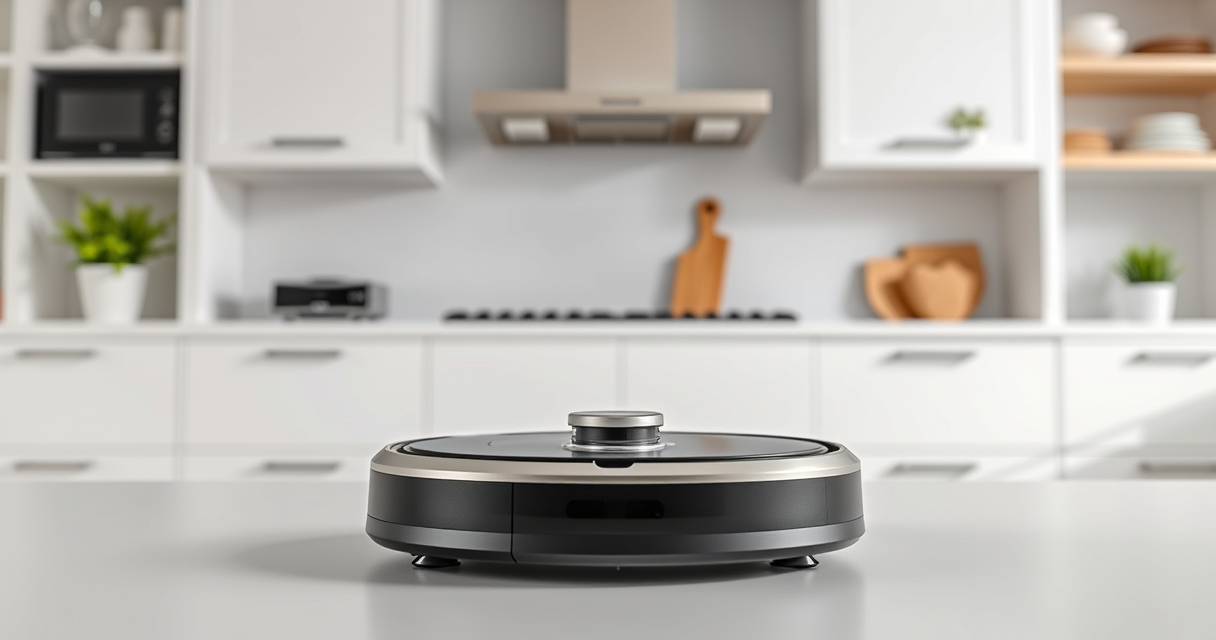
The Roborock Q7 M5+ offers long-lasting cleaning with its self-emptying system and powerful 10,000Pa suction. Its dual anti-tangle system and advanced navigation make it ideal for pet owners and busy households.
Pros:
- Long self-emptying cycle (up to 9 weeks)
- Powerful 10,000Pa suction
- Effective pet hair management
- PreciSense LiDAR navigation
Cons:
- Can be heavy to move when full
- Higher initial cost
- Requires regular filter cleaning
Best for: Pet owners and households needing long-term, hands-free cleaning
Not ideal for: Users looking for a lightweight, budget-friendly option
Bottom line: A powerful, long-lasting vacuum ideal for pet owners who want minimal maintenance.
4 Pack Washable Filter
This 4-pack washable HEPA filter ensures your Roborock maintains high filtration standards and optimal suction, saving money over time.
Pros:
- Effective filtration
- Reusable and washable
- Easy to install
- Compatible with multiple models
Cons:
- Requires regular washing
- Not OEM but comparable quality
- Replacement needed every 1-3 months
Best for: Users seeking cost-effective, reliable filtration
Not ideal for: Those preferring OEM filters for guaranteed fit
Bottom line: A cost-effective, washable filter that keeps your vacuum performing at its best.
Frequently Asked Questions
How often should I clean the sensors on my Roborock Q7 M5+?
Clean the sensors weekly with a microfiber cloth to ensure accurate navigation and obstacle detection.
What is the best way to handle tangled hair in the brushes?
Remove the brushes, then carefully untangle hair with your fingers or a soft tool. Regular cleaning prevents buildup and maintains suction.
How do I know when to replace the filters?
Replace or wash the filters every 1-3 months, or when you notice reduced suction or increased dust in the environment.
My vacuum is not returning to the dock. What should I do?
Check for obstructions in the charging area, clean the charging contacts, and reset the connection via the app if needed.
Can I upgrade my vacuum’s navigation system?
Ensure your firmware is up to date through the app. The PreciSense LiDAR navigation is built-in and cannot be upgraded separately.
Maintaining Your Roborock Q7 M5+ for Peak Performance
Regular cleaning, filter maintenance, and troubleshooting are key to keeping your Roborock Q7 M5+ operating efficiently. By following the step-by-step guidance in this guide, you can extend the lifespan of your device and enjoy consistently clean floors with minimal effort. Remember, staying proactive with maintenance prevents common issues and ensures your robot vacuum remains a reliable cleaning companion for years to come.
Affiliate disclosure: As an Amazon Associate we earn from qualifying purchases. Prices and availability are accurate as of the time of publishing.
Columbus Day / Indigenous Peoples' Day Picks
long weekend sales
As an affiliate, we earn on qualifying purchases.