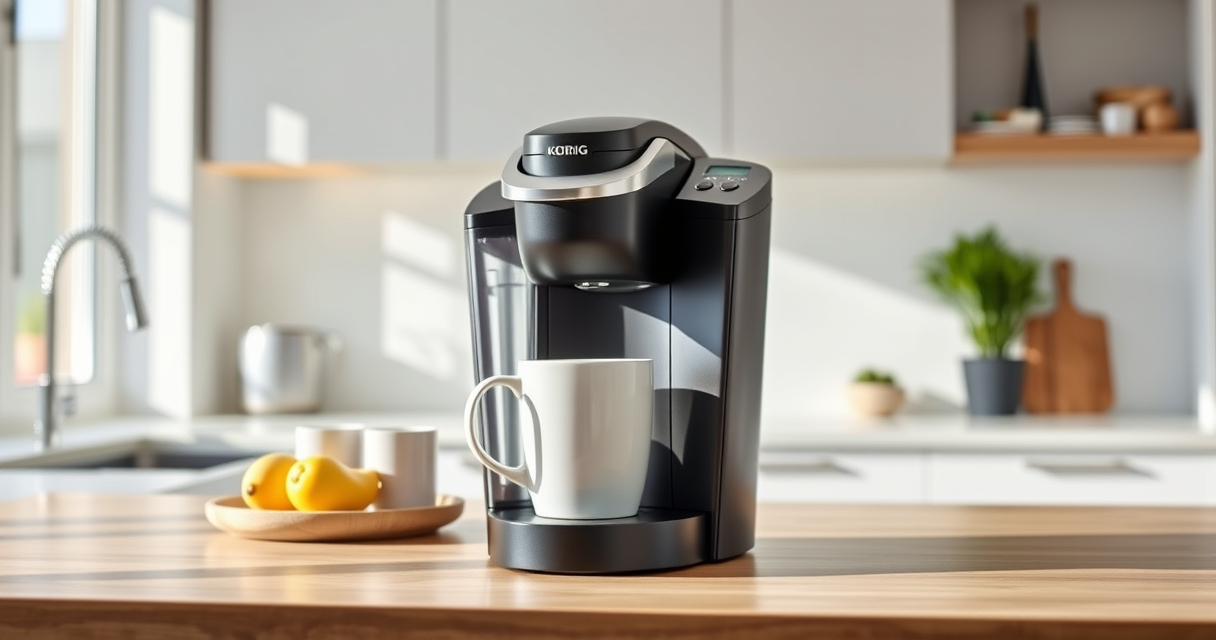
Maintaining your Keurig K-Mini coffee maker ensures it continues to brew fresh, flavorful coffee every time. Proper upkeep not only extends the life of your machine but also guarantees the best taste and performance. In this guide, we’ll walk you through essential cleaning, descaling, and troubleshooting steps in a clear, safe manner to keep your Keurig running smoothly.

Get home appliances delivered free with Prime
- Fast, free delivery on millions of items
- Prime Video, Amazon Music and more included
- Member-only deals all year
Whether you’re a new owner or a seasoned user, regular maintenance is key to avoiding common issues like clogs, mineral buildup, or flavor carry-over. Follow these straightforward steps to keep your Keurig K-Mini in top shape and enjoy delicious coffee each day.
Key Takeaways
| Regular Cleaning | Keeps the brew path free of residue and oils. |
| Descaling Schedule | Removes mineral buildup to prevent clogs. |
| Troubleshooting | Identifies common issues like leaks or weak brews. |
| Use Proper Products | Recommended descaling kits and filters ensure safety and effectiveness. |
Gather Your Supplies and Prepare
Before starting maintenance, gather essential supplies: a descaling solution (such as the Keurig Descale Solution or a compatible descaling kit), clean water, a soft cloth, and optionally, a reusable coffee filter like the My K-Cup® Reusable Coffee Filter (asin=B0FN6NKZGT). Ensure your machine is unplugged and cooled down after use. Clear the water reservoir to make cleaning easier, and remove any used K-Cup pods.
Cleaning the External and Water Reservoir
- Wipe down the exterior of your Keurig with a damp, soft cloth to remove dust and coffee splashes.
- Remove the water reservoir and wash it with warm, soapy water. Rinse thoroughly to remove any soap residue.
- Dry all parts with a clean towel and reassemble the machine.
Descaling Your Keurig K-Mini
- Fill the water reservoir with a descaling solution mixed with water or just use the Keurig Descale Solution according to the package instructions.
- Place a large mug on the drip tray to catch the rinse water.
- Run a brew cycle without inserting a K-Cup, allowing the descaling solution to flow through the machine. Repeat until the reservoir is empty.
- Fill the reservoir with fresh water and run several rinse cycles to flush out any remaining descaling solution.
Cleaning the Brew Path and K-Cup Holder
Periodically, remove and clean the K-Cup holder and the brew needle to prevent clogs. Use a soft brush or a toothpick to clear any coffee grounds or mineral deposits. Run hot water through the brew path to wash away residue. This step helps maintain optimal water flow and flavor quality.
Troubleshooting Common Issues
- Weak Coffee or No Water Flow: Check for clogs in the brew needle or K-Cup holder. Clean thoroughly and descale if needed.
- Leaking or Overflow: Ensure the water reservoir is seated correctly and not overfilled. Clean the drip tray and check for cracks.
- Machine Not Turning Off: Use the auto-off feature by setting a timer or unplugging after use. Reset the machine by unplugging and replugging if necessary.
The Products in This Guide

Keurig K-Mini Single Serve K-Cup Pod Coffee Maker
- ✔ Dimensions: Less than 5 inches wide
- ✔ Brew Range: 6-12 oz
- ✔ Auto Off: Yes, after 90 seconds

My K-Cup® Reusable Coffee Filter
- ✔ Material: Reusable plastic
- ✔ Capacity: Single cup
- ✔ Compatibility: Keurig K-Cup systems
Keurig K-Mini Single Serve K-Cup Pod Coffee Maker
The Keurig K-Mini offers a perfect solution for small spaces with quick, fresh brews. Regular maintenance, including descaling and cleaning, ensures it continues to perform efficiently and delivers great-tasting coffee.
Pros:
- Compact size fits small spaces
- Fast brewing process
- Removable water reservoir
- Compatible with reusable filters
Cons:
- Limited brew size options
- Requires frequent descaling in hard water areas
- No digital display
Best for: Small households, office spaces, travelers
Not ideal for: Users needing larger capacity or multiple brew sizes
Bottom line: A compact, efficient coffee maker perfect for small spaces with easy maintenance.
My K-Cup® Reusable Coffee Filter
The My K-Cup® Reusable Coffee Filter allows you to brew your favorite ground coffee directly in your Keurig K-Mini, providing flexibility and cost savings while maintaining great flavor.
Pros:
- Use your own ground coffee
- Cost-effective over time
- Easy to clean
- Compatible with Keurig models
Cons:
- Requires regular cleaning
- May require trial to get grind size right
- Not suitable for very fine coffee grounds
Best for: Ground coffee enthusiasts, eco-conscious users
Not ideal for: Those preferring pre-packaged K-Cups
Bottom line: A cost-effective, eco-friendly way to enjoy your favorite ground coffee with your Keurig.
Frequently Asked Questions
How often should I descale my Keurig K-Mini?
It is recommended to descale your Keurig K-Mini every 3 months to prevent mineral buildup and ensure optimal performance.
Can I use ground coffee in my Keurig?
Yes, with the My K-Cup® Reusable Coffee Filter, you can brew your own ground coffee directly in your Keurig K-Mini.
Why is my Keurig leaking water?
Leaking may occur if the reservoir is overfilled, not seated properly, or if there are cracks. Check the reservoir placement and inspect for damage.
What do I do if my coffee is weak?
Ensure the water reservoir is filled properly, clean the brew head, and descale if mineral buildup is suspected. Using a finer grind in reusable filters can help too.
Is it safe to run vinegar through my Keurig?
While some use vinegar for descaling, Keurig recommends using their descaling solution or commercial descaling kits for safety and effectiveness.
Keep Your Keurig K-Mini Brew-Ready
Regular maintenance is essential for keeping your Keurig K-Mini functioning smoothly and brewing delicious coffee every time. By following proper cleaning, descaling, and troubleshooting steps, you can extend your machine’s lifespan and enjoy great-tasting beverages daily. Remember, a well-maintained coffee maker is key to a satisfying brew experience.
Affiliate disclosure: As an Amazon Associate we earn from qualifying purchases. Prices and availability are accurate as of the time of publishing.
Halloween Picks
halloween
As an affiliate, we earn on qualifying purchases.