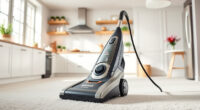
If your Roborock Q7 M5+ robot vacuum isn’t connecting to WiFi, it can be frustrating and hinder your smart home setup. Fortunately, most connection issues are fixable with some straightforward troubleshooting steps. This guide provides clear, safe instructions to restore your robot’s WiFi connectivity, ensuring your cleaning routine stays uninterrupted.

Get home appliances delivered free with Prime
- Fast, free delivery on millions of items
- Prime Video, Amazon Music and more included
- Member-only deals all year
Before starting, ensure your WiFi network is functioning correctly and your smartphone has the latest app version. Let’s walk through the steps to get your Roborock back online.
Key Takeaways
| Check WiFi Compatibility | Ensure your WiFi network is 2.4GHz, as Roborock devices typically don’t support 5GHz. |
| Restart Devices | Reboot your robot vacuum, WiFi router, and smartphone to resolve temporary glitches. |
| Update Firmware & App | Keep your Roborock app and device firmware up to date for optimal performance. |
| Reconfigure WiFi Settings | Re-enter WiFi credentials carefully, ensuring correct network and password. |
| Reset Network Settings | Use the app or device reset options if connection issues persist. |
1. Verify Your WiFi Network Compatibility
- Confirm your WiFi is operating on 2.4GHz frequency, as Roborock Q7 M5+ only supports this band.
- Check that your network SSID (name) is visible and stable.
2. Restart Your Devices
- Turn off your Roborock vacuum by pressing and holding the power button, then turn it back on.
- Reboot your WiFi router by unplugging it, waiting 30 seconds, then plugging it back in.
- Restart your smartphone to clear temporary network glitches.
3. Reconnect Using the Roborock App
- Open the Roborock app and select your device.
- Navigate to device settings, then choose WiFi setup.
- Follow the prompts to select your WiFi network and re-enter your password carefully.
4. Update Firmware and App
- Ensure your Roborock app is updated to the latest version via your app store.
- Check for firmware updates within the app and install if available.
5. Reset Network Settings or Factory Reset
- If connection still fails, use the app to reset network settings or perform a factory reset of the device.
- Follow the app instructions precisely to avoid misconfiguration.
The Products in This Guide

roborock Q7 M5+ Robot Vacuum and Mop
- ✔ Battery Life: Long-lasting
- ✔ Dust Capacity: 2.7L
- ✔ Suitable for: Pet hair, carpets

4 Pack Washable Filter
- ✔ Material: HEPA
- ✔ Size: Standard fit
- ✔ Washable: Yes
roborock Q7 M5+ Robot Vacuum and Mop
The Roborock Q7 M5+ offers powerful suction and advanced navigation, but WiFi issues can occur. This guide helps you troubleshoot and restore your device’s connectivity effectively, ensuring your robot operates seamlessly in your smart home.
Pros:
- Easy step-by-step fixes
- Supports app control
- Reliable after troubleshooting
- Compatible with various networks
Cons:
- Requires careful credential entry
- Potential firmware update delays
- Reset may erase settings
Best for: Owners experiencing WiFi connection issues with their Roborock Q7 M5+.
Not ideal for: Users with incompatible routers or network configurations.
Bottom line: Follow these steps to restore your Roborock’s WiFi connection and keep your home spotless.
4 Pack Washable Filter
The 4 Pack Washable Filter replacements are compatible with multiple Roborock models, including the Q7. Replacing or upgrading your filters can improve overall device performance and help maintain a stable WiFi connection by reducing dust and debris buildup.
Pros:
- Effective filtration
- Washable and reusable
- Easy to install
- Compatible with several models
Cons:
- Requires regular cleaning
- Not OEM but high-quality
- Replacement needed every few months
Best for: Maintaining optimal device performance and WiFi stability.
Not ideal for: Users not needing filter replacements or with OEM-specific parts.
Bottom line: Replacing filters can support better device operation and stable WiFi connectivity.
Frequently Asked Questions
Why isn’t my Roborock Q7 M5+ connecting to WiFi?
Common reasons include incorrect WiFi credentials, incompatible network frequency, or interference. Follow the troubleshooting steps to resolve these issues.
Can I connect my Roborock to a 5GHz WiFi network?
No, Roborock Q7 M5+ supports only 2.4GHz WiFi. Make sure your router broadcasts a 2.4GHz network and connect to that.
What should I do if resetting the device doesn’t work?
Try resetting your network settings via the app, updating firmware, or performing a factory reset. Ensure your network is stable and compatible.
How often should I replace the filters?
It is recommended to replace or wash your filters every 3-6 months to maintain optimal vacuum performance and connection stability.
Keep Your Roborock Connected and Cleaning Efficiently
Restoring your Roborock Q7 M5+’s WiFi connection is often straightforward with these troubleshooting steps. Regular maintenance, such as updating firmware and replacing filters, can prevent future issues. By following this guide, you’ll ensure your robot remains a reliable part of your cleaning routine, seamlessly integrated into your smart home ecosystem.
Affiliate disclosure: As an Amazon Associate we earn from qualifying purchases. Prices and availability are accurate as of the time of publishing.
NFL season / tailgating Picks
team gear
As an affiliate, we earn on qualifying purchases.