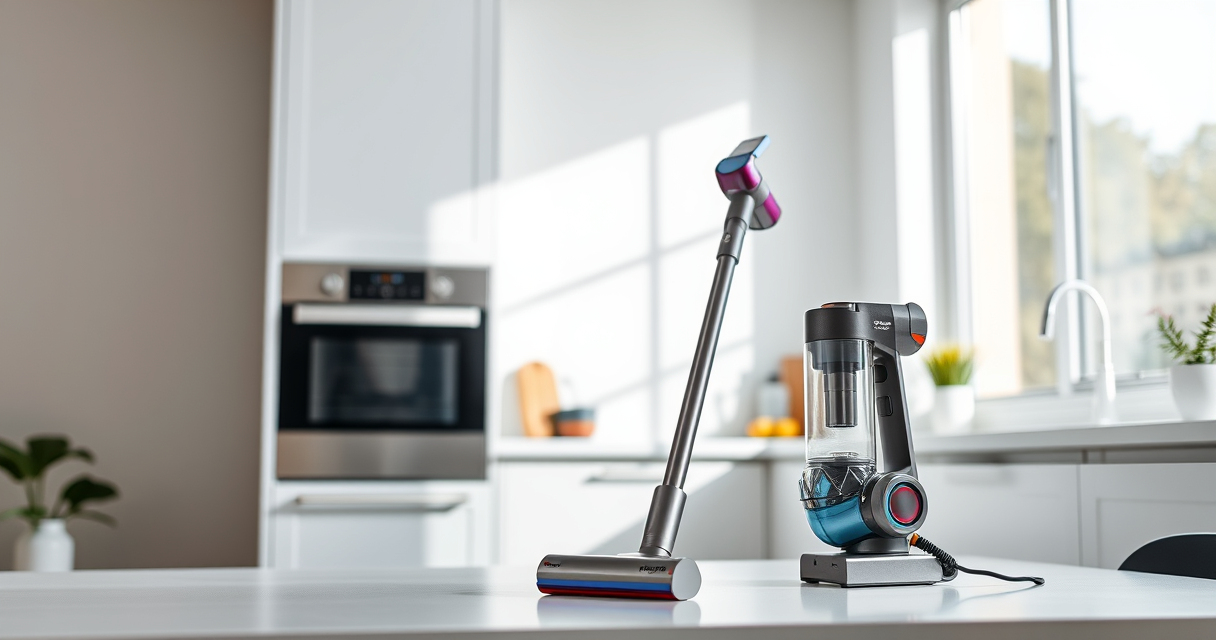
If your Dyson V15 Detect™ Origin Cordless Vacuum is losing suction or not picking up debris as it used to, don’t worry. Many common issues can be resolved with basic troubleshooting and maintenance. This guide walks you through practical, safe steps to restore your vacuum’s performance, ensuring it continues to deliver deep cleaning power across your entire home.

Get home appliances delivered free — and shop member deals
- Fast, free delivery on millions of items
- Access to Prime Big Deal Days deals on October 6–7
- Prime Video, Amazon Music and more included
Before starting, gather your replacement filters and any attachments you might need. Always follow safety precautions, unplug the vacuum before disassembly, and handle components carefully to avoid damage.
Key Takeaways
| Check Filters | Dirty or clogged filters reduce suction; clean or replace them. |
| Inspect the Brush Bar | Hair and debris can jam the brush, impeding performance. |
| Clear Blockages | Obstructions in the wand or nozzle can block airflow. |
| Examine the Bin | Full or improperly seated bin can cause suction loss. |
| Ensure Proper Assembly | Reassemble all parts securely after cleaning. |
Step 1: Power Off and Unplug
Before beginning any troubleshooting, ensure the vacuum is turned off and unplugged from the charging station or power outlet. This prevents accidental activation or electric shock while inspecting or cleaning components.
Step 2: Check and Clean the Filters
- Remove the pre-filters from the vacuum. For the Dyson V15 Detect, this involves removing the filter from the cyclone assembly as per the manual.
- Rinse the filters under cold water, gently squeezing out dirt. Do not use detergents or brushes that could damage the filter.
- Allow filters to air dry completely, usually 24 hours, before reinstalling.
Step 3: Clear Blockages
Inspect the wand, hose, and cleaner head for any blockages. Detach these parts and look for debris or tangled hair. Use a long, slim tool or the crevice tool to gently dislodge obstructions.
Step 4: Check the Bin and Seal
- Ensure the dustbin is empty and properly seated. Empty it if full.
- Inspect the sealing ring for damage or misalignment. A proper seal maintains suction.
Step 5: Reassemble and Test
After cleaning and inspecting, reassemble the vacuum carefully. Turn it on and test on a small area to verify if suction has improved.
The Products in This Guide

Dyson V15 Detect™ Origin Cordless Vacuum
- ✔ Capacity: 0.2 gallons
- ✔ Charging Time: 3.5 hours
- ✔ Warranty: 2 years

LANMU Crevice Tool Vacuum Attachments Compatible
- ✔ Nozzle Length: 10 inches
- ✔ Weight: 0.5 lbs
- ✔ Warranty: 1 year
Dyson V15 Detect™ Origin Cordless Vacuum
The Dyson V15 Detect™ Origin offers powerful suction, intelligent debris detection, and a variety of attachments for versatile cleaning. Regular maintenance ensures it stays at peak performance.
Pros:
- Powerful 100% more suction¹
- Intelligent debris detection
- Long 60-minute run time²
- LCD screen with real-time info
Cons:
- Filters require regular cleaning
- Can be heavy for some users
- Filters and parts may need periodic replacement
Best for: Whole-home deep cleaning, pet hair, hard floors, carpets
Not ideal for: Light cleaning or quick tidying for very small spaces
Bottom line: A high-performance cordless vacuum that combines power, intelligence, and versatility.
LANMU Crevice Tool Vacuum Attachments Compatible
The LANMU Crevice Tool vacuum attachments are compatible with Dyson models and help reach tight corners, baseboards, and car interiors, making maintenance easier and more thorough.
Pros:
- Narrow, flexible nozzle
- Easily reaches tight spaces
- Compatible with many Dyson models
- Helpful for detailed cleaning
Cons:
- Additional attachment needed
- Not a replacement for main brush heads
- May require adjustment for tight spots
Best for: Cleaning corners, edges, and small crevices
Not ideal for: Big surface cleaning or deep carpet scrubbing
Bottom line: A versatile tool to access difficult spots and maintain your vacuum’s suction.
Frequently Asked Questions
How often should I replace the filters on my Dyson V15?
It’s recommended to wash the filters every 1-3 months and replace them every 6-12 months, depending on usage and condition.
What should I do if my vacuum still has no suction after cleaning?
Check for blockages in the wand, hose, and cleaner head. Ensure the dustbin is empty and correctly seated, and verify filters are clean and dry.
Can I use any filters with my Dyson V15?
Use only Dyson-approved filters designed for your model to ensure proper fit and filtration performance.
Is it safe to wash the filters?
Yes, rinse filters with cold water. Do not use detergents, and ensure they are completely dry before reinstalling to prevent damage.
Keep Your Dyson V15 Detect Running Like New
Regular maintenance, including cleaning filters, checking for blockages, and proper reassembly, can significantly improve your vacuum’s suction and longevity. With these simple steps, you’ll ensure your Dyson cordless vacuum continues to deliver powerful, efficient cleaning for years to come.
Affiliate disclosure: As an Amazon Associate we earn from qualifying purchases. Prices and availability are accurate as of the time of publishing.
NFL season / tailgating Picks
team gear
As an affiliate, we earn on qualifying purchases.