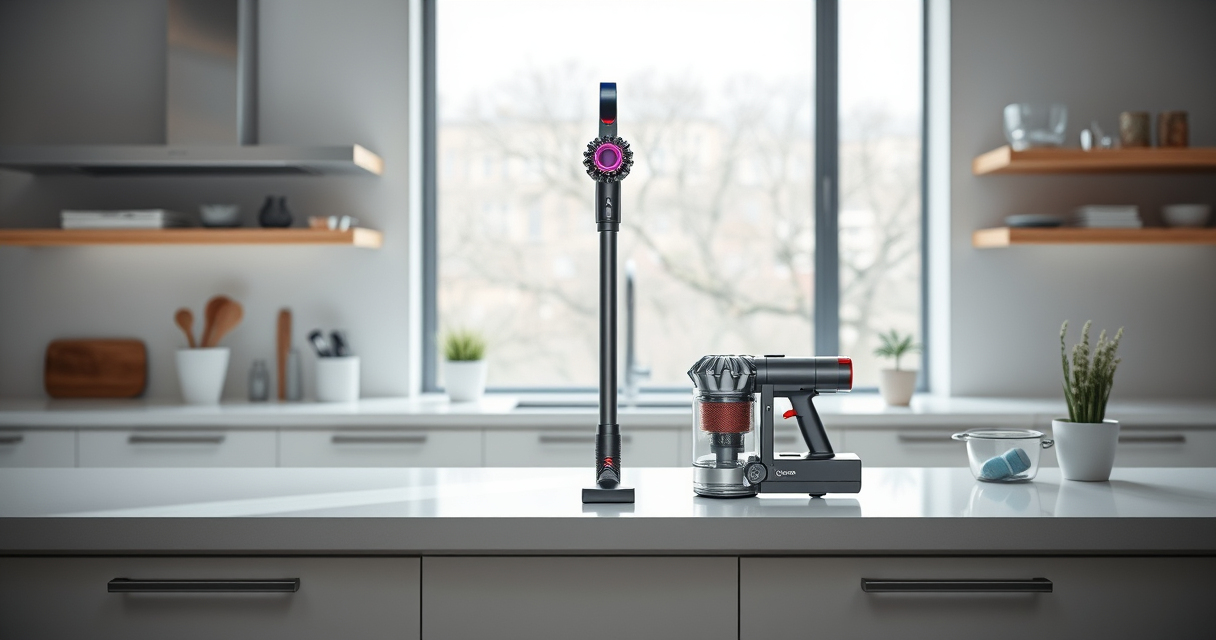
Dyson vacuums are renowned for their powerful cleaning and advanced features, but like any appliance, they require regular maintenance and troubleshooting to keep them running smoothly. The Dyson V15 Detect™ Origin is a high-tech cordless vacuum offering intelligent cleaning, real-time particle detection, and versatile attachments. Proper care ensures it maintains peak performance, extends its lifespan, and saves you money on repairs.

Get home appliances delivered free with Prime
- Fast, free delivery on millions of items
- Prime Video, Amazon Music and more included
- Member-only deals all year
In this guide, we’ll cover essential maintenance routines, common issues, step-by-step troubleshooting, and safety tips to keep your Dyson V15 Detect™ Origin operating at its best. Whether you’re experiencing reduced suction, battery issues, or need to replace filters, this comprehensive guide will help you resolve problems quickly and confidently.
Key Takeaways
| Regular maintenance is key | Cleaning filters and checking for blockages preserve suction. |
| Troubleshoot power issues | Battery or motor problems often cause power loss; follow specific steps. |
| Keep filters clean | Washing and replacing filters ensures peak filtration and airflow. |
| Monitor LCD alerts | The LCD screen provides real-time alerts for maintenance needs. |
| Use compatible attachments | Properly fitted accessories improve cleaning and prevent damage. |
Routine Cleaning and Filter Maintenance
Keeping your Dyson V15 Detect™ Origin in top shape starts with regular cleaning of filters and dust chambers. Dirty filters reduce suction power and can trigger maintenance alerts on the LCD screen. It’s recommended to wash the pre-filters and main filters every 2-3 months, depending on usage.
- Remove the filters from the vacuum according to the instructions in your user manual.
- Rinse the filters under cold water until the water runs clear. Do not use detergents or brushes that could damage the filter.
- Let the filters air dry completely, ideally for 24 hours, before reinstalling.
- Check the dust canister and clean it with a damp cloth or a brush to remove accumulated debris.
Proper filter maintenance ensures maximum airflow, suction, and filtration efficiency. Avoid using the vacuum with dirty filters to prevent motor strain and potential breakdowns.
Troubleshooting Power and Battery Issues
If your Dyson V15 Detect™ Origin isn’t powering on or has inconsistent power, start with these troubleshooting steps:
- Ensure the battery is fully charged. Connect the vacuum to the charger and wait at least 3.5 hours for a full charge.
- Check for any obstructions in the wand, cleaner head, or hose that could restrict airflow or cause the vacuum to shut off.
- Inspect the LCD screen for error codes or maintenance alerts. Follow the prompts accordingly.
- Reset the vacuum by turning it off, removing the battery if possible, then reattaching it after a minute.
- If the issue persists, contact Dyson customer support for further diagnostics or battery replacement options.
Battery performance can degrade over time; if your vacuum runs for less than the advertised 60 minutes, consider replacing the battery or consulting a professional repair service.
Replacing and Maintaining Filters for Optimal Performance
The Dyson V15 Detect™ Origin uses advanced filters to trap dust and allergens, which must be replaced or cleaned regularly to maintain suction and filtration. The included 3-pack of pre-filters and replacement filters are designed for easy maintenance.
- Remove the filter from the vacuum, rinse it with cold water, and let it air dry thoroughly before reinstalling.
- Replace filters every 2-3 months or sooner if you notice a decrease in suction or the LCD displays a maintenance alert.
- Use the recommended replacement filters to ensure compatibility and optimal filtration capabilities.
Proper filter maintenance helps prevent motor overload, prolongs the vacuum’s lifespan, and keeps your home air quality high.
Cleaning and Maintaining Attachments and Nozzles
Attachments like the crevice tool and cleaner heads are essential for deep cleaning and reaching tight spots. Regular cleaning prevents clogs and maintains their effectiveness.
- Detach the crevice tool and other attachments from the vacuum body.
- Remove hair, dust, or debris by rinsing or brushing them off. For stubborn dirt, wash with warm water and mild soap.
- Ensure all parts are completely dry before reattaching to prevent mold or damage.
- Check the cleaner heads for tangled hair or debris, especially the Digital Motorbar head, which de-tangles hair as you clean.
Keeping attachments clean ensures efficient cleaning and prevents damage caused by debris buildup.
Safety Tips and Precautions for Maintaining Your Dyson
Always follow safety guidelines when maintaining your Dyson V15 Detect™ Origin to prevent injury or damage.
- Unplug the vacuum before cleaning filters, clearing blockages, or removing attachments.
- Do not immerse the vacuum or electrical components in water. Use only damp cloths for cleaning exterior parts.
- Handle filters carefully to avoid tearing or damaging the silicone sealing rings.
- Use genuine Dyson or compatible accessories to prevent damage and ensure proper fit.
- If you notice unusual noises, overheating, or persistent power issues, consult professional repair services or Dyson support.
Following these precautions will help you maintain the safety and longevity of your vacuum.
The Products in This Guide

Dyson V15 Detect™ Origin Cordless Vacuum
- ✔ Battery Type: Removable Lithium-ion
- ✔ Dust Capacity: 0.2 gallons
- ✔ Warranty: 2 years

LANMU Crevice Tool Vacuum Attachments Compatible
- ✔ Compatibility: Multiple Dyson models
- ✔ Material: Plastic and rubber
- ✔ Warranty: 6 months
Dyson V15 Detect™ Origin Cordless Vacuum
The Dyson V15 Detect™ Origin is a powerhouse cordless vacuum designed for thorough, whole-home cleaning. Its intelligent features and advanced design make it a top choice for pet owners and deep-cleaning enthusiasts alike. Proper care and troubleshooting ensure it remains effective and long-lasting.
Pros:
- Powerful suction with 100% more power
- Intelligent debris detection
- Long battery life of 60 minutes
- Multiple cleaning heads for versatile use
Cons:
- Can be heavy for some users
- Requires regular filter cleaning
- Price may be higher than basic models
Best for: Deep cleaning homes, pet hair removal, hard-to-reach areas
Not ideal for: Light cleaning needs or budget-conscious buyers
Bottom line: A high-performance, smart cordless vacuum ideal for comprehensive home cleaning.
LANMU Crevice Tool Vacuum Attachments Compatible
The LANMU Crevice Tool Vacuum Attachments are compatible with Dyson V15 models and provide a narrow, flexible nozzle that easily reaches into corners, between cushions, and into car interiors. It’s a simple upgrade that enhances your cleaning precision.
Pros:
- Narrow, flexible design
- Compatible with many Dyson models
- Easy to attach and remove
- Ideal for detailed cleaning
Cons:
- May not fit older Dyson models
- Requires careful handling to avoid damage
- Limited to crevice and corner cleaning
Best for: Cleaning tight corners, car interiors, and small crevices
Not ideal for: General surface cleaning or large debris removal
Bottom line: A practical attachment that enhances precision in hard-to-reach spots.
Frequently Asked Questions
How often should I replace the filters on my Dyson V15 Detect™ Origin?
It’s recommended to wash the filters every 2-3 months and replace them every 6-12 months, depending on usage and signs of wear.
What should I do if the vacuum loses suction?
Check and clean the filters, clear any blockages in the wand or cleaner head, and ensure the dust canister isn’t full. Reinstall filters properly before testing again.
How do I reset the maintenance alert on my Dyson LCD screen?
Follow the prompts on the LCD screen after completing the recommended maintenance steps, or turn the vacuum off and back on to reset the system.
Can I wash the filters with soap?
No, it’s best to rinse filters with cold water only. Using soap or detergents may damage the filters and reduce their effectiveness.
What should I do if the vacuum won’t turn on?
Ensure it’s fully charged, check for blockages, and reset the vacuum if necessary. If it still doesn’t work, contact Dyson support for repairs.
Keep Your Dyson V15 Detect™ Origin in Peak Condition
Regular maintenance and troubleshooting are essential for ensuring your Dyson V15 Detect™ Origin continues to deliver its powerful, intelligent cleaning performance. By following the recommended routines, addressing common issues promptly, and using compatible accessories, you can extend the lifespan of your vacuum and maintain a cleaner, healthier home. Remember, proper care not only saves you money but also preserves the advanced features that make your Dyson a top choice for modern cleaning.
Affiliate disclosure: As an Amazon Associate we earn from qualifying purchases. Prices and availability are accurate as of the time of publishing.
Halloween Picks
halloween
As an affiliate, we earn on qualifying purchases.