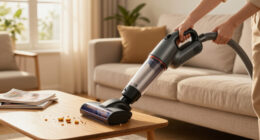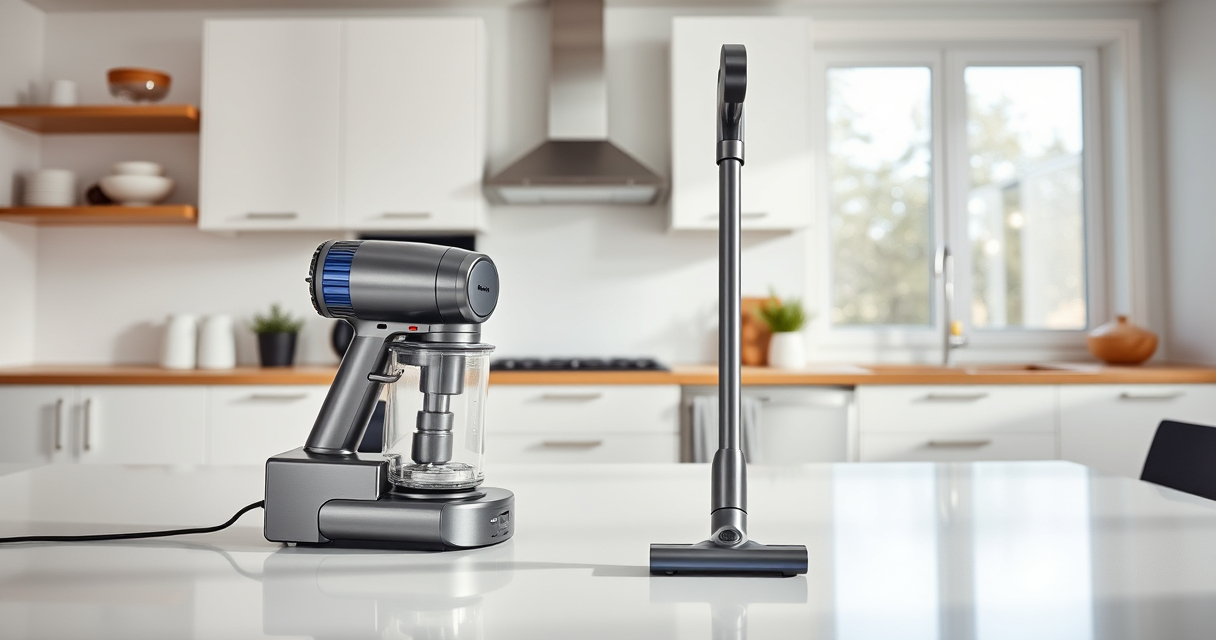
If your Dyson V15 Detect™ Origin cordless vacuum is pulsing on and off during use, it can disrupt your cleaning routine. This common issue often stems from blockages, filter problems, or battery concerns. Fortunately, many causes are simple to diagnose and fix with the right steps.
In this guide, you’ll find practical, safe, and accurate troubleshooting steps to resolve pulsing issues and restore your vacuum’s power, ensuring efficient cleaning across your entire home.
Key Takeaways
| Identify common causes | Blockages, filter issues, battery or motor problems |
| Check filters regularly | Clogged filters can cause pulsing and loss of suction |
| Inspect for blockages | Clear debris in the wand, cleaner heads, and inlet ports |
| Ensure proper battery connection | Loose or faulty batteries may cause power fluctuations |
| Perform safe resets | Reset the vacuum to clear electronic glitches |

Dyson V15 Detect™ Origin Cordless Vacuum
- Deep cleaning with intelligent dust detection: Reveals invisible dust for thorough cleaning
- Enhanced power and runtime: 100% more power, 60-minute battery life
- Energy-efficient power trigger: Uses power only when needed
As an affiliate, we earn on qualifying purchases.
Step 1: Turn Off and Unplug the Vacuum
- Ensure the vacuum is turned off by releasing the power trigger.
- Disconnect the vacuum from any charging station or wall outlet to prevent accidental power on during maintenance.

LANMU Crevice Tool Vacuum Attachments Compatible with Dyson V15 V12 V11 V10 V9 V8 V7 Gen5 Outsize Vacuum Cleaner, Narrow Nozzel Replacement Parts for Hard-to-Reach Space
- Wide Compatibility: Compatible with various Dyson models
- Slim and Flexible Design: Narrow nozzle for hard-to-reach areas
- Versatile Applications: Ideal for furniture, car, and appliance cleaning
As an affiliate, we earn on qualifying purchases.
Step 2: Check and Clear Blockages
- Remove the wand and cleaner head from the main body.
- Inspect the wand, cleaner head, and inlet for any debris or obstructions.
- Use a long, slim tool or the crevice attachment to dislodge and remove blockages.
Step 3: Clean or Replace Filters
- Remove the pre-filters and main filters as per the Dyson V15 user manual.
- Wash the filters under cold water, ensuring they are thoroughly dried before reinserting—typically 24 hours.
- If filters are excessively dirty or damaged, replace them with compatible filters, such as the 3Pack Pre Filters Replacement or V10 Filters.
Step 4: Reset the Vacuum
- Press and hold the power button for about 10 seconds to perform a soft reset.
- Reconnect the vacuum to power, turn it on, and test if pulsing persists.
Step 5: Check Battery and Power Mode
- Ensure the battery is properly seated and connected.
- If using the power trigger, verify you’re not unintentionally activating it during use.
- Switch to a different power mode via the LCD screen to see if the pulsing stops.
The Products in This Guide

Dyson V15 Detect™ Origin Cordless Vacuum
- ✔ Color: Silver/Gold
- ✔ Charge Time: 3.5 hours
- ✔ Warranty: 2 years

LANMU Crevice Tool Vacuum Attachments Compatible
- ✔ Length: 12 inches
- ✔ Color: Black/Gray
- ✔ Weight: 0.5 lbs
Dyson V15 Detect™ Origin Cordless Vacuum
The Dyson V15 Detect™ Origin is a powerful, intelligent cordless vacuum designed for whole-home cleaning. It features advanced sensors that detect dust and debris, adjusting power accordingly. Its LCD screen displays real-time data, making maintenance and troubleshooting straightforward.
Pros:
- Powerful suction with 100% more power
- Intelligent debris detection
- Long 60-minute runtime
- Multiple cleaner heads for various surfaces
Cons:
- Higher price point
- Requires regular filter maintenance
- Can be heavy for some users
Best for: Deep cleaning hard floors and carpets, pet hair removal
Not ideal for: For users seeking a lightweight, budget-friendly vacuum
Bottom line: The Dyson V15 Detect™ Origin offers powerful, smart cleaning but requires regular maintenance to prevent pulsing issues.
LANMU Crevice Tool Vacuum Attachments Compatible
The LANMU Crevice Tool Vacuum Attachments are compatible with a wide range of Dyson models, including the V15. Its narrow, flexible design helps you reach tight spaces and corners, making it easier to clear blockages that might cause pulsing.
Pros:
- Compatible with many Dyson models
- Narrow and flexible for tight spots
- Easy to attach and use
- Great for cars and furniture
Cons:
- May not fit older Dyson models
- Slightly narrower nozzle limits debris collection
- Needs proper cleaning for best performance
Best for: Reaching hard-to-access areas and cleaning tight corners
Not ideal for: For general large-area cleaning
Bottom line: A handy attachment to help clear blockages and access hard-to-reach spots with your Dyson vacuum.
Frequently Asked Questions
Why does my Dyson vacuum pulse or flicker during use?
Pulsing or flickering can be caused by blockages, dirty filters, or battery issues. Following troubleshooting steps like cleaning filters and clearing blockages can resolve this.
Can I fix pulsing issues myself?
Yes, most causes such as blockages and filter maintenance are easy to handle with basic tools and cleaning routines outlined in this guide.
How often should I clean or replace filters?
Filters should be washed every 1-3 months and replaced if damaged or excessively dirty. Use compatible filters like the 3Pack Pre Filters Replacement or V10 Filters for best performance.
Is it safe to reset my Dyson vacuum?
Yes, performing a soft reset by holding the power button for about 10 seconds is safe and can help clear electronic glitches causing pulsing.
Keep Your Dyson V15 Detect Running Smoothly
Regular maintenance, including cleaning filters and checking for blockages, is key to preventing pulsing issues. By following these troubleshooting steps, you can quickly restore your vacuum’s power and enjoy efficient cleaning without interruptions.
Always prioritize safety, disconnect power before maintenance, and consult your user manual for model-specific instructions. Your Dyson vacuum can serve you well with proper care and timely upkeep.
Affiliate disclosure: As an Amazon Associate we earn from qualifying purchases. Prices and availability are accurate as of the time of publishing.