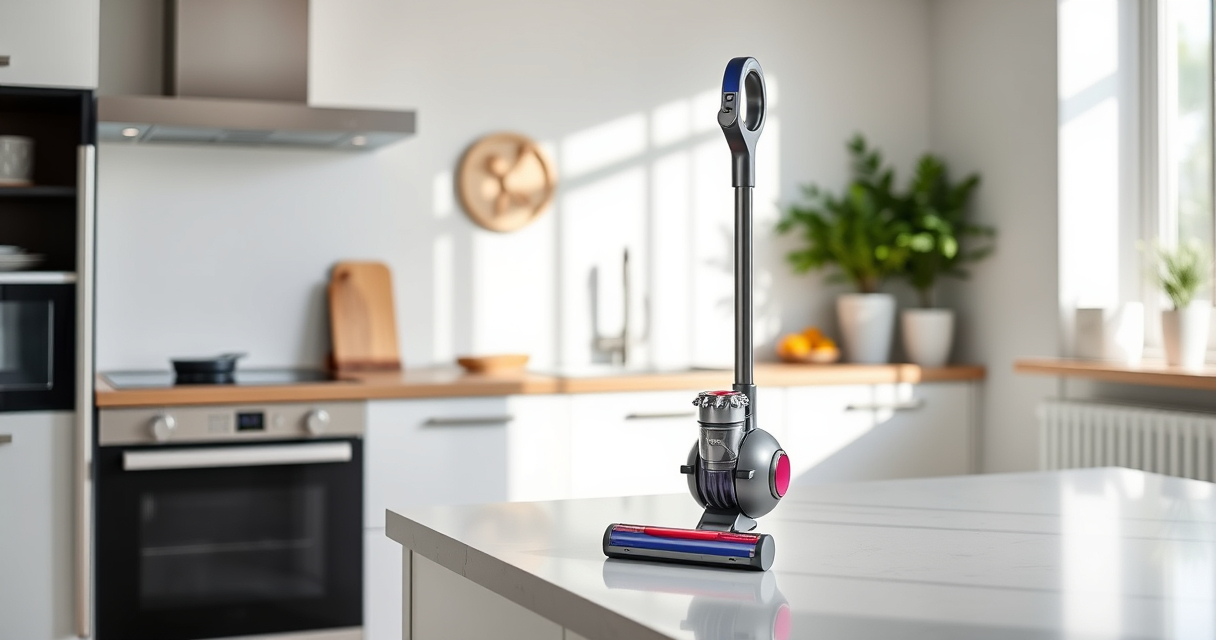
If your Dyson V15 Detect™ Origin Cordless Vacuum is pulsing on and off during use, it can be frustrating and impact cleaning performance. This issue may be caused by various factors such as overheating, clogged filters, or blockages. Fortunately, many problems can be resolved with simple troubleshooting steps to restore optimal operation.

Get home appliances delivered free with Prime
- Fast, free delivery on millions of items
- Prime Video, Amazon Music and more included
- Member-only deals all year
In this guide, you’ll learn practical, safe steps to identify the cause of pulsing and how to fix it effectively. Follow these instructions carefully to keep your Dyson performing smoothly and extend its lifespan.
Key Takeaways
| Main Cause | Overheating or blocked filters can trigger pulsing. |
| Filter Maintenance | Regularly clean or replace filters to prevent issues. |
| Blockages | Clear obstructions in the wand, hose, or cleaner head. |
| Battery & Motor | Ensure battery and motor are functioning properly. |
Step 1: Turn Off and Unplug the Vacuum
- Switch off your Dyson V15 Detect and remove it from the charging station.
- Unplug the charger to ensure safety during troubleshooting.
Step 2: Check for Overheating and Cool Down
If the vacuum pulsing occurs after prolonged use, it might be overheating.
- Allow the vacuum to cool down for at least 30 minutes.
- Ensure the air vents are clear of dust or debris.
Step 3: Inspect and Clean Filters
Clogged filters can cause the vacuum to pulse as it struggles to maintain power.
- Remove the pre-filters (refer to the manual for location).
- Wash the filters under water, wring out excess water, and let them air dry completely (at least 24 hours).
- Reinstall the filters once dry.
Step 4: Check for Blockages
Blockages in the wand, hose, or cleaner head can cause pulsing due to airflow restrictions.
- Detach the wand and cleaner head.
- Inspect for debris or obstructions and clear them carefully.
- Reassemble and test the vacuum.
Step 5: Verify Battery and Motor Function
If issues persist, check that the battery is charged properly and the motor runs smoothly.
- Ensure the battery is fully charged and seated correctly.
- Listen for unusual noises or vibrations that could indicate a motor problem.
The Products in This Guide

Dyson V15 Detect™ Origin Cordless Vacuum
- ✔ Color: Silver/Blue
- ✔ Warranty: 2 years
- ✔ Included Accessories: Crevice tool, two cleaner heads

LANMU Crevice Tool Vacuum Attachments Compatible
- ✔ Color: Black/Gray
- ✔ Warranty: 1 year
- ✔ Includes: Narrow nozzle and flexible extension
Dyson V15 Detect™ Origin Cordless Vacuum
<p>The Dyson V15 Detect™ Origin Cordless Vacuum offers powerful, intelligent cleaning with features like laser dust detection and adaptive power modes. Its advanced design ensures thorough cleaning across various surfaces, making it a top choice for home maintenance.</p>
Pros:
- Powerful suction with 100% more cleaning capability
- Intelligent debris detection and LCD display
- Long-lasting 60-minute run time
- Multiple cleaning heads for versatile use
Cons:
- Premium price point
- Requires regular filter maintenance
- Battery replacement can be costly
Best for: Deep cleaning of hard floors, carpets, and pet hair
Not ideal for: Heavy-duty commercial cleaning or very large areas without additional batteries
Bottom line: The Dyson V15 Detect™ Origin is a powerful, smart vacuum ideal for thorough home cleaning.
LANMU Crevice Tool Vacuum Attachments Compatible
<p>This crevice tool attachment complements your Dyson V15, helping you clean those tight corners and tricky spots with ease. Its slim design allows it to reach places that are otherwise difficult to access.</p>
Pros:
- Narrow nozzle for precision cleaning
- Compatible with multiple Dyson models
- Flexible and easy to maneuver
- Great for cars, sofas, and baseboards
Cons:
- Only suitable for specific Dyson models
- May require additional attachments for full versatility
Best for: Cleaning corners, edges, and small spaces
Not ideal for: Heavy-duty deep cleaning or large debris removal
Bottom line: A versatile tool that makes reaching tight spots effortless.
Frequently Asked Questions
Why does my Dyson vacuum pulse on and off?
This typically indicates overheating, a blockage, or filter issues. Follow the troubleshooting steps to resolve the problem.
How often should I clean or replace the filters?
It’s recommended to wash the filters every 1-3 months and replace them every 6-12 months depending on usage.
Can I fix the pulsing issue myself?
Yes, most causes like filters, blockages, or overheating can be addressed with simple steps outlined in this guide. If problems persist, contact Dyson support.
Is it safe to wash the filters with water?
Yes, but ensure they are fully dry before reinstalling to prevent damage or mold growth.
Keep Your Dyson V15 Detect Running Smoothly
Regular maintenance and prompt troubleshooting can prevent pulsing issues and keep your Dyson cordless vacuum performing at its best. Follow these simple steps to enjoy efficient cleaning and prolong your vacuum’s lifespan. If problems persist, professional repair or support may be necessary.
Affiliate disclosure: As an Amazon Associate we earn from qualifying purchases. Prices and availability are accurate as of the time of publishing.
Fall Picks
fall essentials
As an affiliate, we earn on qualifying purchases.