If your Dyson V15 Detect™ Origin cordless vacuum is losing battery life quickly, it can be frustrating and hinder your cleaning routine. This guide provides practical steps to diagnose and resolve common issues causing rapid battery drain, ensuring your vacuum performs at its best.

Get home appliances delivered free with Prime
- Fast, free delivery on millions of items
- Prime Video, Amazon Music and more included
- Member-only deals all year
Follow these instructions carefully to safely troubleshoot and enhance your vacuum’s runtime, saving you time and money on replacements or repairs.
Key Takeaways
| Battery health check | A worn-out battery is a common cause of fast drain. |
| Clean filters and dust pathways | Clogged filters reduce efficiency and battery life. |
| Update firmware and reset vacuum | Software issues can affect power management. |
| Inspect for hardware damage | Damaged components may cause excessive power drain. |
Step 1: Check the Battery Condition
- Ensure the vacuum is turned off and unplugged from charging.
- Remove the battery pack from the Dyson V15 Detect™ Origin.
- Inspect the battery for any signs of swelling, corrosion, or damage.
- If the battery appears damaged or old (over 2-3 years), consider replacing it with a compatible new battery.
Step 2: Clean Filters and Dust Pathways
- Remove the pre-filters and clean them with water, then let them air dry completely.
- Check the main filters and clean or replace if they are clogged or dirty.
- Clear any debris from the dustbin and airflow pathways to prevent blockages that strain the motor and drain the battery faster.
Step 3: Update Firmware and Reset the Vacuum
- Ensure your Dyson V15 Detect™ is connected to the Dyson Link app.
- Check for firmware updates and install any available updates.
- To reset, turn off the vacuum, then hold the power button for 10 seconds until you see the LCD screen reset.
Step 4: Inspect for Hardware and Battery Usage
- Check for any visible damage to the vacuum, especially the battery compartment and motor heads.
- Make sure the vacuum’s power mode is set to a lower setting if applicable, to conserve battery.
- If issues persist, consider replacing the battery or consulting Dyson support for professional repairs.
Additional Tips and Warnings
- Always use genuine Dyson parts or compatible replacements for safety and performance.
- Avoid overcharging the battery; unplug once fully charged.
- Handle batteries carefully to prevent puncture or damage, which can pose safety risks.
The Products in This Guide

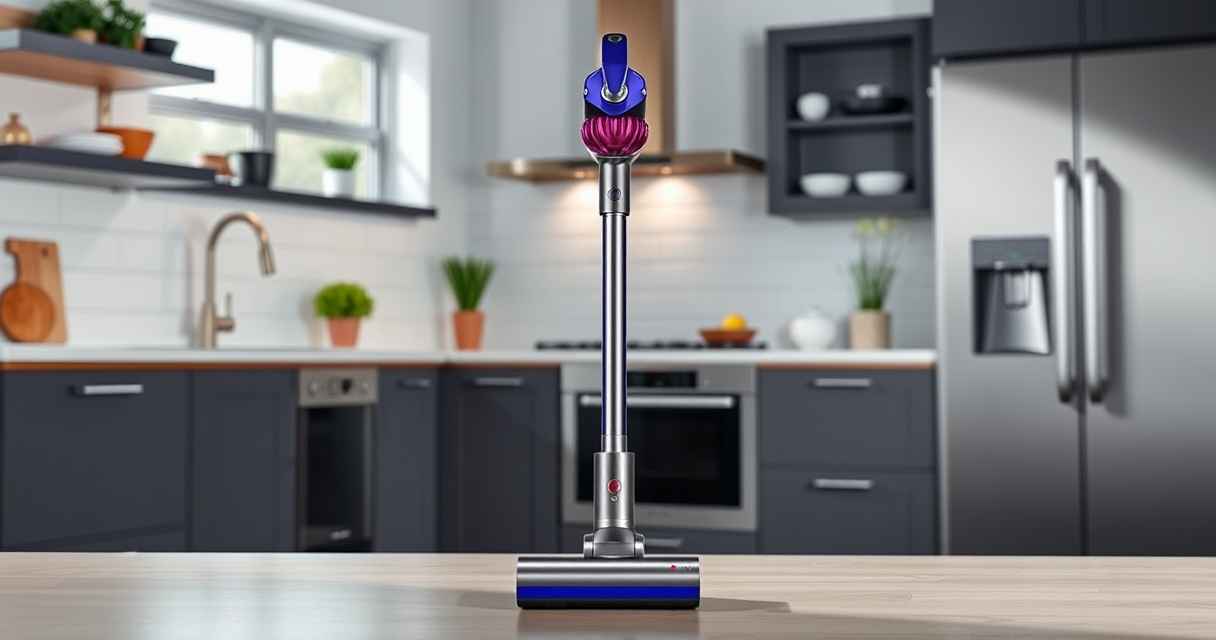
Dyson V15 Detect™ Origin Cordless Vacuum
- ✔ Charge Time: 3.5 hours
- ✔ Dustbin Capacity: 0.77 liters
- ✔ Warranty: 2 years

LANMU Crevice Tool Vacuum Attachments Compatible
- ✔ Usage: Dust removal, crevicing
- ✔ Ease of installation: Snap-on design
- ✔ Durability: High-quality plastic
Dyson V15 Detect™ Origin Cordless Vacuum
The Dyson V15 Detect™ Origin offers deep cleaning with advanced features, including a powerful motor and intelligent debris detection. Proper maintenance can help prevent rapid battery drain and keep your vacuum performing at its peak.
Pros:
- Powerful suction
- Intelligent debris detection
- Long battery life
- Multiple cleaning heads
Cons:
- Battery replacement can be costly
- Filters need regular cleaning
- Heavy for some users
Best for: Homeowners seeking deep, efficient cleaning with smart features
Not ideal for: Users needing lightweight or budget-friendly options
Bottom line: Regular maintenance and proper handling will extend your Dyson V15 Detect™’s battery life.
LANMU Crevice Tool Vacuum Attachments Compatible
This versatile crevice tool attachment helps reach tight spots and hard-to-clean areas, making your Dyson V15 Detect™ even more effective for detailed cleaning tasks.
Pros:
- Narrow, flexible nozzle
- Compatible with multiple Dyson models
- Eases cleaning in small spaces
- Durable build
Cons:
- Requires separate purchase
- Not compatible with V6 or canister models
Best for: Cleaning corners, edges, and tight spots in home or car
Not ideal for: General cleaning tasks that don’t require precision
Bottom line: A practical tool to improve your Dyson’s reach and cleaning precision.
Frequently Asked Questions
Why does my Dyson V15 Detect™ battery drain so quickly?
Common causes include a worn-out battery, clogged filters, hardware damage, or software glitches. Following proper maintenance and troubleshooting steps can often resolve this.
How often should I replace the filters?
Filters should be washed and dried thoroughly every 2-3 months and replaced if they show signs of damage or excessive wear.
Can I replace the battery myself?
Yes, replacing the battery is possible with the correct replacement part and some basic tools. However, if you’re unsure, professional service is recommended.
What should I do if the vacuum still loses power after troubleshooting?
Contact Dyson support or a qualified repair technician for further diagnosis. Persistent issues may require professional repair or battery replacement.
Keep Your Dyson V15 Detect™ Running Like New
Regular maintenance, including cleaning filters, inspecting the battery, and updating firmware, can significantly improve your vacuum’s battery life and overall performance. By following these steps, you can enjoy powerful, efficient cleaning for years to come.
Affiliate disclosure: As an Amazon Associate we earn from qualifying purchases. Prices and availability are accurate as of the time of publishing.
Cold & flu season Picks
humidifiers
As an affiliate, we earn on qualifying purchases.